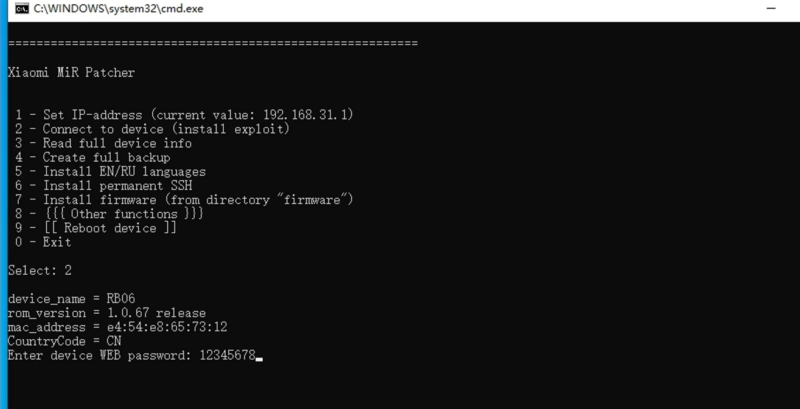


本教程使用openwrt分区,可以获得大概55M可用闪存空间。如果需要uboo大分区版可以看下方连接
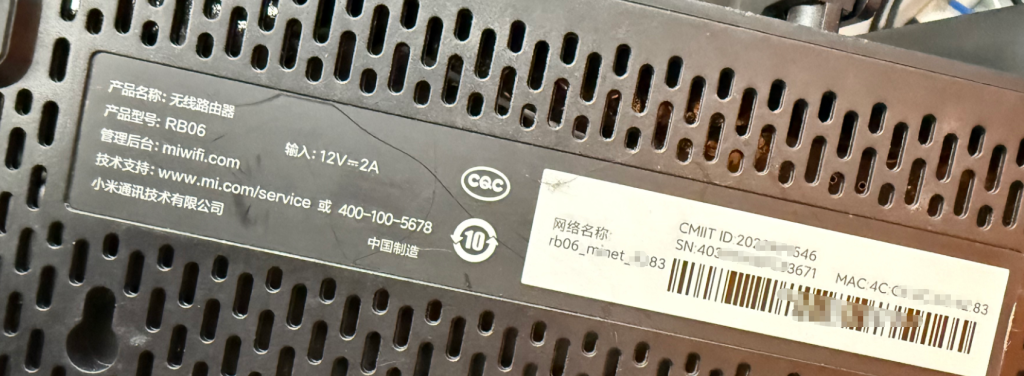
第一步解锁ssh
![图片[1]-红米AX6000/RB06刷机教程openwrt大分区版+恢复原厂教程-勇爱设计Netwrok](https://www.getpicion.com/wp-content/uploads/2026/04/image-1024x524.png)
第二步刷入openwrt
![图片[2]-红米AX6000/RB06刷机教程openwrt大分区版+恢复原厂教程-勇爱设计Netwrok](https://www.getpicion.com/wp-content/uploads/2026/04/image-1-1024x540.png)
BusyBox v1.36.1 (2026-02-09 09:37:22 UTC) built-in shell (ash)

.___                               __         .__
|   | _____   _____   ____________/  |______  |  |
|   |/     \ /     \ /  _ \_  __ \   __\__  \ |  |
|   |  Y Y  \  Y Y  (  <_> )  | \/|  |  / __ \|  |__
|___|__|_|  /__|_|  /\____/|__|   |__| (____  /____/
          \/      \/  BE FREE AND UNAFRAID  \/
 -----------------------------------------------------
 ImmortalWrt 24.10.5, r33805-7c4e882aaf6f
 -----------------------------------------------------
=== WARNING! =====================================
There is no root password defined on this device!
Use the "passwd" command to set up a new password
in order to prevent unauthorized SSH logins.
--------------------------------------------------
root@ImmortalWrt:~# #查看分区
root@ImmortalWrt:~# cat /proc/mtd
dev:    size   erasesize  name
mtd0: 00100000 00020000 "BL2"
mtd1: 00040000 00020000 "Nvram"
mtd2: 00040000 00020000 "Bdata"
mtd3: 00200000 00020000 "Factory"
mtd4: 00200000 00020000 "FIP"
mtd5: 00040000 00020000 "crash"
mtd6: 00040000 00020000 "crash_log"
mtd7: 01e00000 00020000 "ubi_kernel"
mtd8: 05000000 00020000 "ubi"
root@ImmortalWrt:~# #查看分区
root@ImmortalWrt:~# cat /proc/cmdline
console=ttyS0,115200n1 loglevel=8 firmware=0 uart_en=1
root@ImmortalWrt:~#
恢复原厂系统
想切回原厂?简单。跟着做:
打开小米恢复工具,选择原厂固件。选择路由器连接电脑的网卡。点击下一步。等待工具修改网卡。进入这个界面后。按照提示拔掉路由器电源10秒。按住reset键不松手。重新插入电源。全程别松reset键!等10秒看到灯开始闪,再松手。这时候进入恢复流程。过程大概2分钟。如果没有反应,检查对应原因
© 版权声明
文章版权归作者所有,未经允许请勿转载。
THE END




- 最新
- 最热
只看作者