


本教程需要拆机操作。
🛠️ 必备工具
- USB-TTL 编程器(ttl淘宝链接https://item.taobao.com/item.htm?id=607822831459&spm=a21m98.27004841杜邦线排针要一公一母,不是我开的店,自行购买
- 螺丝刀/刀片/磁卡
- 一台电脑(Windows10/11)
- 傻瓜式工具+恢复工具
- 设备对应的 U-Boot 恢复镜像 / 固件文件
![图片[1]-(需拆机)H3C TX1801Plus TX1800Plus TX1806刷机教程 openwrt+TTL救砖-勇爱设计Netwrok](https://www.getpicion.com/wp-content/uploads/2026/08/image-1.png)
![图片[2]-(需拆机)H3C TX1801Plus TX1800Plus TX1806刷机教程 openwrt+TTL救砖-勇爱设计Netwrok](https://www.getpicion.com/wp-content/uploads/2026/08/image-2-1024x417.png)
![图片[3]-(需拆机)H3C TX1801Plus TX1800Plus TX1806刷机教程 openwrt+TTL救砖-勇爱设计Netwrok](https://www.getpicion.com/wp-content/uploads/2026/08/image-3-1024x373.png)
![图片[4]-(需拆机)H3C TX1801Plus TX1800Plus TX1806刷机教程 openwrt+TTL救砖-勇爱设计Netwrok](https://www.getpicion.com/wp-content/uploads/2026/08/image-1024x411.png)
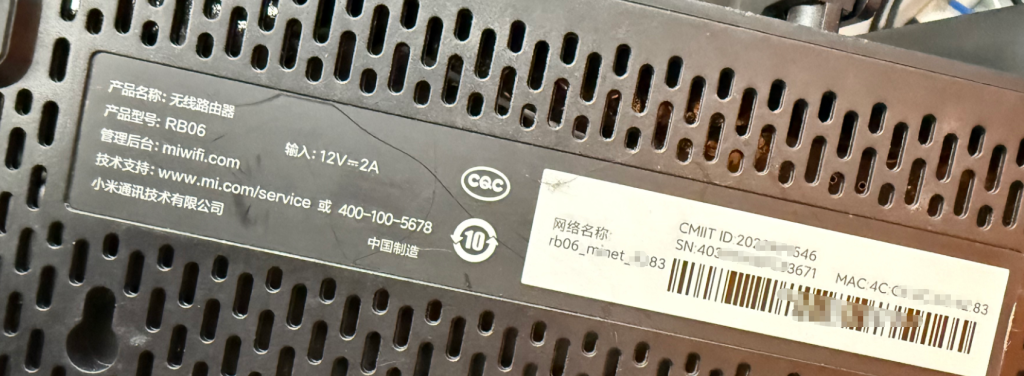
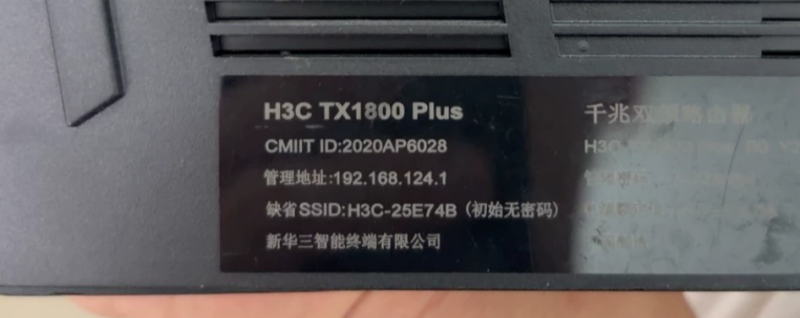
三款路由器核心硬件完全一致(MT7621AT + MT7915 + 256MB 内存 + 128MB 闪存),都是 AX1800 级别的 WiFi 6 运营商定制路由。教程工具包选择对应即可。
| 参数 | TX1801 Plus | TX1800 Plus | TX1806 |
|---|---|---|---|
| 运营商定制 | 中国电信版 | 中国联通版 | 中国移动版 |
| 管理 APP | 小翼管家 | 智慧沃家 | 和家亲 |
| 默认管理地址 | 192.168.2.1 / router.ctc | wowifi.smartont.net | 192.168.10.1 |
| 参数 | TX1801 Plus | TX1800 Plus | TX1806 |
|---|---|---|---|
| CPU 芯片 | MT7621AT(双核 880MHz,MIPS 1004Kc) | MT7621AT(双核 880MHz,MIPS 1004Kc) | MT7621AT(双核 880MHz,MIPS 1004Kc) |
| 无线芯片 | MT7915(MT7975+MT7905) | MT7915(MT7975+MT7905) | MT7915(MT7975+MT7905) |
| 内存 | 256MB DDR3 | 256MB DDR3 | 256MB DDR3 |
| 闪存 | 128MB NAND | 128MB NAND | 128MB NAND |
| FEM 功放 | 外置独立超高功率 FEM | 外置独立超高功率 FEM | 外置独立超高功率 FEMs |
拆机图文教程
![图片[5]-(需拆机)H3C TX1801Plus TX1800Plus TX1806刷机教程 openwrt+TTL救砖-勇爱设计Netwrok](https://www.getpicion.com/wp-content/uploads/2026/08/image-4-1024x681.png)
![图片[6]-(需拆机)H3C TX1801Plus TX1800Plus TX1806刷机教程 openwrt+TTL救砖-勇爱设计Netwrok](https://www.getpicion.com/wp-content/uploads/2026/08/image-5-1024x646.png)
![图片[7]-(需拆机)H3C TX1801Plus TX1800Plus TX1806刷机教程 openwrt+TTL救砖-勇爱设计Netwrok](https://www.getpicion.com/wp-content/uploads/2026/08/image-6-1024x760.png)
![图片[8]-(需拆机)H3C TX1801Plus TX1800Plus TX1806刷机教程 openwrt+TTL救砖-勇爱设计Netwrok](https://www.getpicion.com/wp-content/uploads/2026/08/image-7-1024x687.png)
刷机过程
===================================================================
MT7621 stage1 code Dec 16 2019 17:45:55 (ASIC)
CPU=500000000 HZ BUS=166666666 HZ
==================================================================
Change MPLL source from XTAL to CR...
do MEMPLL setting..
MEMPLL Config : 0x11000000
3PLL mode + External loopback
=== XTAL-40Mhz === DDR-1200Mhz ===
PLL2 FB_DL: 0x11, 1/0 = 601/423 45000000
PLL3 FB_DL: 0x11, 1/0 = 568/456 45000000
PLL4 FB_DL: 0x13, 1/0 = 609/415 4D000000
DDR patch working
do DDR setting..[01F40000]
Apply DDR3 Setting...(use default AC)
0 8 16 24 32 40 48 56 64 72 80 88 96 104 112 120
--------------------------------------------------------------------------------
0000:| 0 0 0 0 0 0 0 0 0 0 0 0 0 0 0 0
0001:| 0 0 0 0 0 0 0 0 0 0 0 0 0 0 0 0
0002:| 0 0 0 0 0 0 0 0 0 0 0 0 0 0 0 0
0003:| 0 0 0 0 0 0 0 0 0 0 0 0 0 0 0 0
0004:| 0 0 0 0 0 0 0 0 0 0 0 0 0 0 0 0
0005:| 0 0 0 0 0 0 0 0 0 0 0 0 0 0 0 0
0006:| 0 0 0 0 0 0 0 0 0 0 0 0 0 0 0 0
0007:| 0 0 0 0 0 0 0 0 0 0 0 0 0 0 0 0
0008:| 0 0 0 0 0 0 0 0 0 0 0 0 0 0 0 0
0009:| 0 0 0 0 0 0 0 0 0 0 0 0 0 0 0 0
000A:| 0 0 0 0 0 0 0 0 0 0 0 0 0 0 0 0
000B:| 0 0 0 0 0 0 0 0 0 0 0 0 0 0 0 0
000C:| 0 0 0 0 0 0 0 0 0 0 0 0 0 0 0 0
000D:| 0 0 0 0 0 0 0 0 0 0 0 0 0 0 0 0
000E:| 0 0 0 0 0 0 0 0 0 0 1 1 1 1 1 1
000F:| 0 0 0 0 0 1 1 1 1 1 1 1 1 1 1 0
0010:| 1 1 1 1 1 1 1 1 1 1 0 0 0 0 0 0
0011:| 1 1 1 1 0 0 0 0 0 0 0 0 0 0 0 0
0012:| 0 0 0 0 0 0 0 0 0 0 0 0 0 0 0 0
0013:| 0 0 0 0 0 0 0 0 0 0 0 0 0 0 0 0
0014:| 0 0 0 0 0 0 0 0 0 0 0 0 0 0 0 0
0015:| 0 0 0 0 0 0 0 0 0 0 0 0 0 0 0 0
0016:| 0 0 0 0 0 0 0 0 0 0 0 0 0 0 0 0
0017:| 0 0 0 0 0 0 0 0 0 0 0 0 0 0 0 0
0018:| 0 0 0 0 0 0 0 0 0 0 0 0 0 0 0 0
0019:| 0 0 0 0 0 0 0 0 0 0 0 0 0 0 0 0
001A:| 0 0 0 0 0 0 0 0 0 0 0 0 0 0 0 0
001B:| 0 0 0 0 0 0 0 0 0 0 0 0 0 0 0 0
001C:| 0 0 0 0 0 0 0 0 0 0 0 0 0 0 0 0
001D:| 0 0 0 0 0 0 0 0 0 0 0 0 0 0 0 0
001E:| 0 0 0 0 0 0 0 0 0 0 0 0 0 0 0 0
001F:| 0 0 0 0 0 0 0 0 0 0 0 0 0 0 0 0
DRAMC_DQSCTL1[0e0]=14000000
DRAMC_DQSGCTL[124]=80000000
rank 0 coarse = 16
rank 0 fine = 40
B:| 0 0 0 0 0 0 0 0 1 1 1 0 0 0 0 0
opt_dle value:9
DRAMC_DDR2CTL[07c]=C287221D
DRAMC_PADCTL4[0e4]=000022B3
DRAMC_DQIDLY1[210]=0F0C0A0A
DRAMC_DQIDLY2[214]=0B0D090B
DRAMC_DQIDLY3[218]=0C0A0A07
DRAMC_DQIDLY4[21c]=07090909
DRAMC_R0DELDLY[018]=00001F1F
==================================================================
RX DQS perbit delay software calibration
==================================================================
1.0-15 bit dq delay value
==================================================================
bit| 0 1 2 3 4 5 6 7 8 9
--------------------------------------
0 | 10 9 11 15 11 9 13 11 4 7
10 | 7 9 6 6 6 7
--------------------------------------
==================================================================
2.dqs window
x=pass dqs delay value (min~max)center
y=0-7bit DQ of every group
input delay:DQS0 =31 DQS1 = 31
==================================================================
bit DQS0 bit DQS1
0 (1~61)31 8 (1~56)28
1 (1~59)30 9 (1~55)28
2 (1~59)30 10 (1~55)28
3 (1~60)30 11 (1~56)28
4 (1~62)31 12 (1~56)28
5 (1~62)31 13 (1~56)28
6 (1~61)31 14 (1~56)28
7 (1~62)31 15 (3~59)31
==================================================================
3.dq delay value last
==================================================================
bit| 0 1 2 3 4 5 6 7 8 9
--------------------------------------
0 | 10 10 12 15 11 9 13 11 7 10
10 | 10 12 9 9 9 7
==================================================================
==================================================================
TX perbyte calibration
==================================================================
DQS loop = 15, cmp_err_1 = ffff0000
dqs_perbyte_dly.last_dqsdly_pass[0]=15, finish count=1
dqs_perbyte_dly.last_dqsdly_pass[1]=15, finish count=2
DQ loop=15, cmp_err_1 = ffff0000
dqs_perbyte_dly.last_dqdly_pass[0]=15, finish count=1
dqs_perbyte_dly.last_dqdly_pass[1]=15, finish count=2
byte:0, (DQS,DQ)=(8,8)
byte:1, (DQS,DQ)=(8,8)
DRAMC_DQODLY1[200]=88888888
DRAMC_DQODLY2[204]=88888888
20,data:88
[EMI] DRAMC calibration passed
===================================================================
MT7621 stage1 code done
CPU=500000000 HZ BUS=166666666 HZ
===================================================================
U-Boot SPL 2018.09-svn46295 (Jul 18 2020 - 11:35:32 +0800)
Trying to boot from NAND
Initializing NMBM ...
Signature found at block 1023 [0x07fe0000]
First info table with writecount 0 found in block 960
Second info table with writecount 0 found in block 963
NMBM has been successfully attached
U-Boot 2018.09-svn46295 (Jul 18 2020 - 11:35:32 +0800)
CPU: MediaTek MT7621AT ver 1, eco 3
Clocks: CPU: 880MHz, DDR: 1200MHz, Bus: 220MHz, XTAL: 40MHz
Model: MediaTek MT7621 reference board (NAND)
DRAM: 256 MiB
NAND: 128 MiB
Initializing NMBM ...
Signature found at block 1023 [0x07fe0000]
First info table with writecount 0 found in block 960
Second info table with writecount 0 found in block 963
NMBM has been successfully attached
Loading Environment from NMBM...
OK
In: uartlite0@1e000c00
Out: uartlite0@1e000c00
Err: uartlite0@1e000c00
Net: eth0: eth@1e100000
gpio: pin 16 (gpio 16) value is 0
***************************************************************
* *
* H3C TX1801_Plus_C uboot, Version 102 *
* *
***************************************************************
Hit any key to stop autoboot: 0
=> [B
Unknown command '[B' - try 'help'
=>
=>
=>
=> setenv ipaddr 192.168.1.1
=> setenv serverip 192.168.1.254
=> saveenv
Saving Environment to NMBM...
Erasing on NMBM...
Writing on NMBM... OK
OK
=> env set bootflag 0
=> env save
Saving Environment to NMBM...
Erasing on NMBM...
Writing on NMBM... OK
OK
=> tftpboot tx180x-initramfs-kernel.bin
Using eth@1e100000 device
TFTP from server 192.168.1.254; our IP address is 192.168.1.1
Filename 'tx180x-initramfs-kernel.bin'.
Load address: 0x80010000
Loading: #################################################################
#################################################################
#################################################################
#################################################################
#################################################################
#################################################################
#################################################################
#################################################################
#################################################################
#################################################################
###################################################
6 MiB/s
done
Bytes transferred = 10285808 (9cf2f0 hex)
=> bootm
备份原厂系统
login as: root
┌──────────────────────────────────────────────────────────────────────┐
│ • MobaXterm Personal Edition v25.3 • │
│ (SSH client, X server and network tools) │
│ │
│ ⮞ SSH session to root@192.168.1.1 │
│ • Direct SSH : ✓ │
│ • SSH compression : ✗ (disabled or not supported by server) │
│ • SSH-browser : ✓ │
│ • X11-forwarding : ✗ (disabled or not supported by server) │
│ │
│ ⮞ For more info, ctrl+click on help or visit our website. │
└──────────────────────────────────────────────────────────────────────┘
BusyBox v1.36.0 (2023-03-21 09:10:18 UTC) built-in shell (ash)
_______ ________ __
| |.-----.-----.-----.| | | |.----.| |_
| - || _ | -__| || | | || _|| _|
|_______|| __|_____|__|__||________||__| |____|
|__| W I R E L E S S F R E E D O M
-----------------------------------------------------
OpenWrt SNAPSHOT, r22344+63-ca330cac92
-----------------------------------------------------
=== WARNING! =====================================
There is no root password defined on this device!
Use the "passwd" command to set up a new password
in order to prevent unauthorized SSH logins.
--------------------------------------------------
root@OpenWrt:~# cat /proc/mtd
dev: size erasesize name
mtd0: 00080000 00020000 "u-boot"
mtd1: 00080000 00020000 "u-boot-env"
mtd2: 00080000 00020000 "exp"
mtd3: 00080000 00020000 "factory"
mtd4: 07600000 00020000 "firmware"
mtd5: 00800000 00020000 "kernel"
mtd6: 06e00000 00020000 "ubi"
root@OpenWrt:~# mkdir -p /tmp/backup
root@OpenWrt:~# dd if=/dev/mtd0 of=/tmp/backup/u-boot.bin
1024+0 records in
1024+0 records out
root@OpenWrt:~# dd if=/dev/mtd1 of=/tmp/backup/u-boot-env.bin
1024+0 records in
1024+0 records out
root@OpenWrt:~# dd if=/dev/mtd2 of=/tmp/backup/exp.bin
1024+0 records in
1024+0 records out
root@OpenWrt:~# dd if=/dev/mtd3 of=/tmp/backup/factory.bin
1024+0 records in
1024+0 records out
root@OpenWrt:~# dd if=/dev/mtd4 of=/tmp/backup/firmware.bin
241664+0 records in
241664+0 records out
root@OpenWrt:~# syncrm -f /tmp/backup/kernel.bin /tmp/backup/*.bin
-ash: syncrm: not found
root@OpenWrt:~# rm -f /tmp/backup/*.bin
root@OpenWrt:~# dd if=/dev/mtd5 of=/tmp/backup/kernel.bin
16384+0 records in
16384+0 records out
root@OpenWrt:~# dd if=/dev/mtd6 of=/tmp/backup/ubi.bin
225280+0 records in
225280+0 records out
root@OpenWrt:~# sync
##tx1801plus原厂uboot信息
===================================================================
MT7621 stage1 code Dec 16 2019 17:45:55 (ASIC)
CPU=500000000 HZ BUS=166666666 HZ
==================================================================
Change MPLL source from XTAL to CR...
do MEMPLL setting..
MEMPLL Config : 0x11000000
3PLL mode + External loopback
=== XTAL-40Mhz === DDR-1200Mhz ===
PLL2 FB_DL: 0x11, 1/0 = 542/482 45000000
PLL3 FB_DL: 0x12, 1/0 = 768/256 49000000
PLL4 FB_DL: 0x14, 1/0 = 734/290 51000000
DDR patch working
do DDR setting..[01F40000]
Apply DDR3 Setting...(use default AC)
0 8 16 24 32 40 48 56 64 72 80 88 96 104 112 120
--------------------------------------------------------------------------------
0000:| 0 0 0 0 0 0 0 0 0 0 0 0 0 0 0 0
0001:| 0 0 0 0 0 0 0 0 0 0 0 0 0 0 0 0
0002:| 0 0 0 0 0 0 0 0 0 0 0 0 0 0 0 0
0003:| 0 0 0 0 0 0 0 0 0 0 0 0 0 0 0 0
0004:| 0 0 0 0 0 0 0 0 0 0 0 0 0 0 0 0
0005:| 0 0 0 0 0 0 0 0 0 0 0 0 0 0 0 0
0006:| 0 0 0 0 0 0 0 0 0 0 0 0 0 0 0 0
0007:| 0 0 0 0 0 0 0 0 0 0 0 0 0 0 0 0
0008:| 0 0 0 0 0 0 0 0 0 0 0 0 0 0 0 0
0009:| 0 0 0 0 0 0 0 0 0 0 0 0 0 0 0 0
000A:| 0 0 0 0 0 0 0 0 0 0 0 0 0 0 0 0
000B:| 0 0 0 0 0 0 0 0 0 0 0 0 0 0 0 0
000C:| 0 0 0 0 0 0 0 0 0 0 0 0 0 0 0 0
000D:| 0 0 0 0 0 0 0 0 0 0 0 0 0 0 0 0
000E:| 0 0 0 0 0 0 0 0 0 0 1 1 1 1 1 1
000F:| 0 0 0 0 0 1 1 1 1 1 1 1 1 1 1 0
0010:| 1 1 1 1 1 1 1 1 1 1 0 0 0 0 0 0
0011:| 1 1 1 1 0 0 0 0 0 0 0 0 0 0 0 0
0012:| 0 0 0 0 0 0 0 0 0 0 0 0 0 0 0 0
0013:| 0 0 0 0 0 0 0 0 0 0 0 0 0 0 0 0
0014:| 0 0 0 0 0 0 0 0 0 0 0 0 0 0 0 0
0015:| 0 0 0 0 0 0 0 0 0 0 0 0 0 0 0 0
0016:| 0 0 0 0 0 0 0 0 0 0 0 0 0 0 0 0
0017:| 0 0 0 0 0 0 0 0 0 0 0 0 0 0 0 0
0018:| 0 0 0 0 0 0 0 0 0 0 0 0 0 0 0 0
0019:| 0 0 0 0 0 0 0 0 0 0 0 0 0 0 0 0
001A:| 0 0 0 0 0 0 0 0 0 0 0 0 0 0 0 0
001B:| 0 0 0 0 0 0 0 0 0 0 0 0 0 0 0 0
001C:| 0 0 0 0 0 0 0 0 0 0 0 0 0 0 0 0
001D:| 0 0 0 0 0 0 0 0 0 0 0 0 0 0 0 0
001E:| 0 0 0 0 0 0 0 0 0 0 0 0 0 0 0 0
001F:| 0 0 0 0 0 0 0 0 0 0 0 0 0 0 0 0
DRAMC_DQSCTL1[0e0]=14000000
DRAMC_DQSGCTL[124]=80000000
rank 0 coarse = 16
rank 0 fine = 40
B:| 0 0 0 0 0 0 0 0 1 1 1 0 0 0 0 0
opt_dle value:9
DRAMC_DDR2CTL[07c]=C287221D
DRAMC_PADCTL4[0e4]=000022B3
DRAMC_DQIDLY1[210]=0F0D0A0D
DRAMC_DQIDLY2[214]=0D0E0A0D
DRAMC_DQIDLY3[218]=0B090906
DRAMC_DQIDLY4[21c]=07070808
DRAMC_R0DELDLY[018]=00001F21
==================================================================
RX DQS perbit delay software calibration
==================================================================
1.0-15 bit dq delay value
==================================================================
bit| 0 1 2 3 4 5 6 7 8 9
--------------------------------------
0 | 10 9 11 15 11 10 13 11 4 7
10 | 8 9 7 6 6 7
--------------------------------------
==================================================================
2.dqs window
x=pass dqs delay value (min~max)center
y=0-7bit DQ of every group
input delay:DQS0 =33 DQS1 = 31
==================================================================
bit DQS0 bit DQS1
0 (1~60)30 8 (1~57)29
1 (1~63)32 9 (1~58)29
2 (1~62)31 10 (1~59)30
3 (1~62)31 11 (1~57)29
4 (1~62)31 12 (2~58)30
5 (1~65)33 13 (1~58)29
6 (1~64)32 14 (1~60)30
7 (1~62)31 15 (2~61)31
==================================================================
3.dq delay value last
==================================================================
bit| 0 1 2 3 4 5 6 7 8 9
--------------------------------------
0 | 13 10 13 15 13 10 14 13 6 9
10 | 9 11 8 8 7 7
==================================================================
==================================================================
TX perbyte calibration
==================================================================
DQS loop = 15, cmp_err_1 = ffff0000
dqs_perbyte_dly.last_dqsdly_pass[0]=15, finish count=1
dqs_perbyte_dly.last_dqsdly_pass[1]=15, finish count=2
DQ loop=15, cmp_err_1 = ffff0000
dqs_perbyte_dly.last_dqdly_pass[0]=15, finish count=1
dqs_perbyte_dly.last_dqdly_pass[1]=15, finish count=2
byte:0, (DQS,DQ)=(8,8)
byte:1, (DQS,DQ)=(8,8)
DRAMC_DQODLY1[200]=88888888
DRAMC_DQODLY2[204]=88888888
20,data:88
[EMI] DRAMC calibration passed
===================================================================
MT7621 stage1 code done
CPU=500000000 HZ BUS=166666666 HZ
===================================================================
U-Boot SPL 2018.09-svn46295 (Jul 18 2020 - 11:35:32 +0800)
Trying to boot from NAND
Initializing NMBM ...
Signature found at block 1023 [0x07fe0000]
First info table with writecount 0 found in block 960
Second info table with writecount 0 found in block 963
NMBM has been successfully attached
U-Boot 2018.09-svn46295 (Jul 18 2020 - 11:35:32 +0800)
CPU: MediaTek MT7621AT ver 1, eco 3
Clocks: CPU: 880MHz, DDR: 1200MHz, Bus: 220MHz, XTAL: 40MHz
Model: MediaTek MT7621 reference board (NAND)
DRAM: 256 MiB
NAND: 128 MiB
Initializing NMBM ...
Signature found at block 1023 [0x07fe0000]
First info table with writecount 0 found in block 960
Second info table with writecount 0 found in block 963
NMBM has been successfully attached
Loading Environment from NMBM...
OK
In: uartlite0@1e000c00
Out: uartlite0@1e000c00
Err: uartlite0@1e000c00
Net: eth0: eth@1e100000
gpio: pin 16 (gpio 16) value is 0
***************************************************************
* *
* H3C TX1801_Plus_C uboot, Version 102 *
* *
***************************************************************
Hit any key to stop autoboot: 0
*** U-Boot Boot Menu ***
1. Startup system (Default)
2. Upgrade firmware
3. Upgrade Factory
4. Upgrade bootloader
5. Upgrade bootloader (advanced mode)
6. Load image
0. U-Boot console
#tx1801plus原厂uboot信息
=> mtdparts
device nmbm0 <nmbm0>, # parts = 5
#: name size offset mask_flags
0: u-boot 0x00080000 0x00000000 0
1: u-boot-env 0x00080000 0x00080000 0
2: exp 0x00080000 0x00100000 0
3: factory 0x00080000 0x00180000 0
4: firmware 0x07600000 0x00200000 0
active partition: nmbm0,0 - (u-boot) 0x00080000 @ 0x00000000
defaults:
mtdids : nmbm0=nmbm0
mtdparts: mtdparts=nmbm0:512k(u-boot),512k(u-boot-env),512K(exp),512k(factory),-(firmware)
=> printenv mtdparts
mtdparts=mtdparts=nmbm0:512k(u-boot),512k(u-boot-env),512K(exp),512k(factory),-(firmware)
=> bdinfo
boot_params = 0x8FE8A8A8
memstart = 0x80000000
memsize = 0x10000000
flashstart = 0x00000000
flashsize = 0x00000000
flashoffset = 0x00000000
ethaddr = 98:F1:81:C9:16:67
IP addr = 192.168.124.52
baudrate = 115200 bps
relocaddr = 0x8FFA0000
reloc off = 0x0FDA0000
=> printenv bootargs
bootargs=console=ttyS0,115200 rootfstype=squashfs loglevel=3 root=/dev/mtdblock7
=>
© 版权声明
文章版权归作者所有,未经允许请勿转载。
THE END


暂无评论内容