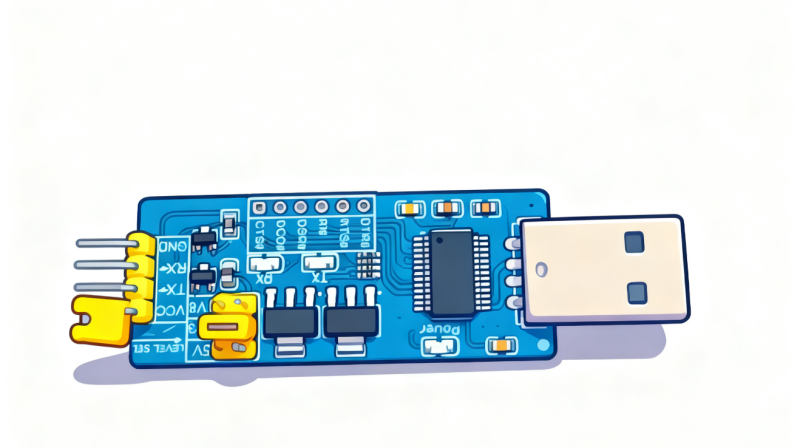



TTL编程器和杜邦线需要自行购买
![图片[1]-小米AX3000T用TTL编程器救砖教程/超简易版/傻瓜式/支持V1V2版本-勇爱设计Netwrok](https://www.getpicion.com/wp-content/uploads/2025/12/image-74-1024x573.png)
![图片[2]-小米AX3000T用TTL编程器救砖教程/超简易版/傻瓜式/支持V1V2版本-勇爱设计Netwrok](https://www.getpicion.com/wp-content/uploads/2025/12/image-110.png)
如果是上图这样,说明的闪存有很多坏块了(一般出现在v2上),换博主另外一个补充的工具文件包试试,尝试跳过这些坏块。如果还是不行,坏块太多了。属于硬件问题,只能更换闪存了。
![图片[3]-小米AX3000T用TTL编程器救砖教程/超简易版/傻瓜式/支持V1V2版本-勇爱设计Netwrok](https://www.getpicion.com/wp-content/uploads/2025/12/4aec0b71e6f3d740a2b801ece92fb817.png)
跳转如果黑屏,用Ctrl+C或者回车几下就会显示了 ,然后输入bootmenu就可以进入命令。
Web failsafe UI started
URL: http://192.168.1.1/

Press Ctrl+C to exit
#如果忘记向下按键打断了,可以用Ctrl+C然后输入bootmenu就可以进入命令
Abort
Hit any key to stop autoboot:  0
MT7981> bootmenu
  *** U-Boot Boot Menu ***

      1. Startup system (Default)
      2. Upgrade firmware
      3. Upgrade ATF BL2
      4. Upgrade ATF FIP
      5. Upgrade single image
      6. Load image
      0. U-Boot console


  Press UP/DOWN to move, ENTER to select, ESC/CTRL+C to quit
MT7981> tftpboot 0x46000000 kwrt-mediatek-filogic-xiaomi_mi-router-ax3000t-initramfs-kernel.bin
Using ethernet@15100000 device
TFTP from server 192.168.1.2; our IP address is 192.168.1.1
Filename 'kwrt-mediatek-filogic-xiaomi_mi-router-ax3000t-initramfs-kernel.bin'.
Load address: 0x46000000
Loading: #################################################################
         #################################################################
         #################################################################
         #################################################################
         #################################################################
         #################################################################
         #################################################################
         #################################################################
         #################################################################
         #################################################################
         #################################################################
         #################################################################
         #################################################################
         #################################################################
         #################################################################
         #################################################################
         #################################################################
         #################################################################
         #################################################################
         #################################################################
         #################################################################
         #################################################################
         #################################################################
         #################################################################
         #################################################################
         #################################################################
         #################################################################
         #################################################################
         ##############################################
         2.1 MiB/s
done
Bytes transferred = 27387344 (1a1e5d0 hex)
MT7981> bootm 0x46000000
## Loading kernel from FIT Image at 46000000 ...
   Using 'config-1' configuration
   Trying 'kernel-1' kernel subimage
     Description:  ARM64 OpenWrt Linux-6.12.92
     Type:         Kernel Image
     Compression:  lzma compressed
     Data Start:   0x460000e8
     Data Size:    5103517 Bytes = 4.9 MiB
     Architecture: AArch64
     OS:           Linux
     Load Address: 0x48000000
     Entry Point:  0x48000000
     Hash algo:    crc32
     Hash value:   5a0482a8
     Hash algo:    sha1
     Hash value:   4b8d1511c57d39dd2891e9e71aa7049a857a1fd3
   Verifying Hash Integrity ... crc32+ sha1+ OK
## Loading ramdisk from FIT Image at 46000000 ...
   Using 'config-1' configuration
   Trying 'initrd-1' ramdisk subimage
     Description:  ARM64 OpenWrt xiaomi_mi-router-ax3000t initrd
     Type:         RAMDisk Image
     Compression:  uncompressed
     Data Start:   0x464de1cc
     Data Size:    22254148 Bytes = 21.2 MiB
     Architecture: AArch64
     OS:           Linux
     Load Address: unavailable
     Entry Point:  unavailable
     Hash algo:    crc32
     Hash value:   92f861a1
     Hash algo:    sha1
     Hash value:   c2f4d5b58a14a69bc79b458d06ce22365e48108f
   Verifying Hash Integrity ... crc32+ sha1+ OK
## Loading fdt from FIT Image at 46000000 ...
   Using 'config-1' configuration
   Trying 'fdt-1' fdt subimage
     Description:  ARM64 OpenWrt xiaomi_mi-router-ax3000t device tree blob
     Type:         Flat Device Tree
     Compression:  uncompressed
     Data Start:   0x47a17524
     Data Size:    27755 Bytes = 27.1 KiB
     Architecture: AArch64
     Hash algo:    crc32
     Hash value:   1722e24d
     Hash algo:    sha1
     Hash value:   4e3bfb847863604e9ad0668402f049daeaf0231e
   Verifying Hash Integrity ... crc32+ sha1+ OK
   Booting using the fdt blob at 0x47a17524
   Uncompressing Kernel Image
   Loading Ramdisk to 4e2c2000, end 4f7fb244 ... OK
   Loading Device Tree to 000000004e2b8000, end 000000004e2c1c6a ... OK

Starting kernel ...

[    0.000000] Booting Linux on physical CPU 0x0000000000 [0x410fd034]
[    0.000000] Linux version 6.12.92 (runner@runnervm3jyl0) (aarch64-openwrt-linux-musl-gcc (OpenWrt GCC 14.3.0 r32961-78c88ce188) 14.3.0, GNU ld (GNU Binutils) 2.44) #0 SMP Tue Jun  9 19:54:32 2026
[    0.000000] Machine model: Xiaomi Mi Router AX3000T
[    0.000000] OF: reserved mem: 0x0000000042ff0000..0x0000000042ffffff (64 KiB) map non-reusable ramoops@42ff0000
[    0.000000] OF: reserved mem: 0x0000000043000000..0x000000004302ffff (192 KiB) nomap non-reusable secmon@43000000
[    0.000000] OF: reserved mem: 0x0000000047c80000..0x0000000047d7ffff (1024 KiB) nomap non-reusable wmcpu-reserved@47c80000
[    0.000000] OF: reserved mem: 0x0000000047d80000..0x0000000047dbffff (256 KiB) nomap non-reusable wo-emi@47d80000
[    0.000000] OF: reserved mem: 0x0000000047dc0000..0x0000000047ffffff (2304 KiB) nomap non-reusable wo-data@47dc0000
[    0.000000] Zone ranges:
[    0.000000]   DMA      [mem 0x0000000040000000-0x000000004fffffff]
[    0.000000]   DMA32    empty
[    0.000000]   Normal   empty
[    0.000000] Movable zone start for each node
[    0.000000] Early memory node ranges
[    0.000000]   node   0: [mem 0x0000000040000000-0x0000000042ffffff]
[    0.000000]   node   0: [mem 0x0000000043000000-0x000000004302ffff]
[    0.000000]   node   0: [mem 0x0000000043030000-0x0000000047c7ffff]
[    0.000000]   node   0: [mem 0x0000000047c80000-0x0000000047ffffff]
[    0.000000]   node   0: [mem 0x0000000048000000-0x000000004fffffff]
[    0.000000] Initmem setup node 0 [mem 0x0000000040000000-0x000000004fffffff]
[    0.000000] psci: probing for conduit method from DT.
[    0.000000] psci: PSCIv1.1 detected in firmware.
[    0.000000] psci: Using standard PSCI v0.2 function IDs
[    0.000000] psci: MIGRATE_INFO_TYPE not supported.
[    0.000000] psci: SMC Calling Convention v1.4
[    0.000000] percpu: Embedded 30 pages/cpu s83096 r8192 d31592 u122880
[    0.000000] pcpu-alloc: s83096 r8192 d31592 u122880 alloc=30*4096
[    0.000000] pcpu-alloc: [0] 0 [0] 1
[    0.000000] Detected VIPT I-cache on CPU0
[    0.000000] CPU features: detected: GIC system register CPU interface
[    0.000000] CPU features: kernel page table isolation disabled by kernel configuration
[    0.000000] alternatives: applying boot alternatives
[    0.000000] Kernel command line: console=ttyS0,115200n1 loglevel=8 swiotlb=512 firmware=0 mtd=ubi uart_en=1
[    0.000000] Unknown kernel command line parameters "firmware=0 mtd=ubi uart_en=1", will be passed to user space.
[    0.000000] Dentry cache hash table entries: 32768 (order: 6, 262144 bytes, linear)
[    0.000000] Inode-cache hash table entries: 16384 (order: 5, 131072 bytes, linear)
[    0.000000] Built 1 zonelists, mobility grouping on.  Total pages: 65536
[    0.000000] mem auto-init: stack:off, heap alloc:off, heap free:off
[    0.000000] software IO TLB: area num 2.
[    0.000000] software IO TLB: mapped [mem 0x000000004f900000-0x000000004fa00000] (1MB)
[    0.000000] SLUB: HWalign=64, Order=0-3, MinObjects=0, CPUs=2, Nodes=1
[    0.000000] rcu: Hierarchical RCU implementation.
[    0.000000] rcu:     RCU restricting CPUs from NR_CPUS=4 to nr_cpu_ids=2.
[    0.000000]  Tracing variant of Tasks RCU enabled.
[    0.000000] rcu: RCU calculated value of scheduler-enlistment delay is 10 jiffies.
[    0.000000] rcu: Adjusting geometry for rcu_fanout_leaf=16, nr_cpu_ids=2
[    0.000000] RCU Tasks Trace: Setting shift to 1 and lim to 1 rcu_task_cb_adjust=1 rcu_task_cpu_ids=2.
[    0.000000] NR_IRQS: 64, nr_irqs: 64, preallocated irqs: 0
[    0.000000] GICv3: GIC: Using split EOI/Deactivate mode
[    0.000000] GICv3: 640 SPIs implemented
[    0.000000] GICv3: 0 Extended SPIs implemented
[    0.000000] Root IRQ handler: gic_handle_irq
[    0.000000] GICv3: GICv3 features: 16 PPIs
[    0.000000] GICv3: GICD_CTRL.DS=0, SCR_EL3.FIQ=0
[    0.000000] GICv3: CPU0: found redistributor 0 region 0:0x000000000c080000
[    0.000000] rcu: srcu_init: Setting srcu_struct sizes based on contention.
[    0.000000] arch_timer: cp15 timer(s) running at 13.00MHz (phys).
[    0.000000] clocksource: arch_sys_counter: mask: 0xffffffffffffff max_cycles: 0x2ff89eacb, max_idle_ns: 440795202429 ns
[    0.000000] sched_clock: 56 bits at 13MHz, resolution 76ns, wraps every 4398046511101ns
[    0.000242] Calibrating delay loop (skipped), value calculated using timer frequency.. 26.00 BogoMIPS (lpj=130000)
[    0.000251] pid_max: default: 32768 minimum: 301
[    0.003187] Mount-cache hash table entries: 512 (order: 0, 4096 bytes, linear)
[    0.003195] Mountpoint-cache hash table entries: 512 (order: 0, 4096 bytes, linear)
[    0.005431] cacheinfo: Unable to detect cache hierarchy for CPU 0
[    0.006290] rcu: Hierarchical SRCU implementation.
[    0.006297] rcu:     Max phase no-delay instances is 1000.
[    0.006519] Timer migration: 1 hierarchy levels; 8 children per group; 1 crossnode level
[    0.006879] smp: Bringing up secondary CPUs ...
[    0.007318] Detected VIPT I-cache on CPU1
[    0.007370] GICv3: CPU1: found redistributor 1 region 0:0x000000000c0a0000
[    0.007404] CPU1: Booted secondary processor 0x0000000001 [0x410fd034]
[    0.007503] smp: Brought up 1 node, 2 CPUs
[    0.007509] SMP: Total of 2 processors activated.
[    0.007512] CPU: All CPU(s) started at EL2
[    0.007514] CPU features: detected: 32-bit EL0 Support
[    0.007518] CPU features: detected: CRC32 instructions
[    0.007543] alternatives: applying system-wide alternatives
[    0.007693] CPU features: emulated: Privileged Access Never (PAN) using TTBR0_EL1 switching
[    0.007839] Memory: 211132K/262144K available (10624K kernel code, 1678K rwdata, 3308K rodata, 576K init, 336K bss, 48776K reserved, 0K cma-reserved)
[    0.011590] clocksource: jiffies: mask: 0xffffffff max_cycles: 0xffffffff, max_idle_ns: 19112604462750000 ns
[    0.011609] futex hash table entries: 512 (order: 3, 32768 bytes, linear)
[    0.011677] 28592 pages in range for non-PLT usage
[    0.011680] 520112 pages in range for PLT usage
[    0.012934] pinctrl core: initialized pinctrl subsystem
[    0.015457] NET: Registered PF_NETLINK/PF_ROUTE protocol family
[    0.015867] DMA: preallocated 128 KiB GFP_KERNEL pool for atomic allocations
[    0.015897] DMA: preallocated 128 KiB GFP_KERNEL|GFP_DMA pool for atomic allocations
[    0.015919] DMA: preallocated 128 KiB GFP_KERNEL|GFP_DMA32 pool for atomic allocations
[    0.016390] thermal_sys: Registered thermal governor 'fair_share'
[    0.016396] thermal_sys: Registered thermal governor 'bang_bang'
[    0.016399] thermal_sys: Registered thermal governor 'step_wise'
[    0.016403] thermal_sys: Registered thermal governor 'user_space'
[    0.016502] hw-breakpoint: found 6 breakpoint and 4 watchpoint registers.
[    0.016571] ASID allocator initialised with 65536 entries
[    0.017555] pstore: Using crash dump compression: deflate
[    0.017562] pstore: Registered ramoops as persistent store backend
[    0.017565] ramoops: using 0x10000@0x42ff0000, ecc: 0
[    0.019489] /soc/interrupt-controller@c000000: Fixed dependency cycle(s) with /soc/interrupt-controller@c000000
[    0.031251] HugeTLB: registered 1.00 GiB page size, pre-allocated 0 pages
[    0.031261] HugeTLB: 0 KiB vmemmap can be freed for a 1.00 GiB page
[    0.031266] HugeTLB: registered 32.0 MiB page size, pre-allocated 0 pages
[    0.031269] HugeTLB: 0 KiB vmemmap can be freed for a 32.0 MiB page
[    0.031273] HugeTLB: registered 2.00 MiB page size, pre-allocated 0 pages
[    0.031275] HugeTLB: 0 KiB vmemmap can be freed for a 2.00 MiB page
[    0.031279] HugeTLB: registered 64.0 KiB page size, pre-allocated 0 pages
[    0.031282] HugeTLB: 0 KiB vmemmap can be freed for a 64.0 KiB page
[    0.040485] cryptd: max_cpu_qlen set to 1000
[    0.050571] SCSI subsystem initialized
[    0.057838] libata version 3.00 loaded.
[    0.061328] clocksource: Switched to clocksource arch_sys_counter
[    0.063871] NET: Registered PF_INET protocol family
[    0.063974] IP idents hash table entries: 4096 (order: 3, 32768 bytes, linear)
[    0.065246] tcp_listen_portaddr_hash hash table entries: 256 (order: 0, 4096 bytes, linear)
[    0.065266] Table-perturb hash table entries: 65536 (order: 6, 262144 bytes, linear)
[    0.065276] TCP established hash table entries: 2048 (order: 2, 16384 bytes, linear)
[    0.065296] TCP bind hash table entries: 2048 (order: 4, 65536 bytes, linear)
[    0.065354] TCP: Hash tables configured (established 2048 bind 2048)
[    0.065572] MPTCP token hash table entries: 256 (order: 1, 6144 bytes, linear)
[    0.065675] UDP hash table entries: 256 (order: 1, 8192 bytes, linear)
[    0.065691] UDP-Lite hash table entries: 256 (order: 1, 8192 bytes, linear)
[    0.065893] NET: Registered PF_UNIX/PF_LOCAL protocol family
[    0.065915] NET: Registered PF_XDP protocol family
[    0.065926] PCI: CLS 0 bytes, default 64
[    0.068105] Unpacking initramfs...
[    0.082299] workingset: timestamp_bits=46 max_order=16 bucket_order=0
[    0.087084] squashfs: version 4.0 (2009/01/31) Phillip Lougher
[    0.087096] jffs2: version 2.2 (NAND) (SUMMARY) (LZMA) (RTIME) (CMODE_PRIORITY) (c) 2001-2006 Red Hat, Inc.
[    0.143031] Block layer SCSI generic (bsg) driver version 0.4 loaded (major 251)
[    0.179913] Serial: 8250/16550 driver, 16 ports, IRQ sharing enabled
[    0.183557] printk: legacy console [ttyS0] disabled
[    0.204013] 11002000.serial: ttyS0 at MMIO 0x11002000 (irq = 72, base_baud = 2500000) is a ST16650V2
[    0.204064] printk: legacy console [ttyS0] enabled
[    1.048152] random: crng init done
[    1.055917] loop: module loaded
[    1.072931] spi-nand spi0.0: calibration result: 0x3
[    1.078127] spi-nand spi0.0: FORESEE SPI NAND was found.
[    1.083516] spi-nand spi0.0: 128 MiB, block size: 128 KiB, page size: 2048, OOB size: 64
[    1.119398] Signature not found
[    3.988542] Freeing initrd memory: 21732K
[    4.009002] 9 fixed-partitions partitions found on MTD device spi0.0
[    4.015392] Creating 9 MTD partitions on "spi0.0":
[    4.020175] 0x000000000000-0x000000100000 : "BL2"
[    4.026014] 0x000000100000-0x000000140000 : "Nvram"
[    4.031672] 0x000000140000-0x000000180000 : "Bdata"
[    4.037276] 0x000000180000-0x000000380000 : "Factory"
[    4.045886] 0x000000380000-0x000000580000 : "FIP"
[    4.052098] 0x000000580000-0x0000005c0000 : "crash"
[    4.057561] 0x0000005c0000-0x000000600000 : "crash_log"
[    4.063529] 0x000007600000-0x000007640000 : "KF"
[    4.068776] 0x000000600000-0x000007600000 : "ubi"
[    4.627596] mtk_soc_eth 15100000.ethernet eth0: mediatek frame engine at 0xffffffc081880000, irq 75
[    4.637799] i2c_dev: i2c /dev entries driver
[    4.644886] mtk-wdt 1001c000.watchdog: Watchdog enabled (timeout=31 sec, nowayout=0)
[    4.654528] NET: Registered PF_INET6 protocol family
[    4.660814] Segment Routing with IPv6
[    4.664546] In-situ OAM (IOAM) with IPv6
[    4.668529] NET: Registered PF_PACKET protocol family
[    4.673635] bridge: filtering via arp/ip/ip6tables is no longer available by default. Update your scripts to load br_netfilter if you need this.
[    4.686833] 8021q: 802.1Q VLAN Support v1.8
[    5.727943] mt7530-mdio mdio-bus:1f: reset timeout
[    5.732770] mt7530-mdio mdio-bus:1f: probe with driver mt7530-mdio failed with error -110
[    6.073045] an8855-switch an8855-switch.2.auto: configuring for fixed/2500base-x link mode
[    6.097418] an8855-switch an8855-switch.2.auto: Link is Up - 2.5Gbps/Full - flow control rx/tx
[    6.163269] an8855-switch an8855-switch.2.auto wan (uninitialized): PHY [mdio_an8855-1:01] driver [Airoha AN8855 internal PHY] (irq=POLL)
[    6.253234] an8855-switch an8855-switch.2.auto lan2 (uninitialized): PHY [mdio_an8855-1:02] driver [Airoha AN8855 internal PHY] (irq=POLL)
[    6.333239] an8855-switch an8855-switch.2.auto lan3 (uninitialized): PHY [mdio_an8855-1:03] driver [Airoha AN8855 internal PHY] (irq=POLL)
[    6.413234] an8855-switch an8855-switch.2.auto lan4 (uninitialized): PHY [mdio_an8855-1:04] driver [Airoha AN8855 internal PHY] (irq=POLL)
[    6.427287] mtk_soc_eth 15100000.ethernet eth0: entered promiscuous mode
[    6.434052] DSA: tree 0 setup
[    6.437569] UBI: auto-attach mtd8
[    6.440896] ubi0: default fastmap pool size: 40
[    6.445435] ubi0: default fastmap WL pool size: 20
[    6.450215] ubi0: attaching mtd8
[    6.768363] ubi0: scanning is finished
[    6.776661] ubi0 warning: ubi_eba_init: cannot reserve enough PEBs for bad PEB handling, reserved 17, need 20
[    6.787282] ubi0: attached mtd8 (name "ubi", size 112 MiB)
[    6.792791] ubi0: PEB size: 131072 bytes (128 KiB), LEB size: 126976 bytes
[    6.799654] ubi0: min./max. I/O unit sizes: 2048/2048, sub-page size 2048
[    6.806438] ubi0: VID header offset: 2048 (aligned 2048), data offset: 4096
[    6.813392] ubi0: good PEBs: 896, bad PEBs: 0, corrupted PEBs: 0
[    6.819386] ubi0: user volume: 3, internal volumes: 1, max. volumes count: 128
[    6.826599] ubi0: max/mean erase counter: 4/2, WL threshold: 4096, image sequence number: 0
[    6.834940] ubi0: available PEBs: 0, total reserved PEBs: 896, PEBs reserved for bad PEB handling: 17
[    6.844160] ubi0: background thread "ubi_bgt0d" started, PID 670
[    6.850870] block ubiblock0_0: created from ubi0:0(rootfs)
[    6.856377] ubiblock: device ubiblock0_0 (rootfs) set to be root filesystem
[    6.863491] clk: Disabling unused clocks
[    6.867686] PM: genpd: Disabling unused power domains
[    6.873225] Freeing unused kernel memory: 576K
[    6.877726] Run /init as init process
[    6.881400]   with arguments:
[    6.884356]     /init
[    6.886618]   with environment:
[    6.889746]     HOME=/
[    6.892122]     TERM=linux
[    6.894818]     firmware=0
[    6.897514]     mtd=ubi
[    6.899949]     uart_en=1
[    7.429205] init: Console is alive
[    7.433713] init: - watchdog -
[    7.447223] kmodloader: loading kernel modules from /etc/modules-boot.d/*
[    7.468715] usbcore: registered new interface driver usbfs
[    7.474297] usbcore: registered new interface driver hub
[    7.479663] usbcore: registered new device driver usb
[    7.485582] gpio_button_hotplug: loading out-of-tree module taints kernel.
[    7.514330] usbcore: registered new interface driver usb-storage
[    7.520663] kmodloader: done loading kernel modules from /etc/modules-boot.d/*
[    7.538371] init: - preinit -
[    7.660909] mtk_soc_eth 15100000.ethernet eth0: configuring for fixed/2500base-x link mode
[    7.669559] mtk_soc_eth 15100000.ethernet eth0: Link is Up - 2.5Gbps/Full - flow control rx/tx
[    7.698032] an8855-switch an8855-switch.2.auto lan4: configuring for phy/internal link mode
Press the [f] key and hit [enter] to enter failsafe mode
Press the [1], [2], [3] or [4] key and hit [enter] to select the debug level
[   11.903432] procd: - early -
[   11.906392] procd: - watchdog -
[   12.447327] procd: - watchdog -
[   12.450653] procd: - ubus -
[   12.505567] procd: - init -
Please press Enter to activate this console.
[   12.724467] kmodloader: loading kernel modules from /etc/modules.d/*
[   12.751495] NET: Registered PF_ALG protocol family
[   12.766735] zram: Added device: zram0
[   12.850143] crypto-safexcel 10320000.crypto: EIP97:230(0,1,4,4)-HIA:270(0,5,5),PE:150/433(alg:7fcdfc00)/0/0/0
[   12.908787] usbcore: registered new interface driver cdc_wdm
[   12.915596] Loading modules backported from Linux version v6.18.26-0-g1fe060681
[   12.922952] Backport generated by backports.git 6ecbb44
[   12.994004] usbcore: registered new interface driver usbserial_generic
[   13.000572] usbserial: USB Serial support registered for generic
[   13.021533] urngd: v1.0.2 started.
[   13.032313] xt_time: kernel timezone is -0000
[   13.038207] usbcore: registered new interface driver cdc_ether
[   13.046337] usbcore: registered new interface driver cdc_ncm
[   13.396352] mt798x-wmac 18000000.wifi: HW/SW Version: 0x8a108a10, Build Time: 20240823161240a
[   13.417237] mt798x-wmac 18000000.wifi: WM Firmware Version: ____000000, Build Time: 20240823161304
[   13.458945] mt798x-wmac 18000000.wifi: WA Firmware Version: DEV_000000, Build Time: 20240823161841
[   13.556691] mt798x-wmac 18000000.wifi: registering led 'mt76-phy0'
[   13.612996] mt798x-wmac 18000000.wifi: registering led 'mt76-phy1'
[   13.718539] PPP generic driver version 2.4.2
[   13.724451] PPP MPPE Compression module registered
[   13.732033] NET: Registered PF_PPPOX protocol family
[   13.740465] usbcore: registered new interface driver qmi_wwan
[   13.749913] usbcore: registered new interface driver cdc_mbim
[   13.757698] usbcore: registered new interface driver option
[   13.763507] usbserial: USB Serial support registered for GSM modem (1-port)
[   13.773544] kmodloader: done loading kernel modules from /etc/modules.d/*
[ 17.238785] /dev/ubiblock0_0: Can't open blockdev| 对比项 | AX3000T V1 | AX3000T V2 | AX3000T V3 |
| 基础配置 | 联发科MT7981+256M内存+128M闪存 | 联发科MT7981+256M内存+128M闪存 | 高通IPQ5018+256M内存+128M闪存 |
| 上市时间 | 2023年 | 2024年 | 2025年4月 |
| 系统版本 | 1.0.64(出厂)1.0.47 | 1.0.90/1.0.84 | 2.0.12 |
| 芯片差异 | / | NAND芯片改为Winbond25n01kv | / |
| 是否刷机救砖 | 支持 | 支持 | 暂不支持开启SSH,暂不能刷机 |
| 商品外观 | 机身mesh按键短柄带键 | 机身mesh按键短柄带键 | 机身mesh按键长柄无键 |
| 商品重量 | 709g±15g(大散热) | 677g±15g |
核心原理
- 正常刷机:一般是在路由器的网页管理界面直接上传固件,操作简单,但如果路由器变砖(无法启动、进不了管理页),或者官方锁了刷机功能,这条路就走不通了。
- TTL 刷机:TTL 是路由器主板上的一个硬件调试接口,相当于路由器的 “后门”。用 TTL 线连接这个接口和电脑的串口 / USB 口,就能直接和路由器的底层系统通信,不管路由器能不能正常开机,都能通过命令行推送新固件,救砖或者刷第三方系统。
一句话总结TTL 路由器刷机 = 拆机接一根线,用电脑给路由器 “强行装系统”,是救砖和突破刷机限制的实用方法。
路由器刷机变砖的主要原因可以归结为以下几类:

1. 固件不匹配或错误

   刷了不适合该路由器型号或硬件版本的固件是最常见的变砖原因。例如,不同品牌、不同芯片方案(如MTK、博通、高通)之间的固件互不兼容,刷入后系统无法正常启动 。

2. 刷机过程中断电或中断

   刷机时如果电源突然断开、网络中断或用户误操作,可能导致固件写入不完整,造成系统损坏或Bootloader损坏,从而无法启动 。

3. Bootloader损坏

   刷机时误刷了不兼容的Bootloader(如BREED、U-Boot),或者刷写过程中出错,会导致路由器无法加载系统,表现为完全无反应或指示灯异常 。

4. 第三方固件不稳定或未经验证

   使用未经充分测试的第三方固件(如某些自编译版本)可能存在兼容性问题或隐藏Bug,导致系统启动失败或反复重启 。

5. 未正确清除旧配置或NVRAM损坏

   刷机前未清除旧配置,或刷机过程中NVRAM分区损坏,可能导致系统配置冲突,从而无法进入系统 。

6. 硬件问题(如坏块、电源不稳)

   某些路由器使用NAND闪存,存在坏块管理机制(如nmbm),若刷入不支持该机制的固件,可能导致坏块信息丢失,从而变砖 。

7. 操作失误或教程误导

   盲目跟随非官方或错误的刷机教程,如未正确进入刷机模式、未使用正确工具(如TFTP、TTL)等,也容易导致刷机失败 。

---

如需避免变砖,建议刷机前务必确认固件与设备型号完全匹配,备份原厂固件,使用稳定电源,并严格按照教程操作。
刷机方法一
刷机方法二、三
🛠️ 必备工具
- USB-TTL 编程器(ttl淘宝链接https://item.taobao.com/item.htm?id=657545525452&spm=a21m98.27004841杜邦线排针要一公一母,不是我开的店,可以自行购买
- 螺丝刀/刀片/磁卡
- 一台电脑(Windows10/11)
- 傻瓜式工具+恢复工具
- 设备对应的 U-Boot 恢复镜像 / 固件文件
总体思路(UART 救砖)
须知:关闭防火墙,杀毒软件,禁用其他网卡。
第一步:连接编程器
- 拆机,拆下螺丝,用刀片上方撬开再用撬片或磁卡依次撬开
- 找到主板上的 TTL 串口引脚( GND, TX, RX, VCC)
- 编程器使用3.3v连接。接口上的TX插路由的RX,RX插TX,GND插GND,VCC一定不要插,否则可能会烧坏元器件,总共三根线就好了。教程使用的是杜邦线排针,不需要焊接。如图所示就代表连接好了。恭喜本教程最难的一步已经完成,接下来可以傻瓜式操作了。
USB-TTL TXD ——> 路由器 RX
USB-TTL RXD ——> 路由器 TX
USB-TTL GND ——> 路由器 GND
(接 3.3V 供电)
![图片[4]-小米AX3000T用TTL编程器救砖教程/超简易版/傻瓜式/支持V1V2版本-勇爱设计Netwrok](https://www.getpicion.com/wp-content/uploads/2025/12/image-91-1024x691.png)
![图片[5]-小米AX3000T用TTL编程器救砖教程/超简易版/傻瓜式/支持V1V2版本-勇爱设计Netwrok](https://www.getpicion.com/wp-content/uploads/2025/12/ax3000t救砖1_副本-1024x576.png)
放心大胆跟着搞!只要不接VCC,接错了也不会烧坏电路板的!
![图片[6]-小米AX3000T用TTL编程器救砖教程/超简易版/傻瓜式/支持V1V2版本-勇爱设计Netwrok](https://www.getpicion.com/wp-content/uploads/2025/12/94ab318ef81c9bc70ce44288601c5aa7-1024x768.jpg)
拆下螺丝后用刀片上方撬开缝隙,然后再用撬片/磁卡撬开
![图片[7]-小米AX3000T用TTL编程器救砖教程/超简易版/傻瓜式/支持V1V2版本-勇爱设计Netwrok](https://www.getpicion.com/wp-content/uploads/2025/12/b28b874894fb1d7357d93b37286ef3fa-1024x768.jpg)
磁卡撬开左边
![图片[8]-小米AX3000T用TTL编程器救砖教程/超简易版/傻瓜式/支持V1V2版本-勇爱设计Netwrok](https://www.getpicion.com/wp-content/uploads/2025/12/017dfc912af27517ab4d000a62deaf39-1024x768.jpg)
磁卡撬开左下角
![图片[9]-小米AX3000T用TTL编程器救砖教程/超简易版/傻瓜式/支持V1V2版本-勇爱设计Netwrok](https://www.getpicion.com/wp-content/uploads/2025/12/fa0a30a0e332bf5e9b40f7029d6c97b4-1024x768.jpg)
就可以打开后盖了
![图片[10]-小米AX3000T用TTL编程器救砖教程/超简易版/傻瓜式/支持V1V2版本-勇爱设计Netwrok](https://www.getpicion.com/wp-content/uploads/2025/12/e735510571761ab2ca0f91da83a650e0-1024x771.jpg)
黑色线就是杜邦线,带公母排针,不需要焊接。
第二步,刷入uboot
- 编程器连接电脑,同时路由器断电状态网线连接电脑。打开傻瓜式救砖.bat。
本视频以V2版本为例。点击打开设备管理器,双击端口可以查看电脑的USB的COM口,按照电脑显示填写,例如演示的这台电脑显示是3。回到界面,输入3回车,输入2回车,选择波特率115200。
这时候给路由器插上电源,正常情况就会开始进入自动化流程。如果卡在这个位置不动,常见原因:电脑USB接触不良,TTL接触不良或者错误,硬件损坏等,解决办法断电依据原因重新尝试。自
动化流程这里大概会2分钟左右,不要着急。如果中途出现报错,大概率是第一步的接触不良造成,断电重试即可。关键来了!出现这个提示,立即不断敲击键盘向下按键。只有三秒时间,如果错过了,重复第二步即可。这时候进入菜单选项,选择第4项FIP回车,再输入0回车,输入IP地址:192.168.1.100,工具包打开网络连接,设置本地连接的IP。接着工具包内打开tftpd64.exe文件,选择IP地址:192.168.1.100,回到终端点击回车,输入4.ITB后回车,这时候会自动进入刷写流程,期间路由器和编程器灯光不断闪烁。如图所示代表uboot刷如成功了。
![图片[11]-小米AX3000T用TTL编程器救砖教程/超简易版/傻瓜式/支持V1V2版本-勇爱设计Netwrok](https://www.getpicion.com/wp-content/uploads/2025/12/image-73-1024x307.png)
![图片[12]-小米AX3000T用TTL编程器救砖教程/超简易版/傻瓜式/支持V1V2版本-勇爱设计Netwrok](https://www.getpicion.com/wp-content/uploads/2025/12/image-75-1024x572.png)
![图片[13]-小米AX3000T用TTL编程器救砖教程/超简易版/傻瓜式/支持V1V2版本-勇爱设计Netwrok](https://www.getpicion.com/wp-content/uploads/2025/12/image-78.png)
 _             _          _
  __ _    ___  | |_   _ __   (_)   ___  (_)   ___    _ __         ___    ___    _ __ ___
 / _` |  / _ \ | __| | '_ \  | |  / __| | |  / _ \  | '_ \       / __|  / _ \  | '_ ` _ \
| (_| | |  __/ | |_  | |_) | | | | (__  | | | (_) | | | | |  _  | (__  | (_) | | | | | | |
 \__, |  \___|  \__| | .__/  |_|  \___| |_|  \___/  |_| |_| (_)  \___|  \___/  |_| |_| |_|_|
" |___/               |_|"
勇爱设计network出品
更多教程工具尽在getpicion.com
release by getpicion.com
AX3000T救砖TTL工具debrick
请输入串口号input com (如 3):
3
使用串口 COM3

选择波特率Baudrate:
1. 正常normal (921600 / 1500000)
2. 低速 low(115200 / 115200)
2
程序启动后请立刻给路由器插上电源Plug the router in immediately after the program starts
Web Failsafe: http://192.168.1.1/uboot.html

mtk_uartboot - 0.1.1
Using serial port: COM3
Handshake...
hw code: 0x7981
hw sub code: 0x8a00
hw ver: 0xca00
sw ver: 0x1
Baud rate set to 115200
sending payload to 0x201000...
Checksum: 0x55cf
Setting baudrate back to 115200
Jumping to 0x201000 in aarch64...
Waiting for BL2. Message below:
==================================
NOTICE:  BL2: v2.10.0   (release):v2.4-rc0-5845-gbacca82a8-dirty
NOTICE:  BL2: Built : 20:18:08, Feb  2 2024
NOTICE:  WDT: Cold boot
NOTICE:  WDT: disabled
NOTICE:  EMI: Using DDR3 settings
NOTICE:  EMI: Detected DRAM size: 256MB
NOTICE:  EMI: complex R/W mem test passed
NOTICE:  CPU: MT7981 (1300MHz)
NOTICE:  Starting UART download handshake ...
==================================
BL2 UART DL version: 0x10
Baudrate set to: 115200
进入 U-Boot 后,可以看见类似这样的提示信息。
 *** U-Boot Boot Menu ***

      1. Startup system (Default)
      2. Upgrade firmware
      3. Upgrade ATF BL2
      4. Upgrade ATF FIP
      5. Upgrade single image
      6. Load image
      0. U-Boot console


  Press UP/DOWN to move, ENTER to select, ESC/CTRL+C to quit

*** Upgrading ATF FIP ***

Available load methods:
    0 - TFTP client (Default)
    1 - Xmodem
    2 - Ymodem
    3 - Kermit
    4 - S-Record
    5 - RAM

Select (enter for default): 0

U-Boot's IP address: 192.168.1.1, IP netmask: 255.255.255.0
Input TFTP server's IP address: 192.168.1.100
Input file name: 4.itb

Using ethernet@15100000 device
TFTP from server 192.168.1.100; our IP address is 192.168.1.1
Filename '4.itb'.
Load address: 0x46000000
Loading: #################################################################
         #################################################################
         #################################################################
         #################################################################
         #################################################################
         #################################################################
         #################################################################
         #################################################################
         #################################################################
         #################################################################
         #################################################################
         #################################################################
         #################################################################
         ################################################
         3.2 MiB/s
done
Bytes transferred = 13107200 (c80000 hex)
Saving Environment to MTD... Erasing on MTD device 'nmbm0'... OK
Writing to MTD device 'nmbm0'... OK
OK

*** Loaded 13107200 (0xc80000) bytes at 0x46000000 ***


*** Erase size pasts flash size! ***
Hit any key to stop autoboot:  0

WARNINGS: This Uboot is for mtk_uartboot debrick only! Do not use in normal device!

Web failsafe UI started
URL: http://192.168.1.1/

Press Ctrl+C to exit
第三步:刷入OpenWRT(最后一步,胜利就在眼前)
保持这个终端窗口不动,打开浏览器,输入192.168.1.1就可以进入uboot界面了。选择第一个选项,点击选择文件,选择openwrt固件,点击upadate,稍等片刻就会进入刷机流程。期间路由器灯光闪动。长亮后,新建网页打开192.168.1.1就可以进入openwrt登录界面了。输入账号root登录,密码为空。就可以进入后台了。恭喜路由器救砖成功了。是不是很简易呢?
v2版完整开机流程
GET /
GET /style.css
GET /index.js
GET /version
GET /getmtdlayout
GET /favicon.ico
POST /upload
    Content-Length: 13722835
GET /flashing.html
GET /style.css
GET /index.js
GET /version
GET /result
GET /undefined
ubi0: attaching mtd9
ubi0: scanning is finished
ubi0: attached mtd9 (name "ubi_kernel", size 34 MiB)
ubi0: PEB size: 131072 bytes (128 KiB), LEB size: 126976 bytes
ubi0: min./max. I/O unit sizes: 2048/2048, sub-page size 2048
ubi0: VID header offset: 2048 (aligned 2048), data offset: 4096
ubi0: good PEBs: 272, bad PEBs: 0, corrupted PEBs: 0
ubi0: user volume: 2, internal volumes: 1, max. volumes count: 128
ubi0: max/mean erase counter: 1/0, WL threshold: 4096, image sequence number: 1661892131
ubi0: available PEBs: 75, total reserved PEBs: 197, PEBs reserved for bad PEB handling: 19
Updating volume 'kernel' from 0x460008e8, size 0x573408 ... OK
ubi0: detaching mtd9
ubi0: mtd9 is detached
ubi0: attaching mtd10
ubi0 error: scan_peb: bad image sequence number 844534062 in PEB 272, expected 1661892131
Erase counter header dump:
        magic          0x55424923
        version        1
        ec             2
        vid_hdr_offset 2048
        data_offset    4096
        image_seq      844534062
        hdr_crc        0x6bdc6a0d
erase counter header hexdump:
00000000: 55 42 49 23 01 00 00 00 00 00 00 00 00 00 00 02 00 00 08 00 00 00 10 00 32 56 91 2e 00 00 00 00  UBI#....................2V......
00000020: 00 00 00 00 00 00 00 00 00 00 00 00 00 00 00 00 00 00 00 00 00 00 00 00 00 00 00 00 6b dc 6a 0d  ............................k.j.
ubi0 error: ubi_attach_mtd_dev: failed to attach mtd10, error -22
UBI error: cannot attach mtd10
UBI error: cannot initialize UBI, error -22
*** Failed to attach UBI ***
*** Rebuilding UBI ***
Erasing from 0x0 to 0x4dfffff, size 0x4e00000 ... OK
ubi0: attaching mtd10
ubi0: scanning is finished
ubi0: empty MTD device detected
ubi0: attached mtd10 (name "ubi", size 78 MiB)
ubi0: PEB size: 131072 bytes (128 KiB), LEB size: 126976 bytes
ubi0: min./max. I/O unit sizes: 2048/2048, sub-page size 2048
ubi0: VID header offset: 2048 (aligned 2048), data offset: 4096
ubi0: good PEBs: 624, bad PEBs: 0, corrupted PEBs: 0
ubi0: user volume: 0, internal volumes: 1, max. volumes count: 128
ubi0: max/mean erase counter: 0/0, WL threshold: 4096, image sequence number: 0
ubi0: available PEBs: 601, total reserved PEBs: 23, PEBs reserved for bad PEB handling: 19
Updating volume 'rootfs' from 0x465740e8, size 0x7a1800 ... OK
ubi0: detaching mtd10
ubi0: mtd10 is detached
resetting ...

F0: 102B 0000
FA: 1040 0000
FA: 1040 0000 [0200]
F9: 0000 0000
V0: 0000 0000 [0001]
00: 0000 0000
BP: 2400 0041 [0000]
G0: 1190 0000
EC: 0000 0000 [1000]
T0: 0000 024B [010F]
Jump to BL

NOTICE:  BL2: v2.6(release):e233a3d581-dirty
NOTICE:  BL2: Built : 06:23:27, Jul 30 2023
NOTICE:  WDT: disabled
NOTICE:  EMI: Using DDR3 settings

dump toprgu registers data:
1001c000 | 00000000 0000ffe0 00000000 00000000
1001c010 | 00000fff 00000000 00f00000 00000000
1001c020 | 00000000 00000000 00000000 00000000
1001c030 | 003c0003 003c0003 00000000 00000000
1001c040 | 00000000 00000000 00000000 00000000
1001c050 | 00000000 00000000 00000000 00000000
1001c060 | 00000000 00000000 00000000 00000000
1001c070 | 00000000 00000000 00000000 00000000
1001c080 | 00000000 00000000 00000000 00000000

dump drm registers data:
1001d000 | 00000000 00000000 00000000 00000000
1001d010 | 00000000 00000000 00000000 00000000
1001d020 | 00000000 00000000 00000000 00000000
1001d030 | 00a003f1 000000ff 00100000 00000000
1001d040 | 00027e71 000200a0 00020303 000000ff
1001d050 | 00000000 00000000 00000000 00000000
1001d060 | 00000002 00000000 00000000 00000000
drm: 500 = 0xc
[DDR Reserve] ddr reserve mode not be enabled yet
DDR RESERVE Success 0
[EMI] ComboMCP not ready, using default setting
BYTE_swap:0
BYTE_swap:0
Window Sum 584, worse bit 0, min window 72
Window Sum 576, worse bit 8, min window 72
Window Sum 470, worse bit 1, min window 56
Window Sum 468, worse bit 11, min window 52
Window Sum 474, worse bit 11, min window 52
Window Sum 474, worse bit 1, min window 58
Window Sum 470, worse bit 11, min window 56
Window Sum 482, worse bit 3, min window 58
Window Sum 490, worse bit 14, min window 58
NOTICE:  EMI: Detected DRAM size: 256MB
NOTICE:  EMI: complex R/W mem test passed
NOTICE:  CPU: MT7981 (1300MHz)
NOTICE:  SPI_NAND parses attributes from parameter page.
NOTICE:  SPI_NAND Detected ID 0xef
NOTICE:  Page size 2048, Block size 131072, size 134217728
NOTICE:  Initializing NMBM ...
NOTICE:  Signature found at block 1023 [0x07fe0000]
NOTICE:  First info table with writecount 0 found in block 960
NOTICE:  Second info table with writecount 0 found in block 963
NOTICE:  NMBM has been successfully attached in read-only mode
NOTICE:  BL2: Booting BL31
INFO:    Total CPU count: 2
INFO:    MCUSYS: L2C share 256K --> 0K
INFO:    Disable NETSYS SRAM remapping
INFO:    SPMC: Changed to SPMC mode
NOTICE:  BL31: v2.9.0(release):20240123-77-gdff66eeb
NOTICE:  BL31: Built : 20:42:32, Feb  8 2025
INFO:    GICv3 without legacy support detected.
INFO:    ARM GICv3 driver initialized in EL3
INFO:    Maximum SPI INTID supported: 671
INFO:    BL31: Initializing runtime services
INFO:    Secondary bootloader is AArch64
INFO:    BL31: Preparing for EL3 exit to normal world
INFO:    Entry point address = 0x41e00000
INFO:    SPSR = 0x3c9


U-Boot 2022.07 (Feb 08 2025 - 20:42:22 +0800)

CPU:   MediaTek MT7981
Model: mt7981-xiaomi-ax3000t-an8855
DRAM:  256 MiB
Core:  27 devices, 15 uclasses, devicetree: embed

Initializing NMBM ...
spi-nand: spi_nand spi_nand@0: Winbond SPI NAND was found.
spi-nand: spi_nand spi_nand@0: 128 MiB, block size: 128 KiB, page size: 2048, OOB size: 64
Could not find a valid device for nmbm0
Signature found at block 1023 [0x07fe0000]
First info table with writecount 0 found in block 960
Second info table with writecount 0 found in block 963
NMBM has been successfully attached

Loading Environment from MTD... OK
In:    serial@11002000
Out:   serial@11002000
Err:   serial@11002000
Net:   eth0: ethernet@15100000

  *** U-Boot Boot Menu ***

      1. Startup system (Default)
      2. Upgrade firmware
      3. Upgrade ATF BL2
      4. Upgrade ATF FIP
      5. Upgrade single image
      6. Load image
      0. U-Boot console


  Press UP/DOWN to move, ENTER to select, ESC/CTRL+C to quit
ubi0: attaching mtd9
ubi0: scanning is finished
ubi0: attached mtd9 (name "ubi_kernel", size 34 MiB)
ubi0: PEB size: 131072 bytes (128 KiB), LEB size: 126976 bytes
ubi0: min./max. I/O unit sizes: 2048/2048, sub-page size 2048
ubi0: VID header offset: 2048 (aligned 2048), data offset: 4096
ubi0: good PEBs: 272, bad PEBs: 0, corrupted PEBs: 0
ubi0: user volume: 2, internal volumes: 1, max. volumes count: 128
ubi0: max/mean erase counter: 2/0, WL threshold: 4096, image sequence number: 1661892131
ubi0: available PEBs: 52, total reserved PEBs: 220, PEBs reserved for bad PEB handling: 19
Reading from volume 'kernel' to 0x46000000, size 0x0 ... OK
## Loading kernel from FIT Image at 46000000 ...
   Using 'config-1' configuration
   Trying 'kernel-1' kernel subimage
     Description:  ARM64 OpenWrt Linux-6.6.110
     Type:         Kernel Image
     Compression:  lzma compressed
     Data Start:   0x460000e8
     Data Size:    5684845 Bytes = 5.4 MiB
     Architecture: AArch64
     OS:           Linux
     Load Address: 0x48000000
     Entry Point:  0x48000000
     Hash algo:    crc32
     Hash value:   0be1ce7f
     Hash algo:    sha1
     Hash value:   bea871ab7bc30c7db8df7cca1fda3b188e99a8af
   Verifying Hash Integrity ... crc32+ sha1+ OK
## Loading fdt from FIT Image at 46000000 ...
   Using 'config-1' configuration
   Trying 'fdt-1' fdt subimage
     Description:  ARM64 OpenWrt xiaomi_mi-router-ax3000t device tree blob
     Type:         Flat Device Tree
     Compression:  uncompressed
     Data Start:   0x4656c0a0
     Data Size:    28183 Bytes = 27.5 KiB
     Architecture: AArch64
     Hash algo:    crc32
     Hash value:   87981bfb
     Hash algo:    sha1
     Hash value:   22a62a37dcdb409d2e732a514bced10a222d0ba0
   Verifying Hash Integrity ... crc32+ sha1+ OK
   Booting using the fdt blob at 0x4656c0a0
   Uncompressing Kernel Image
   Loading Device Tree to 000000004f7f1000, end 000000004f7fae16 ... OK

Starting kernel ...

[    0.000000] Booting Linux on physical CPU 0x0000000000 [0x410fd034]
[    0.000000] Linux version 6.6.110 (buildbot@buildbot.infra.immortalwrt.org) (aarch64-openwrt-linux-musl-gcc (OpenWrt GCC 13.3.0 r33602-e717d133ed6d) 13.3.0, GNU ld (GNU Binutils) 2.42) #0 SMP Mon Oct 27 14:10:17 2025
[    0.000000] Machine model: Xiaomi Mi Router AX3000T
[    0.000000] OF: reserved mem: 0x0000000042ff0000..0x0000000042ffffff (64 KiB) map non-reusable ramoops@42ff0000
[    0.000000] OF: reserved mem: 0x0000000043000000..0x000000004302ffff (192 KiB) nomap non-reusable secmon@43000000
[    0.000000] OF: reserved mem: 0x0000000047c80000..0x0000000047d7ffff (1024 KiB) nomap non-reusable wmcpu-reserved@47c80000
[    0.000000] OF: reserved mem: 0x0000000047d80000..0x0000000047dbffff (256 KiB) nomap non-reusable wo-emi@47d80000
[    0.000000] OF: reserved mem: 0x0000000047dc0000..0x0000000047ffffff (2304 KiB) nomap non-reusable wo-data@47dc0000
[    0.000000] Zone ranges:
[    0.000000]   DMA      [mem 0x0000000040000000-0x000000004fffffff]
[    0.000000]   DMA32    empty
[    0.000000]   Normal   empty
[    0.000000] Movable zone start for each node
[    0.000000] Early memory node ranges
[    0.000000]   node   0: [mem 0x0000000040000000-0x0000000042ffffff]
[    0.000000]   node   0: [mem 0x0000000043000000-0x000000004302ffff]
[    0.000000]   node   0: [mem 0x0000000043030000-0x0000000047c7ffff]
[    0.000000]   node   0: [mem 0x0000000047c80000-0x0000000047ffffff]
[    0.000000]   node   0: [mem 0x0000000048000000-0x000000004fffffff]
[    0.000000] Initmem setup node 0 [mem 0x0000000040000000-0x000000004fffffff]
[    0.000000] psci: probing for conduit method from DT.
[    0.000000] psci: PSCIv1.1 detected in firmware.
[    0.000000] psci: Using standard PSCI v0.2 function IDs
[    0.000000] psci: MIGRATE_INFO_TYPE not supported.
[    0.000000] psci: SMC Calling Convention v1.4
[    0.000000] percpu: Embedded 28 pages/cpu s74984 r8192 d31512 u114688
[    0.000000] pcpu-alloc: s74984 r8192 d31512 u114688 alloc=28*4096
[    0.000000] pcpu-alloc: [0] 0 [0] 1
[    0.000000] Detected VIPT I-cache on CPU0
[    0.000000] CPU features: detected: GIC system register CPU interface
[    0.000000] CPU features: kernel page table isolation disabled by kernel configuration
[    0.000000] alternatives: applying boot alternatives
[    0.000000] Kernel command line: console=ttyS0,115200n1 loglevel=8 swiotlb=512 firmware=0 mtd=ubi uart_en=1
[    0.000000] Unknown kernel command line parameters "firmware=0 mtd=ubi uart_en=1", will be passed to user space.
[    0.000000] Dentry cache hash table entries: 32768 (order: 6, 262144 bytes, linear)
[    0.000000] Inode-cache hash table entries: 16384 (order: 5, 131072 bytes, linear)
[    0.000000] Built 1 zonelists, mobility grouping on.  Total pages: 64512
[    0.000000] mem auto-init: stack:off, heap alloc:off, heap free:off
[    0.000000] software IO TLB: area num 2.
[    0.000000] software IO TLB: mapped [mem 0x000000004f900000-0x000000004fa00000] (1MB)
[    0.000000] Memory: 232616K/262144K available (9920K kernel code, 1574K rwdata, 6824K rodata, 512K init, 317K bss, 29528K reserved, 0K cma-reserved)
[    0.000000] SLUB: HWalign=64, Order=0-3, MinObjects=0, CPUs=2, Nodes=1
[    0.000000] rcu: Hierarchical RCU implementation.
[    0.000000] rcu:     RCU restricting CPUs from NR_CPUS=4 to nr_cpu_ids=2.
[    0.000000]  Tracing variant of Tasks RCU enabled.
[    0.000000] rcu: RCU calculated value of scheduler-enlistment delay is 10 jiffies.
[    0.000000] rcu: Adjusting geometry for rcu_fanout_leaf=16, nr_cpu_ids=2
[    0.000000] NR_IRQS: 64, nr_irqs: 64, preallocated irqs: 0
[    0.000000] GICv3: GIC: Using split EOI/Deactivate mode
[    0.000000] GICv3: 640 SPIs implemented
[    0.000000] GICv3: 0 Extended SPIs implemented
[    0.000000] Root IRQ handler: gic_handle_irq
[    0.000000] GICv3: GICv3 features: 16 PPIs
[    0.000000] GICv3: CPU0: found redistributor 0 region 0:0x000000000c080000
[    0.000000] rcu: srcu_init: Setting srcu_struct sizes based on contention.
[    0.000000] arch_timer: cp15 timer(s) running at 13.00MHz (phys).
[    0.000000] clocksource: arch_sys_counter: mask: 0xffffffffffffff max_cycles: 0x2ff89eacb, max_idle_ns: 440795202429 ns
[    0.000000] sched_clock: 56 bits at 13MHz, resolution 76ns, wraps every 4398046511101ns
[    0.000244] Calibrating delay loop (skipped), value calculated using timer frequency.. 26.00 BogoMIPS (lpj=130000)
[    0.000253] pid_max: default: 32768 minimum: 301
[    0.003124] Mount-cache hash table entries: 512 (order: 0, 4096 bytes, linear)
[    0.003131] Mountpoint-cache hash table entries: 512 (order: 0, 4096 bytes, linear)
[    0.005309] cacheinfo: Unable to detect cache hierarchy for CPU 0
[    0.005875] RCU Tasks Trace: Setting shift to 1 and lim to 1 rcu_task_cb_adjust=1 rcu_task_cpu_ids=2.
[    0.006020] rcu: Hierarchical SRCU implementation.
[    0.006023] rcu:     Max phase no-delay instances is 1000.
[    0.006619] smp: Bringing up secondary CPUs ...
[    0.007013] Detected VIPT I-cache on CPU1
[    0.007058] GICv3: CPU1: found redistributor 1 region 0:0x000000000c0a0000
[    0.007089] CPU1: Booted secondary processor 0x0000000001 [0x410fd034]
[    0.007160] smp: Brought up 1 node, 2 CPUs
[    0.007166] SMP: Total of 2 processors activated.
[    0.007170] CPU features: detected: 32-bit EL0 Support
[    0.007172] CPU features: detected: CRC32 instructions
[    0.007206] CPU features: emulated: Privileged Access Never (PAN) using TTBR0_EL1 switching
[    0.007209] CPU: All CPU(s) started at EL2
[    0.007211] alternatives: applying system-wide alternatives
[    0.011496] clocksource: jiffies: mask: 0xffffffff max_cycles: 0xffffffff, max_idle_ns: 19112604462750000 ns
[    0.011515] futex hash table entries: 512 (order: 3, 32768 bytes, linear)
[    0.012520] pinctrl core: initialized pinctrl subsystem
[    0.013690] NET: Registered PF_NETLINK/PF_ROUTE protocol family
[    0.014077] DMA: preallocated 128 KiB GFP_KERNEL pool for atomic allocations
[    0.014101] DMA: preallocated 128 KiB GFP_KERNEL|GFP_DMA pool for atomic allocations
[    0.014122] DMA: preallocated 128 KiB GFP_KERNEL|GFP_DMA32 pool for atomic allocations
[    0.014541] thermal_sys: Registered thermal governor 'fair_share'
[    0.014546] thermal_sys: Registered thermal governor 'bang_bang'
[    0.014548] thermal_sys: Registered thermal governor 'step_wise'
[    0.014551] thermal_sys: Registered thermal governor 'user_space'
[    0.014640] hw-breakpoint: found 6 breakpoint and 4 watchpoint registers.
[    0.014695] ASID allocator initialised with 65536 entries
[    0.015631] pstore: Using crash dump compression: deflate
[    0.015636] pstore: Registered ramoops as persistent store backend
[    0.015639] ramoops: using 0x10000@0x42ff0000, ecc: 0
[    0.017410] /soc/interrupt-controller@c000000: Fixed dependency cycle(s) with /soc/interrupt-controller@c000000
[    0.023195] Modules: 27952 pages in range for non-PLT usage
[    0.023203] Modules: 519472 pages in range for PLT usage
[    0.027878] cryptd: max_cpu_qlen set to 1000
[    0.029099] SCSI subsystem initialized
[    0.029323] libata version 3.00 loaded.
[    0.031209] clocksource: Switched to clocksource arch_sys_counter
[    0.033527] NET: Registered PF_INET protocol family
[    0.033632] IP idents hash table entries: 4096 (order: 3, 32768 bytes, linear)
[    0.034905] tcp_listen_portaddr_hash hash table entries: 256 (order: 0, 4096 bytes, linear)
[    0.034918] Table-perturb hash table entries: 65536 (order: 6, 262144 bytes, linear)
[    0.034928] TCP established hash table entries: 2048 (order: 2, 16384 bytes, linear)
[    0.034946] TCP bind hash table entries: 2048 (order: 4, 65536 bytes, linear)
[    0.034996] TCP: Hash tables configured (established 2048 bind 2048)
[    0.035322] MPTCP token hash table entries: 256 (order: 0, 6144 bytes, linear)
[    0.035424] UDP hash table entries: 256 (order: 1, 8192 bytes, linear)
[    0.035441] UDP-Lite hash table entries: 256 (order: 1, 8192 bytes, linear)
[    0.035637] NET: Registered PF_UNIX/PF_LOCAL protocol family
[    0.035657] NET: Registered PF_XDP protocol family
[    0.035666] PCI: CLS 0 bytes, default 64
[    0.038344] workingset: timestamp_bits=46 max_order=16 bucket_order=0
[    0.043263] squashfs: version 4.0 (2009/01/31) Phillip Lougher
[    0.043272] jffs2: version 2.2 (NAND) (SUMMARY) (LZMA) (RTIME) (CMODE_PRIORITY) (c) 2001-2006 Red Hat, Inc.
[    0.101132] Block layer SCSI generic (bsg) driver version 0.4 loaded (major 251)
[    0.111962] Serial: 8250/16550 driver, 16 ports, IRQ sharing enabled
[    0.115775] printk: console [ttyS0] disabled
[    0.136185] 11002000.serial: ttyS0 at MMIO 0x11002000 (irq = 72, base_baud = 2500000) is a ST16650V2
[    0.136227] printk: console [ttyS0] enabled
[    0.917035] loop: module loaded
[    0.923335] spi-nand spi0.0: calibration result: 0x3
[    0.928408] spi-nand spi0.0: Winbond SPI NAND was found.
[    0.933757] spi-nand spi0.0: 128 MiB, block size: 128 KiB, page size: 2048, OOB size: 96
[    0.941947] NMBM: mtd OOB size has been overridden to 64B
[    0.947678] Signature found at block 1023 [0x07fe0000]
[    0.952852] NMBM management region starts at block 960 [0x07800000]
[    0.959918] First info table with writecount 0 found in block 960
[    0.968379] Second info table with writecount 0 found in block 963
[    0.974572] NMBM has been successfully attached
[    0.979437] 10 fixed-partitions partitions found on MTD device spi0.0
[    0.985904] Creating 10 MTD partitions on "spi0.0":
[    0.990772] 0x000000000000-0x000000100000 : "BL2"
[    0.996501] 0x000000100000-0x000000140000 : "Nvram"
[    1.002015] 0x000000140000-0x000000180000 : "Bdata"
[    1.007505] 0x000000180000-0x000000380000 : "Factory"
[    1.014361] 0x000000380000-0x000000580000 : "FIP"
[    1.020582] 0x000000580000-0x0000005c0000 : "crash"
[    1.026130] 0x0000005c0000-0x000000600000 : "crash_log"
[    1.032007] 0x000007600000-0x000007640000 : "KF"
[    1.037275] 0x000000600000-0x000002800000 : "ubi_kernel"
[    1.060855] 0x000002800000-0x000007600000 : "ubi"
[    1.741476] an8855-switch: probe of an8855-switch.2.auto failed with error -110
[    1.755422] mtk_soc_eth 15100000.ethernet eth0: mediatek frame engine at 0xffffffc081d80000, irq 75
[    1.765199] i2c_dev: i2c /dev entries driver
[    1.772176] mtk-wdt 1001c000.watchdog: Watchdog enabled (timeout=31 sec, nowayout=0)
[    1.814859] NET: Registered PF_INET6 protocol family
[    1.820870] Segment Routing with IPv6
[    1.824606] In-situ OAM (IOAM) with IPv6
[    1.828571] NET: Registered PF_PACKET protocol family
[    1.833675] bridge: filtering via arp/ip/ip6tables is no longer available by default. Update your scripts to load br_netfilter if you need this.
[    1.846899] 8021q: 802.1Q VLAN Support v1.8
[    1.947690] mt7530-mdio mdio-bus:1f: configuring for fixed/2500base-x link mode
[    1.956703] mt7530-mdio mdio-bus:1f: Link is Up - 2.5Gbps/Full - flow control rx/tx
[    1.967446] mt7530-mdio mdio-bus:1f wan (uninitialized): PHY [mt7530-0:00] driver [MediaTek MT7531 PHY] (irq=80)
[    1.989650] mt7530-mdio mdio-bus:1f lan2 (uninitialized): PHY [mt7530-0:01] driver [MediaTek MT7531 PHY] (irq=81)
[    2.011701] mt7530-mdio mdio-bus:1f lan3 (uninitialized): PHY [mt7530-0:02] driver [MediaTek MT7531 PHY] (irq=82)
[    2.033791] mt7530-mdio mdio-bus:1f lan4 (uninitialized): PHY [mt7530-0:03] driver [MediaTek MT7531 PHY] (irq=83)
[    2.045380] mtk_soc_eth 15100000.ethernet eth0: entered promiscuous mode
[    2.052157] DSA: tree 0 setup
[    2.055757] UBI: auto-attach mtd9
[    2.059081] ubi0: default fastmap pool size: 30
[    2.063626] ubi0: default fastmap WL pool size: 15
[    2.068404] ubi0: attaching mtd9
[    2.292704] ubi0: scanning is finished
[    2.300968] ubi0 warning: ubi_eba_init: cannot reserve enough PEBs for bad PEB handling, reserved 17, need 19
[    2.311623] ubi0: attached mtd9 (name "ubi", size 78 MiB)
[    2.317028] ubi0: PEB size: 131072 bytes (128 KiB), LEB size: 126976 bytes
[    2.323901] ubi0: min./max. I/O unit sizes: 2048/2048, sub-page size 2048
[    2.330675] ubi0: VID header offset: 2048 (aligned 2048), data offset: 4096
[    2.337630] ubi0: good PEBs: 624, bad PEBs: 0, corrupted PEBs: 0
[    2.343628] ubi0: user volume: 2, internal volumes: 1, max. volumes count: 128
[    2.350835] ubi0: max/mean erase counter: 2/1, WL threshold: 4096, image sequence number: 0
[    2.359173] ubi0: available PEBs: 0, total reserved PEBs: 624, PEBs reserved for bad PEB handling: 17
[    2.368391] ubi0: background thread "ubi_bgt0d" started, PID 659
[    2.369152] block ubiblock0_0: created from ubi0:0(rootfs)
[    2.379892] ubiblock: device ubiblock0_0 (rootfs) set to be root filesystem
[    2.387050] clk: Disabling unused clocks
[    2.395641] VFS: Mounted root (squashfs filesystem) readonly on device 254:0.
[    2.403018] Freeing unused kernel memory: 512K
[    2.407498] Run /sbin/init as init process
[    2.411609]   with arguments:
[    2.414564]     /sbin/init
[    2.417258]   with environment:
[    2.420385]     HOME=/
[    2.422737]     TERM=linux
[    2.425431]     firmware=0
[    2.428125]     mtd=ubi
[    2.430559]     uart_en=1
[    2.605231] init: Console is alive
[    2.608762] init: - watchdog -
[    3.136856] kmodloader: loading kernel modules from /etc/modules-boot.d/*
[    3.193890] gpio_button_hotplug: loading out-of-tree module taints kernel.
[    3.203975] kmodloader: done loading kernel modules from /etc/modules-boot.d/*
[    3.217383] init: - preinit -
[    3.497444] mtk_soc_eth 15100000.ethernet eth0: configuring for fixed/2500base-x link mode
[    3.506073] mtk_soc_eth 15100000.ethernet eth0: Link is Up - 2.5Gbps/Full - flow control rx/tx
[    3.526927] mt7530-mdio mdio-bus:1f lan4: configuring for phy/gmii link mode
Press the [f] key and hit [enter] to enter failsafe mode
Press the [1], [2], [3] or [4] key and hit [enter] to select the debug level
[    5.961219] random: crng init done
[    7.768042] mount_root: loading kmods from internal overlay
[    7.782149] kmodloader: loading kernel modules from //etc/modules-boot.d/*
[    7.789577] kmodloader: done loading kernel modules from //etc/modules-boot.d/*
[    7.870291] block: attempting to load /tmp/overlay/upper/etc/config/fstab
[    7.878507] block: unable to load configuration (fstab: Entry not found)
[    7.885363] block: attempting to load /tmp/overlay/etc/config/fstab
[    7.891853] block: unable to load configuration (fstab: Entry not found)
[    7.898592] block: attempting to load /etc/config/fstab
[    7.905099] block: unable to load configuration (fstab: Entry not found)
[    7.911920] block: no usable configuration
[    7.925991] UBIFS (ubi0:1): default file-system created
[    7.931608] UBIFS (ubi0:1): Mounting in unauthenticated mode
[    7.937360] UBIFS (ubi0:1): background thread "ubifs_bgt0_1" started, PID 794
[    7.972186] UBIFS (ubi0:1): UBIFS: mounted UBI device 0, volume 1, name "rootfs_data"
[    7.980018] UBIFS (ubi0:1): LEB size: 126976 bytes (124 KiB), min./max. I/O unit sizes: 2048 bytes/2048 bytes
[    7.989931] UBIFS (ubi0:1): FS size: 66916352 bytes (63 MiB, 527 LEBs), max 537 LEBs, journal size 3301376 bytes (3 MiB, 26 LEBs)
[    8.001583] UBIFS (ubi0:1): reserved for root: 3160624 bytes (3086 KiB)
[    8.008184] UBIFS (ubi0:1): media format: w5/r0 (latest is w5/r0), UUID 7B9FB7D5-B5BE-4A16-A61C-0CB4AE4F7624, small LPT model
[    8.020091] block: attempting to load /tmp/ubifs_cfg/upper/etc/config/fstab
[    8.027255] block: unable to load configuration (fstab: Entry not found)
[    8.034028] block: attempting to load /tmp/ubifs_cfg/etc/config/fstab
[    8.040534] block: unable to load configuration (fstab: Entry not found)
[    8.047283] block: attempting to load /etc/config/fstab
[    8.052576] block: unable to load configuration (fstab: Entry not found)
[    8.059302] block: no usable configuration
[    8.066126] UBIFS (ubi0:1): un-mount UBI device 0
[    8.070842] UBIFS (ubi0:1): background thread "ubifs_bgt0_1" stops
[    8.079946] UBIFS (ubi0:1): Mounting in unauthenticated mode
[    8.085725] UBIFS (ubi0:1): background thread "ubifs_bgt0_1" started, PID 797
[    8.127685] UBIFS (ubi0:1): UBIFS: mounted UBI device 0, volume 1, name "rootfs_data"
[    8.135545] UBIFS (ubi0:1): LEB size: 126976 bytes (124 KiB), min./max. I/O unit sizes: 2048 bytes/2048 bytes
[    8.145460] UBIFS (ubi0:1): FS size: 66916352 bytes (63 MiB, 527 LEBs), max 537 LEBs, journal size 3301376 bytes (3 MiB, 26 LEBs)
[    8.157105] UBIFS (ubi0:1): reserved for root: 3160624 bytes (3086 KiB)
[    8.163712] UBIFS (ubi0:1): media format: w5/r0 (latest is w5/r0), UUID 7B9FB7D5-B5BE-4A16-A61C-0CB4AE4F7624, small LPT model
[    8.201398] block: attempting to load /tmp/overlay/upper/etc/config/fstab
[    8.208278] block: unable to load configuration (fstab: Entry not found)
[    8.215182] block: attempting to load /tmp/overlay/etc/config/fstab
[    8.221615] block: unable to load configuration (fstab: Entry not found)
[    8.228351] block: attempting to load /etc/config/fstab
[    8.233646] block: unable to load configuration (fstab: Entry not found)
[    8.240372] block: no usable configuration
[    8.246040] block: attempting to load /tmp/ubifs_cfg/upper/etc/config/fstab
[    8.253143] block: unable to load configuration (fstab: Entry not found)
[    8.259878] block: attempting to load /tmp/ubifs_cfg/etc/config/fstab
[    8.266391] block: unable to load configuration (fstab: Entry not found)
[    8.273136] block: attempting to load /etc/config/fstab
[    8.278420] block: unable to load configuration (fstab: Entry not found)
[    8.285162] block: no usable configuration
[    8.290530] mount_root: overlay filesystem has not been fully initialized yet
[    8.298022] mount_root: switching to ubifs overlay
[    8.308136] overlayfs: null uuid detected in lower fs '/', falling back to xino=off,index=off,nfs_export=off.
[    8.321968] urandom-seed: Seed file not found (/etc/urandom.seed)
[    8.350407] procd: - early -
[    8.353468] procd: - watchdog -
[    8.905219] procd: - watchdog -
[    8.954861] procd: - ubus -
[    9.023735] procd: - init -
Please press Enter to activate this console.
[    9.367042] kmodloader: loading kernel modules from /etc/modules.d/*
[    9.437894] NET: Registered PF_ALG protocol family
[    9.448069] GACT probability on
[    9.452987] Mirror/redirect action on
[    9.464506] u32 classifier
[    9.467216]     input device check on
[    9.470864]     Actions configured
[    9.485295] crypto-safexcel 10320000.crypto: EIP97:230(0,1,4,4)-HIA:270(0,5,5),PE:150/433(alg:7fcdfc00)/0/0/0
[    9.513317] Loading modules backported from Linux version v6.12.52-0-g2b2cbdcede38
[    9.520883] Backport generated by backports.git v6.1.110-1-35-g410656ef
[    9.582338] urngd: v1.0.2 started.
[    9.748249] mt798x-wmac 18000000.wifi: attaching wed device 0 version 2
[    9.799647] platform 15010000.wed: MTK WED WO Firmware Version: DEV_000000, Build Time: 20221208202138
[    9.808991] platform 15010000.wed: MTK WED WO Chip ID 00 Region 3
[   10.361726] mt798x-wmac 18000000.wifi: HW/SW Version: 0x8a108a10, Build Time: 20240823161240a
[   10.361726]
[   10.555765] mt798x-wmac 18000000.wifi: WM Firmware Version: ____000000, Build Time: 20240823161304
[   10.650043] mt798x-wmac 18000000.wifi: WA Firmware Version: DEV_000000, Build Time: 20240823161841
[   10.747525] mt798x-wmac 18000000.wifi: registering led 'mt76-phy0'
[   10.793239] mt798x-wmac 18000000.wifi: registering led 'mt76-phy1'
[   10.881805] PPP generic driver version 2.4.2
[   10.887021] PPP MPPE Compression module registered
[   10.893187] NET: Registered PF_PPPOX protocol family
[   10.902287] kmodloader: done loading kernel modules from /etc/modules.d/*
[   12.105883] mtdblock: MTD device 'Bdata' is NAND, please consider using UBI block devices instead.
[   14.514739] bridger[1886]: memfd_create() called without MFD_EXEC or MFD_NOEXEC_SEAL set
[   21.502517] mtk_soc_eth 15100000.ethernet eth0: Link is Down
[   21.517622] mtk_soc_eth 15100000.ethernet eth0: configuring for fixed/2500base-x link mode
[   21.526727] mtk_soc_eth 15100000.ethernet eth0: Link is Up - 2.5Gbps/Full - flow control rx/tx
[   21.546438] mt7530-mdio mdio-bus:1f lan2: configuring for phy/gmii link mode
[   21.556771] br-lan: port 1(lan2) entered blocking state
[   21.562081] br-lan: port 1(lan2) entered disabled state
[   21.567343] mt7530-mdio mdio-bus:1f lan2: entered allmulticast mode
[   21.573651] mtk_soc_eth 15100000.ethernet eth0: entered allmulticast mode
[   21.584187] mt7530-mdio mdio-bus:1f lan2: entered promiscuous mode
[   21.609227] mt7530-mdio mdio-bus:1f lan3: configuring for phy/gmii link mode
[   21.621649] br-lan: port 2(lan3) entered blocking state
[   21.626884] br-lan: port 2(lan3) entered disabled state
[   21.632198] mt7530-mdio mdio-bus:1f lan3: entered allmulticast mode
[   21.642755] mt7530-mdio mdio-bus:1f lan3: entered promiscuous mode
[   21.659981] mt7530-mdio mdio-bus:1f lan4: configuring for phy/gmii link mode
[   21.672891] br-lan: port 3(lan4) entered blocking state
[   21.678128] br-lan: port 3(lan4) entered disabled state
[   21.683487] mt7530-mdio mdio-bus:1f lan4: entered allmulticast mode
[   21.693175] mt7530-mdio mdio-bus:1f lan4: entered promiscuous mode
[   21.718451] mt7530-mdio mdio-bus:1f wan: configuring for phy/gmii link mode
[   23.908290] br-lan: port 4(phy0-ap0) entered blocking state
[   23.913928] br-lan: port 4(phy0-ap0) entered disabled state
[   23.919533] mt798x-wmac 18000000.wifi phy0-ap0: entered allmulticast mode
[   23.926536] mt798x-wmac 18000000.wifi phy0-ap0: entered promiscuous mode
[   24.086637] br-lan: port 4(phy0-ap0) entered blocking state
[   24.092234] br-lan: port 4(phy0-ap0) entered forwarding state
[   24.247181] br-lan: port 5(phy1-ap0) entered blocking state
[   24.252818] br-lan: port 5(phy1-ap0) entered disabled state
[   24.258430] mt798x-wmac 18000000.wifi phy1-ap0: entered allmulticast mode
[   24.265458] mt798x-wmac 18000000.wifi phy1-ap0: entered promiscuous mode
[   24.272378] br-lan: port 5(phy1-ap0) entered blocking state
[   24.277948] br-lan: port 5(phy1-ap0) entered forwarding state
[   24.926824] mt7530-mdio mdio-bus:1f lan2: Link is Up - 1Gbps/Full - flow control off
[   24.934626] br-lan: port 5(phy1-ap0) entered disabled state
[   24.940317] br-lan: port 1(lan2) entered blocking state
[   24.945562] br-lan: port 1(lan2) entered forwarding state
[   24.982233] br-lan: port 5(phy1-ap0) entered blocking state
[   24.987817] br-lan: port 5(phy1-ap0) entered forwarding state
有网友出现以下错误
 _             _          _
  __ _    ___  | |_   _ __   (_)   ___  (_)   ___    _ __         ___    ___    _ __ ___
 / _` |  / _ \ | __| | '_ \  | |  / __| | |  / _ \  | '_ \       / __|  / _ \  | '_ ` _ \
| (_| | |  __/ | |_  | |_) | | | | (__  | | | (_) | | | | |  _  | (__  | (_) | | | | | | |
 \__, |  \___|  \__| | .__/  |_|  \___| |_|  \___/  |_| |_| (_)  \___|  \___/  |_| |_| |_|_|
" |___/               |_|"
勇爱设计network出品
更多教程工具尽在getpicion.com
release by getpicion.com
AX3000T救砖TTL工具debrick
请输入串口号input com (如 3):
3
使用串口 COM3

选择波特率Baudrate:
1. 正常normal (921600 / 1500000)
2. 低速 low(115200 / 115200)
2
程序启动后请立刻给路由器插上电源Plug the router in immediately after the program starts
Web Failsafe: http://192.168.1.1/uboot.html

mtk_uartboot - 0.1.1
Using serial port: COM3
Handshake...
thread 'main' panicked at src\bootrom.rs:45:53:
called `Result::unwrap()` on an `Err` value: Custom { kind: TimedOut, error: "Operation timed out" }
note: run with `RUST_BACKTRACE=1` environment variable to display a backtrace
大概率原因:线插错了!仔细看图重新插线!运行连通性测试.bat看下,是否跑代码。
救砖方法三(专门工具包)整个流程,
针对有坏块的闪存,回openwrt(例如刷了uboot刷写固件还是报错)但是可能还是会有wifi无法用等问题,如果有坏块的,建议最后回原厂系统。因为原厂系统是精简opnwrt v21
![图片[14]-小米AX3000T用TTL编程器救砖教程/超简易版/傻瓜式/支持V1V2版本-勇爱设计Netwrok](https://www.getpicion.com/wp-content/uploads/2025/12/325d994e930ddf70dff76e25e936f526.png)
![图片[15]-小米AX3000T用TTL编程器救砖教程/超简易版/傻瓜式/支持V1V2版本-勇爱设计Netwrok](https://www.getpicion.com/wp-content/uploads/2025/12/1bfc8ced74d31dcead8546da9d9617af.png)
![图片[16]-小米AX3000T用TTL编程器救砖教程/超简易版/傻瓜式/支持V1V2版本-勇爱设计Netwrok](https://www.getpicion.com/wp-content/uploads/2025/12/fa6f306f76bb593c2a4b8c999a3f97fa.png)
![图片[17]-小米AX3000T用TTL编程器救砖教程/超简易版/傻瓜式/支持V1V2版本-勇爱设计Netwrok](https://www.getpicion.com/wp-content/uploads/2025/12/47981fe62698913a22c874860010fc70-1.png)
#方法三完整救砖流程
ubi0: attaching mtd9
ubi0: scanning is finished
ubi0: attached mtd9 (name "ubi_kernel", size 34 MiB)
ubi0: PEB size: 131072 bytes (128 KiB), LEB size: 126976 bytes
ubi0: min./max. I/O unit sizes: 2048/2048, sub-page size 2048
ubi0: VID header offset: 2048 (aligned 2048), data offset: 4096
ubi0: good PEBs: 272, bad PEBs: 0, corrupted PEBs: 0
ubi0: user volume: 0, internal volumes: 1, max. volumes count: 128
ubi0: max/mean erase counter: 1/1, WL threshold: 4096, image sequence number: 0
ubi0: available PEBs: 249, total reserved PEBs: 23, PEBs reserved for bad PEB handling: 19
Reading from volume 'kernel' to 0x46000000, size 0x0 ... *** Cannot find volume 'kernel' ***
Reading from volume 'fit' to 0x46000000, size 0x0 ... *** Cannot find volume 'fit' ***

Web failsafe UI started
URL: http://192.168.1.1/

Press Ctrl+C to exit

Abort
Hit any key to stop autoboot:  0
MT7981>
MT7981> setenv ipaddr 192.168.1.1
MT7981> setenv serverip 192.168.1.254
MT7981> ping 192.168.1.254
Using ethernet@15100000 device
host 192.168.1.254 is alive
MT7981> tftpboot 0x46000000 immortalwrt-25.12.0-mediatek-filogic-xiaomi_mi-router-ax3000t-ubootmod-preloader.bin
Using ethernet@15100000 device
TFTP from server 192.168.1.254; our IP address is 192.168.1.1
Filename 'immortalwrt-25.12.0-mediatek-filogic-xiaomi_mi-router-ax3000t-ubootmod-preloader.bin'.
Load address: 0x46000000
Loading: T T ################
         18.6 KiB/s
done
Bytes transferred = 230232 (38358 hex)
MT7981> mtd erase spi-nand0 0x000000 0x200000
Erasing 0x00000000 ... 0x001fffff (16 eraseblock(s))
MT7981> mtd write spi-nand0 0x46000000 0x000000 0x200000
Writing 2097152 byte(s) (1024 page(s)) at offset 0x00000000
MT7981> tftpboot 0x46000000 immortalwrt-25.12.0-mediatek-filogic-xiaomi_mi-router-ax3000t-ubootmod-bl31-uboot.fip
Using ethernet@15100000 device
TFTP from server 192.168.1.254; our IP address is 192.168.1.1
Filename 'immortalwrt-25.12.0-mediatek-filogic-xiaomi_mi-router-ax3000t-ubootmod-bl31-uboot.fip'.
Load address: 0x46000000
Loading: T T T ########################################################
         45.9 KiB/s
done
Bytes transferred = 814972 (c6f7c hex)
MT7981> mtd erase spi-nand0 0x380000 0x200000
Erasing 0x00380000 ... 0x0057ffff (16 eraseblock(s))
MT7981> mtd write spi-nand0 0x46000000 0x380000 0xC6F7C
Size not on a page boundary (0x800), rounding to 0xc7000
Writing 815104 byte(s) (398 page(s)) at offset 0x00380000
MT7981> reset
resetting ...

F0: 102B 0000
FA: 1040 0000
FA: 1040 0000 [0200]
F9: 0000 0000
V0: 0000 0000 [0001]
00: 0000 0000
BP: 2400 0041 [0000]
G0: 1190 0000
EC: 0000 0000 [1000]
T0: 0000 023D [010F]
Jump to BL

NOTICE:  BL2: v2.13.0(release):ImmortalWrt v2025.07.11~78a0dfd9-1 (mt7981-spim-nand-ddr3)
NOTICE:  BL2: Built : 02:36:00, May 25 2026
NOTICE:  WDT: [40000000] Software reset (reboot)
NOTICE:  EMI: Using DDR3 settings
NOTICE:  EMI: Detected DRAM size: 256MB
NOTICE:  EMI: complex R/W mem test passed
NOTICE:  CPU: MT7981 (1302MHz)
NOTICE:  SPI_NAND parses attributes from parameter page.
NOTICE:  SPI_NAND Detected ID 0xcd
NOTICE:  Page size 2048, Block size 131072, size 134217728
NOTICE:  BL2: Booting BL31
NOTICE:  BL31: v2.13.0(release):ImmortalWrt v2025.07.11~78a0dfd9-1 (mt7981-spim-nand-ddr3)
NOTICE:  BL31: Built : 02:36:00, May 25 2026


U-Boot 2025.10-ImmortalWrt-r37854-4b24da3b4c5c (May 25 2026 - 02:36:00 +0000)

CPU:   MediaTek MT7981
Model: Xiaomi Router AX3000T
DRAM:  256 MiB
Core:  32 devices, 15 uclasses, devicetree: embed
Loading Environment from UBI... spi-nand: spi_nand spi_nand@0: CASN page check failed
spi-nand: spi_nand spi_nand@0: Fallback to read ID
spi-nand: spi_nand spi_nand@0: FORESEE SPI NAND was found.
spi-nand: spi_nand spi_nand@0: 128 MiB, block size: 128 KiB, page size: 2048, OOB size: 64
Volume ubootenv not found!

** Unable to read env from ubi:ubootenv **
Volume ubootenv2 not found!

** Unable to read redundant env from ubi:ubootenv2 **
*** Error - No Valid Environment Area found
*** Warning - bad env area, using default environment

In:    serial@11002000
Out:   serial@11002000
Err:   serial@11002000
reset button found
Loading Environment from UBI... UBI partition 'ubi' already selected
Volume ubootenv not found!

** Unable to read env from ubi:ubootenv **
Volume ubootenv2 not found!

** Unable to read redundant env from ubi:ubootenv2 **
*** Error - No Valid Environment Area found
*** Warning - bad env area, using default environment

Net:   Airoha AN8855

Warning: ethernet@15100000 (eth0) using random MAC address - ae:01:43:4f:e7:33
eth0: ethernet@15100000
Creating dynamic volume ubootenv of size 1048576
Creating dynamic volume ubootenv2 of size 1048576
Saving Environment to UBI... UBI partition 'ubi' already selected
Writing to redundant UBI... done
OK
Saving Environment to UBI... UBI partition 'ubi' already selected
Writing to UBI... done
OK
off

        ( ( ( OpenWrt ) ) )       U-Boot 2025.10-ImmortalWrt-r37854-4b24da3b4c5c (May 25 2026 - 02:36:00 +0000)

      1. Run default boot command.
      2. Boot system via TFTP.
      3. Boot production system from NAND.
      4. Boot recovery system from NAND.
      5. Load production system via TFTP then write to NAND.
      6. Load recovery system via TFTP then write to NAND.
      7. Load BL31+U-Boot FIP via TFTP then write to NAND.
      8. Load BL2 preloader via TFTP then write to NAND.
      9. Reboot.
      a. Reset all settings to factory defaults.
      0. Exit


  Press UP/DOWN to move, ENTER to select, ESC to quit
Volume fit not found!
Using ethernet@15100000 device
TFTP from server 192.168.1.254; our IP address is 192.168.1.1
Filename 'immortalwrt-mediatek-filogic-xiaomi_mi-router-ax3000t-ubootmod-initramfs-recovery.itb'.
Load address: 0x46000000
Loading: #################################################################
         #################################################################
         #################################################################
         #################################################################
         #################################################################
         #################################################################
         #################################################################
         #################################################################
         #################################################################
         #################################################################
         #################################################################
         #################################################################
         #################################################################
         #################################################################
         ################################
         2 MiB/s
done
Bytes transferred = 13828096 (d30000 hex)
## Loading kernel (any) from FIT Image at 46000000 ...
   Using 'config-1' configuration
   Trying 'kernel-1' kernel subimage
     Description:  ARM64 OpenWrt Linux-6.12.87
     Type:         Kernel Image
     Compression:  lzma compressed
     Data Start:   0x460000e8
     Data Size:    5930572 Bytes = 5.7 MiB
     Architecture: AArch64
     OS:           Linux
     Load Address: 0x48000000
     Entry Point:  0x48000000
     Hash algo:    crc32
     Hash value:   72a00bed
     Hash algo:    sha1
     Hash value:   3e8a2ebe76e15472e6ac8ce736602b138e0c7e1f
   Verifying Hash Integrity ... crc32+ sha1+ OK
## Loading ramdisk (any) from FIT Image at 46000000 ...
   Using 'config-1' configuration
   Trying 'initrd-1' ramdisk subimage
     Description:  ARM64 OpenWrt xiaomi_mi-router-ax3000t-ubootmod initrd
     Type:         RAMDisk Image
     Compression:  uncompressed
     Data Start:   0x465a8080
     Data Size:    7806444 Bytes = 7.4 MiB
     Architecture: AArch64
     OS:           Linux
     Load Address: unavailable
     Entry Point:  unavailable
     Hash algo:    crc32
     Hash value:   6c71d064
     Hash algo:    sha1
     Hash value:   3fcb8d87f074b21531bc9572519d6d97dcdf9453
   Verifying Hash Integrity ... crc32+ sha1+ OK
## Loading fdt (any) from FIT Image at 46000000 ...
   Using 'config-1' configuration
   Trying 'fdt-1' fdt subimage
     Description:  ARM64 OpenWrt xiaomi_mi-router-ax3000t-ubootmod device tree blob
     Type:         Flat Device Tree
     Compression:  uncompressed
     Data Start:   0x46d19f8c
     Data Size:    27911 Bytes = 27.3 KiB
     Architecture: AArch64
     Hash algo:    crc32
     Hash value:   5bf78939
     Hash algo:    sha1
     Hash value:   4ffe27f6d4ec71a669cf2d8ef3114861449d8ad5
   Verifying Hash Integrity ... crc32+ sha1+ OK
   Booting using the fdt blob at 0x46d19f8c
Working FDT set to 46d19f8c
   Uncompressing Kernel Image to 48000000
   Loading Ramdisk to 4e08e000, end 4e7ffdec ... OK
   Loading Device Tree to 000000004e084000, end 000000004e08dd06 ... OK
Working FDT set to 4e084000
Add 'ramoops@42ff0000' node failed: FDT_ERR_EXISTS

Starting kernel ...

<6>[    0.000000] Booting Linux on physical CPU 0x0000000000 [0x410fd034]
<5>[    0.000000] Linux version 6.12.87 (buildbot@buildbot.infra.immortalwrt.org) (aarch64-openwrt-linux-musl-gcc (OpenWrt GCC 14.3.0 r37854-4b24da3b4c5c) 14.3.0, GNU ld (GNU Binutils) 2.44) #0 SMP Mon May 25 02:36:00 2026
<6>[    0.000000] Machine model: Xiaomi Mi Router AX3000T (OpenWrt U-Boot layout)
<6>[    0.000000] OF: reserved mem: 0x0000000042ff0000..0x0000000042ffffff (64 KiB) map non-reusable ramoops@42ff0000
<6>[    0.000000] OF: reserved mem: 0x0000000043000000..0x000000004302ffff (192 KiB) nomap non-reusable secmon@43000000
<6>[    0.000000] OF: reserved mem: 0x0000000047c80000..0x0000000047d7ffff (1024 KiB) nomap non-reusable wmcpu-reserved@47c80000
<6>[    0.000000] OF: reserved mem: 0x0000000047d80000..0x0000000047dbffff (256 KiB) nomap non-reusable wo-emi@47d80000
<6>[    0.000000] OF: reserved mem: 0x0000000047dc0000..0x0000000047ffffff (2304 KiB) nomap non-reusable wo-data@47dc0000
<6>[    0.000000] Zone ranges:
<6>[    0.000000]   DMA      [mem 0x0000000040000000-0x000000004fffffff]
<6>[    0.000000]   DMA32    empty
<6>[    0.000000]   Normal   empty
<6>[    0.000000] Movable zone start for each node
<6>[    0.000000] Early memory node ranges
<6>[    0.000000]   node   0: [mem 0x0000000040000000-0x0000000042ffffff]
<6>[    0.000000]   node   0: [mem 0x0000000043000000-0x000000004302ffff]
<6>[    0.000000]   node   0: [mem 0x0000000043030000-0x0000000047c7ffff]
<6>[    0.000000]   node   0: [mem 0x0000000047c80000-0x0000000047ffffff]
<6>[    0.000000]   node   0: [mem 0x0000000048000000-0x000000004fffffff]
<6>[    0.000000] Initmem setup node 0 [mem 0x0000000040000000-0x000000004fffffff]
<6>[    0.000000] psci: probing for conduit method from DT.
<6>[    0.000000] psci: PSCIv1.1 detected in firmware.
<6>[    0.000000] psci: Using standard PSCI v0.2 function IDs
<6>[    0.000000] psci: MIGRATE_INFO_TYPE not supported.
<6>[    0.000000] psci: SMC Calling Convention v1.5
<6>[    0.000000] percpu: Embedded 30 pages/cpu s82072 r8192 d32616 u122880
<7>[    0.000000] pcpu-alloc: s82072 r8192 d32616 u122880 alloc=30*4096
<7>[    0.000000] pcpu-alloc: [0] 0 [0] 1
<6>[    0.000000] Detected VIPT I-cache on CPU0
<6>[    0.000000] CPU features: detected: GIC system register CPU interface
<6>[    0.000000] CPU features: kernel page table isolation disabled by kernel configuration
<6>[    0.000000] alternatives: applying boot alternatives
<5>[    0.000000] Kernel command line: console=ttyS0,115200n8 console_msg_format=syslog root=/dev/fit0 rootwait
<6>[    0.000000] Dentry cache hash table entries: 32768 (order: 6, 262144 bytes, linear)
<6>[    0.000000] Inode-cache hash table entries: 16384 (order: 5, 131072 bytes, linear)
<6>[    0.000000] Built 1 zonelists, mobility grouping on.  Total pages: 65536
<6>[    0.000000] mem auto-init: stack:off, heap alloc:off, heap free:off
<6>[    0.000000] software IO TLB: SWIOTLB bounce buffer size adjusted to 0MB
<6>[    0.000000] software IO TLB: area num 2.
<6>[    0.000000] software IO TLB: SWIOTLB bounce buffer size roundup to 0MB
<6>[    0.000000] software IO TLB: mapped [mem 0x000000004fe33000-0x000000004feb3000] (0MB)
<6>[    0.000000] SLUB: HWalign=64, Order=0-3, MinObjects=0, CPUs=2, Nodes=1
<6>[    0.000000] rcu: Hierarchical RCU implementation.
<6>[    0.000000] rcu:  RCU restricting CPUs from NR_CPUS=4 to nr_cpu_ids=2.
<6>[    0.000000]       Tracing variant of Tasks RCU enabled.
<6>[    0.000000] rcu: RCU calculated value of scheduler-enlistment delay is 10 jiffies.
<6>[    0.000000] rcu: Adjusting geometry for rcu_fanout_leaf=16, nr_cpu_ids=2
<6>[    0.000000] RCU Tasks Trace: Setting shift to 1 and lim to 1 rcu_task_cb_adjust=1 rcu_task_cpu_ids=2.
<6>[    0.000000] NR_IRQS: 64, nr_irqs: 64, preallocated irqs: 0
<6>[    0.000000] GICv3: GIC: Using split EOI/Deactivate mode
<6>[    0.000000] GICv3: 640 SPIs implemented
<6>[    0.000000] GICv3: 0 Extended SPIs implemented
<6>[    0.000000] Root IRQ handler: gic_handle_irq
<6>[    0.000000] GICv3: GICv3 features: 16 PPIs
<6>[    0.000000] GICv3: GICD_CTRL.DS=0, SCR_EL3.FIQ=0
<6>[    0.000000] GICv3: CPU0: found redistributor 0 region 0:0x000000000c080000
<6>[    0.000000] rcu: srcu_init: Setting srcu_struct sizes based on contention.
<6>[    0.000000] arch_timer: cp15 timer(s) running at 13.00MHz (phys).
<6>[    0.000000] clocksource: arch_sys_counter: mask: 0xffffffffffffff max_cycles: 0x2ff89eacb, max_idle_ns: 440795202429 ns
<6>[    0.000000] sched_clock: 56 bits at 13MHz, resolution 76ns, wraps every 4398046511101ns
<6>[    0.000228] Calibrating delay loop (skipped), value calculated using timer frequency.. 26.00 BogoMIPS (lpj=130000)
<6>[    0.000237] pid_max: default: 32768 minimum: 301
<6>[    0.003169] Mount-cache hash table entries: 512 (order: 0, 4096 bytes, linear)
<6>[    0.003177] Mountpoint-cache hash table entries: 512 (order: 0, 4096 bytes, linear)
<4>[    0.005290] cacheinfo: Unable to detect cache hierarchy for CPU 0
<6>[    0.006111] rcu: Hierarchical SRCU implementation.
<6>[    0.006117] rcu:  Max phase no-delay instances is 1000.
<6>[    0.006329] Timer migration: 1 hierarchy levels; 8 children per group; 1 crossnode level
<6>[    0.006670] smp: Bringing up secondary CPUs ...
<6>[    0.007059] Detected VIPT I-cache on CPU1
<6>[    0.007105] GICv3: CPU1: found redistributor 1 region 0:0x000000000c0a0000
<6>[    0.007136] CPU1: Booted secondary processor 0x0000000001 [0x410fd034]
<6>[    0.007222] smp: Brought up 1 node, 2 CPUs
<6>[    0.007228] SMP: Total of 2 processors activated.
<6>[    0.007231] CPU: All CPU(s) started at EL2
<6>[    0.007233] CPU features: detected: 32-bit EL0 Support
<6>[    0.007236] CPU features: detected: CRC32 instructions
<6>[    0.007263] alternatives: applying system-wide alternatives
<6>[    0.007407] CPU features: emulated: Privileged Access Never (PAN) using TTBR0_EL1 switching
<6>[    0.007537] Memory: 222056K/262144K available (10496K kernel code, 1648K rwdata, 7260K rodata, 576K init, 336K bss, 37912K reserved, 0K cma-reserved)
<6>[    0.011108] clocksource: jiffies: mask: 0xffffffff max_cycles: 0xffffffff, max_idle_ns: 19112604462750000 ns
<6>[    0.011125] futex hash table entries: 512 (order: 3, 32768 bytes, linear)
<6>[    0.011186] 27648 pages in range for non-PLT usage
<6>[    0.011189] 519168 pages in range for PLT usage
<6>[    0.012428] pinctrl core: initialized pinctrl subsystem
<6>[    0.014827] NET: Registered PF_NETLINK/PF_ROUTE protocol family
<6>[    0.015208] DMA: preallocated 128 KiB GFP_KERNEL pool for atomic allocations
<6>[    0.015235] DMA: preallocated 128 KiB GFP_KERNEL|GFP_DMA pool for atomic allocations
<6>[    0.015255] DMA: preallocated 128 KiB GFP_KERNEL|GFP_DMA32 pool for atomic allocations
<6>[    0.015681] thermal_sys: Registered thermal governor 'fair_share'
<6>[    0.015686] thermal_sys: Registered thermal governor 'bang_bang'
<6>[    0.015689] thermal_sys: Registered thermal governor 'step_wise'
<6>[    0.015692] thermal_sys: Registered thermal governor 'user_space'
<6>[    0.015771] hw-breakpoint: found 6 breakpoint and 4 watchpoint registers.
<6>[    0.015839] ASID allocator initialised with 65536 entries
<6>[    0.016750] pstore: Using crash dump compression: deflate
<6>[    0.016757] pstore: Registered ramoops as persistent store backend
<6>[    0.016759] ramoops: using 0x10000@0x42ff0000, ecc: 0
<6>[    0.018687] /soc/interrupt-controller@c000000: Fixed dependency cycle(s) with /soc/interrupt-controller@c000000
<6>[    0.037413] cryptd: max_cpu_qlen set to 1000
<5>[    0.041100] SCSI subsystem initialized
<7>[    0.041449] libata version 3.00 loaded.
<6>[    0.043509] clocksource: Switched to clocksource arch_sys_counter
<6>[    0.045796] NET: Registered PF_INET protocol family
<6>[    0.045892] IP idents hash table entries: 4096 (order: 3, 32768 bytes, linear)
<6>[    0.078405] tcp_listen_portaddr_hash hash table entries: 256 (order: 0, 4096 bytes, linear)
<6>[    0.078427] Table-perturb hash table entries: 65536 (order: 6, 262144 bytes, linear)
<6>[    0.078437] TCP established hash table entries: 2048 (order: 2, 16384 bytes, linear)
<6>[    0.078456] TCP bind hash table entries: 2048 (order: 4, 65536 bytes, linear)
<6>[    0.078504] TCP: Hash tables configured (established 2048 bind 2048)
<6>[    0.078704] MPTCP token hash table entries: 256 (order: 1, 6144 bytes, linear)
<6>[    0.078805] UDP hash table entries: 256 (order: 1, 8192 bytes, linear)
<6>[    0.078821] UDP-Lite hash table entries: 256 (order: 1, 8192 bytes, linear)
<6>[    0.079038] NET: Registered PF_UNIX/PF_LOCAL protocol family
<6>[    0.079070] NET: Registered PF_XDP protocol family
<6>[    0.079080] PCI: CLS 0 bytes, default 64
<6>[    0.079276] Unpacking initramfs...
<6>[    0.103460] workingset: timestamp_bits=46 max_order=16 bucket_order=0
<6>[    0.108703] squashfs: version 4.0 (2009/01/31) Phillip Lougher
<6>[    0.108711] jffs2: version 2.2 (NAND) (SUMMARY) (LZMA) (RTIME) (CMODE_PRIORITY) (c) 2001-2006 Red Hat, Inc.
<6>[    0.164546] Block layer SCSI generic (bsg) driver version 0.4 loaded (major 251)
<6>[    0.175123] Serial: 8250/16550 driver, 16 ports, IRQ sharing enabled
<6>[    0.178149] printk: legacy console [ttyS0] disabled
<6>[    0.198500] 11002000.serial: ttyS0 at MMIO 0x11002000 (irq = 72, base_baud = 2500000) is a ST16650V2
<6>[    0.198544] printk: legacy console [ttyS0] enabled
<5>[    1.030397] random: crng init done
<6>[    1.046688] loop: module loaded
<6>[    1.053228] spi-nand spi0.0: calibration result: 0x3
<6>[    1.058881] spi-nand spi0.0: FORESEE SPI NAND was found.
<6>[    1.064485] spi-nand spi0.0: 128 MiB, block size: 128 KiB, page size: 2048, OOB size: 64
<6>[    2.255815] Freeing initrd memory: 7620K
<5>[    2.267850] 9 fixed-partitions partitions found on MTD device spi0.0
<5>[    2.274753] Creating 9 MTD partitions on "spi0.0":
<5>[    2.279806] 0x000000000000-0x000000100000 : "BL2"
<5>[    2.285845] 0x000000100000-0x000000140000 : "Nvram"
<5>[    2.291615] 0x000000140000-0x000000180000 : "Bdata"
<5>[    2.297426] 0x000000180000-0x000000380000 : "Factory"
<5>[    2.304950] 0x000000380000-0x000000580000 : "FIP"
<5>[    2.311591] 0x000000580000-0x0000005c0000 : "crash"
<5>[    2.317614] 0x0000005c0000-0x000000600000 : "crash_log"
<5>[    2.323674] 0x000007600000-0x000007640000 : "KF"
<5>[    2.329189] 0x000000600000-0x000007600000 : "ubi"
<5>[    2.394878] ubi0: default fastmap pool size: 40
<5>[    2.399674] ubi0: default fastmap WL pool size: 20
<5>[    2.404730] ubi0: attaching mtd8
<5>[    2.780989] ubi0: scanning is finished
<5>[    2.790119] ubi0: attached mtd8 (name "ubi", size 112 MiB)
<5>[    2.795889] ubi0: PEB size: 131072 bytes (128 KiB), LEB size: 126976 bytes
<5>[    2.803013] ubi0: min./max. I/O unit sizes: 2048/2048, sub-page size 2048
<5>[    2.810055] ubi0: VID header offset: 2048 (aligned 2048), data offset: 4096
<5>[    2.817270] ubi0: good PEBs: 896, bad PEBs: 0, corrupted PEBs: 0
<5>[    2.823530] ubi0: user volume: 2, internal volumes: 1, max. volumes count: 128
<5>[    2.830999] ubi0: max/mean erase counter: 3/1, WL threshold: 4096, image sequence number: 0
<5>[    2.839606] ubi0: available PEBs: 852, total reserved PEBs: 44, PEBs reserved for bad PEB handling: 20
<5>[    2.849176] ubi0: background thread "ubi_bgt0d" started, PID 281
<3>[    2.975195] mtk_soc_eth 15100000.ethernet: generated random MAC address 20:08:02:00:00:00
<6>[    3.334391] mtk_soc_eth 15100000.ethernet eth0: mediatek frame engine at 0xffffffc081b80000, irq 75
<6>[    3.345210] i2c_dev: i2c /dev entries driver
<6>[    3.352244] mtk-wdt 1001c000.watchdog: Watchdog enabled (timeout=31 sec, nowayout=0)
<6>[    3.362009] NET: Registered PF_INET6 protocol family
<6>[    3.368158] Segment Routing with IPv6
<6>[    3.372102] In-situ OAM (IOAM) with IPv6
<6>[    3.376353] NET: Registered PF_PACKET protocol family
<6>[    3.381677] bridge: filtering via arp/ip/ip6tables is no longer available by default. Update your scripts to load br_netfilter if you need this.
<6>[    3.395197] 8021q: 802.1Q VLAN Support v1.8
<3>[    4.430639] mt7530-mdio mdio-bus:1f: reset timeout
<3>[    4.435722] mt7530-mdio mdio-bus:1f: probe with driver mt7530-mdio failed with error -110
<6>[    4.771710] an8855-switch an8855-switch.2.auto: configuring for fixed/2500base-x link mode
<6>[    4.796283] an8855-switch an8855-switch.2.auto: Link is Up - 2.5Gbps/Full - flow control rx/tx
<6>[    4.865410] an8855-switch an8855-switch.2.auto wan (uninitialized): PHY [mdio_an8855-1:01] driver [Airoha AN8855 internal PHY] (irq=POLL)
<6>[    4.925373] an8855-switch an8855-switch.2.auto lan2 (uninitialized): PHY [mdio_an8855-1:02] driver [Airoha AN8855 internal PHY] (irq=POLL)
<6>[    5.005375] an8855-switch an8855-switch.2.auto lan3 (uninitialized): PHY [mdio_an8855-1:03] driver [Airoha AN8855 internal PHY] (irq=POLL)
<6>[    5.095375] an8855-switch an8855-switch.2.auto lan4 (uninitialized): PHY [mdio_an8855-1:04] driver [Airoha AN8855 internal PHY] (irq=POLL)
<6>[    5.109620] mtk_soc_eth 15100000.ethernet eth0: entered promiscuous mode
<6>[    5.116654] DSA: tree 0 setup
<6>[    5.149238] clk: Disabling unused clocks
<6>[    5.153710] PM: genpd: Disabling unused power domains
<6>[    5.159449] Freeing unused kernel memory: 576K
<6>[    5.164228] Run /init as init process
<7>[    5.168140]   with arguments:
<7>[    5.171356]     /init
<7>[    5.173894]   with environment:
<7>[    5.177284]     HOME=/
<7>[    5.179893]     TERM=linux
<14>[    5.381257] init: Console is alive
<14>[    5.385167] init: - watchdog -
<14>[    5.394622] kmodloader: loading kernel modules from /etc/modules-boot.d/*
<4>[    5.402334] gpio_button_hotplug: loading out-of-tree module taints kernel.
<14>[    5.422950] kmodloader: done loading kernel modules from /etc/modules-boot.d/*
<14>[    5.439492] init: - preinit -
<6>[    5.548408] mtk_soc_eth 15100000.ethernet eth0: configuring for fixed/2500base-x link mode
<6>[    5.557235] mtk_soc_eth 15100000.ethernet eth0: Link is Up - 2.5Gbps/Full - flow control rx/tx
<6>[    5.578184] an8855-switch an8855-switch.2.auto lan4: configuring for phy/internal link mode
Press the [f] key and hit [enter] to enter failsafe mode
Press the [1], [2], [3] or [4] key and hit [enter] to select the debug level
<14>[    9.734375] procd: - early -
<14>[    9.737669] procd: - watchdog -
<14>[   10.273302] procd: - watchdog -
<14>[   10.276972] procd: - ubus -
<14>[   10.331900] procd: - init -
Please press Enter to activate this console.
<14>[   10.523792] kmodloader: loading kernel modules from /etc/modules.d/*
<4>[   10.532490] Kernel module BTF mismatch detected, BTF debug info may be unavailable for some modules
<6>[   10.553670] NET: Registered PF_ALG protocol family
<6>[   10.565055] GACT probability on
<6>[   10.569584] Mirror/redirect action on
<6>[   10.580837] u32 classifier
<6>[   10.583860]     input device check on
<6>[   10.587771]     Actions configured
<6>[   10.601854] crypto-safexcel 10320000.crypto: EIP97:230(0,1,4,4)-HIA:270(0,5,5),PE:150/433(alg:7fcdfc00)/0/0/0
<6>[   10.658673] Loading modules backported from Linux version v6.18.26-0-g1fe060681
<6>[   10.666279] Backport generated by backports.git 6ecbb44
<14>[   10.743271] urngd: v1.0.2 started.
<6>[   10.822382] mt798x-wmac 18000000.wifi: attaching wed device 0 version 2
<6>[   10.835808] platform 15010000.wed: MTK WED WO Firmware Version: DEV_000000, Build Time: 20240823161926
<6>[   10.845419] platform 15010000.wed: MTK WED WO Chip ID 00 Region 3
<6>[   11.283753] mt798x-wmac 18000000.wifi: HW/SW Version: 0x8a108a10, Build Time: 20240823161240a
<6>[   11.304534] mt798x-wmac 18000000.wifi: WM Firmware Version: ____000000, Build Time: 20240823161304
<6>[   11.344770] mt798x-wmac 18000000.wifi: WA Firmware Version: DEV_000000, Build Time: 20240823161841
<4>[   11.441904] mt798x-wmac 18000000.wifi: eeprom load fail, use default bin
<4>[   11.448952] mt798x-wmac 18000000.wifi: Direct firmware load for mediatek/mt7981_eeprom_mt7976_dbdc.bin failed with error -2
<4>[   11.460344] mt798x-wmac 18000000.wifi: Falling back to sysfs fallback for: mediatek/mt7981_eeprom_mt7976_dbdc.bin
<3>[   11.523690] mt798x-wmac 18000000.wifi: probe with driver mt798x-wmac failed with error -12
<4>[   11.536607] missing module BTF, cannot register kfunc
<4>[   11.541921] missing module BTF, cannot register kfunc
<4>[   11.551310] missing module BTF, cannot register kfunc
<4>[   11.558176] missing module BTF, cannot register kfunc
<4>[   11.563510] missing module BTF, cannot register kfunc
<6>[   11.599459] PPP generic driver version 2.4.2
<6>[   11.605126] PPP MPPE Compression module registered
<6>[   11.611000] NET: Registered PF_PPPOX protocol family
<14>[   11.620051] kmodloader: done loading kernel modules from /etc/modules.d/*
<4>[   12.784371] mtdblock: MTD device 'Bdata' is NAND, please consider using UBI block devices instead.
<6>[   19.558004] mtk_soc_eth 15100000.ethernet eth0: Link is Down
<6>[   19.573189] mtk_soc_eth 15100000.ethernet eth0: configuring for fixed/2500base-x link mode
<6>[   19.593587] mtk_soc_eth 15100000.ethernet eth0: Link is Up - 2.5Gbps/Full - flow control rx/tx
<6>[   19.604413] an8855-switch an8855-switch.2.auto lan2: configuring for phy/internal link mode
<6>[   19.619882] br-lan: port 1(lan2) entered blocking state
<6>[   19.625446] br-lan: port 1(lan2) entered disabled state
<6>[   19.630966] an8855-switch an8855-switch.2.auto lan2: entered allmulticast mode
<6>[   19.638496] mtk_soc_eth 15100000.ethernet eth0: entered allmulticast mode
<6>[   19.663120] an8855-switch an8855-switch.2.auto lan2: entered promiscuous mode
<6>[   19.694637] an8855-switch an8855-switch.2.auto lan3: configuring for phy/internal link mode
<6>[   19.704877] br-lan: port 2(lan3) entered blocking state
<6>[   19.710378] br-lan: port 2(lan3) entered disabled state
<6>[   19.715990] an8855-switch an8855-switch.2.auto lan3: entered allmulticast mode
<6>[   19.734987] an8855-switch an8855-switch.2.auto lan3: entered promiscuous mode
<6>[   19.753442] an8855-switch an8855-switch.2.auto lan4: configuring for phy/internal link mode
<6>[   19.765739] br-lan: port 3(lan4) entered blocking state
<6>[   19.771237] br-lan: port 3(lan4) entered disabled state
<6>[   19.776809] an8855-switch an8855-switch.2.auto lan4: entered allmulticast mode
<6>[   19.795247] an8855-switch an8855-switch.2.auto lan4: entered promiscuous mode
<6>[   19.816653] an8855-switch an8855-switch.2.auto wan: configuring for phy/internal link mode
<4>[   21.593658] platform fitblk: deferred probe pending: (reason unknown)
<6>[   23.754256] an8855-switch an8855-switch.2.auto lan2: Link is Up - 1Gbps/Full - flow control off
<6>[   23.754281] br-lan: port 1(lan2) entered blocking state
<6>[   23.768698] br-lan: port 1(lan2) entered forwarding state
<6>[   45.834265] an8855-switch an8855-switch.2.auto wan: Link is Up - 100Mbps/Full - flow control rx/tx
Watchdog handover: fd=3
- watchdog -
Watchdog does not have CARDRESET support
Fri Jun 26 10:05:33 CST 2026 upgrade: Sending TERM to remaining processes ...
Fri Jun 26 10:05:38 CST 2026 upgrade: Sending KILL to remaining processes ...
<6>[  169.303554] stage2 (4512): drop_caches: 3
Fri Jun 26 10:05:44 CST 2026 upgrade: Switching to ramdisk...
Fri Jun 26 02:05:45 UTC 2026 upgrade: Performing system upgrade...
<6>[  170.928570] block ubiblock0_2: created from ubi0:2(fit)
Volume ID 2, size 132 LEBs (16760832 bytes, 15.9 MiB), LEB size 126976 bytes (124.0 KiB), dynamic, name "fit", alignment 1
Set volume size to 91422720
Volume ID 3, size 720 LEBs (91422720 bytes, 87.1 MiB), LEB size 126976 bytes (124.0 KiB), dynamic, name "rootfs_data", alignment 1
sysupgrade successful
umount: can't unmount /dev: Reso<0>[  175.488925] reboot: Restarting system
urce busy
umoun
F0: 102B 0000
FA: 1040 0000
FA: 1040 0000 [0200]
F9: 0000 0000
V0: 0000 0000 [0001]
00: 0000 0000
BP: 2400 0041 [0000]
G0: 1190 0000
EC: 0000 0000 [1000]
T0: 0000 023D [010F]
Jump to BL

NOTICE:  BL2: v2.13.0(release):ImmortalWrt v2025.07.11~78a0dfd9-1 (mt7981-spim-nand-ddr3)
NOTICE:  BL2: Built : 02:36:00, May 25 2026
NOTICE:  WDT: [40000000] Software reset (reboot)
NOTICE:  EMI: Using DDR3 settings
NOTICE:  EMI: Detected DRAM size: 256MB
NOTICE:  EMI: complex R/W mem test passed
NOTICE:  CPU: MT7981 (1298MHz)
NOTICE:  SPI_NAND parses attributes from parameter page.
NOTICE:  SPI_NAND Detected ID 0xcd
NOTICE:  Page size 2048, Block size 131072, size 134217728
NOTICE:  BL2: Booting BL31
NOTICE:  BL31: v2.13.0(release):ImmortalWrt v2025.07.11~78a0dfd9-1 (mt7981-spim-nand-ddr3)
NOTICE:  BL31: Built : 02:36:00, May 25 2026


U-Boot 2025.10-ImmortalWrt-r37854-4b24da3b4c5c (May 25 2026 - 02:36:00 +0000)

CPU:   MediaTek MT7981
Model: Xiaomi Router AX3000T
DRAM:  256 MiB
Core:  32 devices, 15 uclasses, devicetree: embed
Loading Environment from UBI... spi-nand: spi_nand spi_nand@0: CASN page check failed
spi-nand: spi_nand spi_nand@0: Fallback to read ID
spi-nand: spi_nand spi_nand@0: FORESEE SPI NAND was found.
spi-nand: spi_nand spi_nand@0: 128 MiB, block size: 128 KiB, page size: 2048, OOB size: 64
Read 126976 bytes from volume ubootenv to 000000004f7c1d40
Read 126976 bytes from volume ubootenv2 to 000000004f7e0d80
OK
In:    serial@11002000
Out:   serial@11002000
Err:   serial@11002000
reset button found
Loading Environment from UBI... UBI partition 'ubi' already selected
Read 126976 bytes from volume ubootenv to 000000004f7c1d00
Read 126976 bytes from volume ubootenv2 to 000000004f7e0d40
OK
Net:   Airoha AN8855
eth0: ethernet@15100000

        ( ( ( OpenWrt ) ) )       U-Boot 2025.10-ImmortalWrt-r37854-4b24da3b4c5c (May 25 2026 - 02:36:00 +0000)

      1. Run default boot command.
      2. Boot system via TFTP.
      3. Boot production system from NAND.
      4. Boot recovery system from NAND.
      5. Load production system via TFTP then write to NAND.
      6. Load recovery system via TFTP then write to NAND.
      7. Load BL31+U-Boot FIP via TFTP then write to NAND.
      8. Load BL2 preloader via TFTP then write to NAND.
      9. Reboot.
      a. Reset all settings to factory defaults.
      0. Exit


  Press UP/DOWN to move, ENTER to select, ESC to quit
No size specified -> Using max size (16760832)
Read 16760832 bytes from volume fit to 0000000046000000

## Checking Image at 46000000 ...
   FIT image found
   FIT description: ARM64 OpenWrt FIT (Flattened Image Tree)
    Image 0 (kernel-1)
     Description:  ARM64 OpenWrt Linux-6.12.87
     Type:         Kernel Image
     Compression:  gzip compressed
     Data Start:   0x46001000
     Data Size:    8236478 Bytes = 7.9 MiB
     Architecture: AArch64
     OS:           Linux
     Load Address: 0x48000000
     Entry Point:  0x48000000
     Hash algo:    crc32
     Hash value:   9300b7a5
     Hash algo:    sha1
     Hash value:   a16d2aa4a7a2c07ad5af6da01319311750cacf26
    Image 1 (fdt-1)
     Description:  ARM64 OpenWrt xiaomi_mi-router-ax3000t-ubootmod device tree blob
     Type:         Flat Device Tree
     Compression:  uncompressed
     Data Start:   0x467dc000
     Data Size:    27911 Bytes = 27.3 KiB
     Architecture: AArch64
     Hash algo:    crc32
     Hash value:   5bf78939
     Hash algo:    sha1
     Hash value:   4ffe27f6d4ec71a669cf2d8ef3114861449d8ad5
    Image 2 (rootfs-1)
     Description:  ARM64 OpenWrt xiaomi_mi-router-ax3000t-ubootmod rootfs
     Type:         Filesystem Image
     Compression:  uncompressed
     Data Start:   0x467e3000
     Data Size:    8450048 Bytes = 8.1 MiB
     Hash algo:    crc32
     Hash value:   5ee29845
     Hash algo:    sha1
     Hash value:   e60f2ab0902e90e52a80900091beadba0e7107d6
    Default Configuration: 'config-1'
    Configuration 0 (config-1)
     Description:  OpenWrt xiaomi_mi-router-ax3000t-ubootmod
     Kernel:       kernel-1
     FDT:          fdt-1
     Loadables:    rootfs-1
## Checking hash(es) for FIT Image at 46000000 ...
   Hash(es) for Image 0 (kernel-1): crc32+ sha1+
   Hash(es) for Image 1 (fdt-1): crc32+ sha1+
   Hash(es) for Image 2 (rootfs-1): crc32+ sha1+
## Loading kernel (any) from FIT Image at 46000000 ...
   Using 'config-1' configuration
   Trying 'kernel-1' kernel subimage
     Description:  ARM64 OpenWrt Linux-6.12.87
     Type:         Kernel Image
     Compression:  gzip compressed
     Data Start:   0x46001000
     Data Size:    8236478 Bytes = 7.9 MiB
     Architecture: AArch64
     OS:           Linux
     Load Address: 0x48000000
     Entry Point:  0x48000000
     Hash algo:    crc32
     Hash value:   9300b7a5
     Hash algo:    sha1
     Hash value:   a16d2aa4a7a2c07ad5af6da01319311750cacf26
   Verifying Hash Integrity ... crc32+ sha1+ OK
## Loading fdt (any) from FIT Image at 46000000 ...
   Using 'config-1' configuration
   Trying 'fdt-1' fdt subimage
     Description:  ARM64 OpenWrt xiaomi_mi-router-ax3000t-ubootmod device tree blob
     Type:         Flat Device Tree
     Compression:  uncompressed
     Data Start:   0x467dc000
     Data Size:    27911 Bytes = 27.3 KiB
     Architecture: AArch64
     Hash algo:    crc32
     Hash value:   5bf78939
     Hash algo:    sha1
     Hash value:   4ffe27f6d4ec71a669cf2d8ef3114861449d8ad5
   Verifying Hash Integrity ... crc32+ sha1+ OK
   Booting using the fdt blob at 0x467dc000
Working FDT set to 467dc000
## Loading loadables (any) from FIT Image at 46000000 ...
   Trying 'rootfs-1' loadables subimage
     Description:  ARM64 OpenWrt xiaomi_mi-router-ax3000t-ubootmod rootfs
     Type:         Filesystem Image
     Compression:  uncompressed
     Data Start:   0x467e3000
     Data Size:    8450048 Bytes = 8.1 MiB
     Hash algo:    crc32
     Hash value:   5ee29845
     Hash algo:    sha1
     Hash value:   e60f2ab0902e90e52a80900091beadba0e7107d6
   Verifying Hash Integrity ... crc32+ sha1+ OK
   Uncompressing Kernel Image to 48000000
   Loading Device Tree to 000000004e7f6000, end 000000004e7ffd06 ... OK
Working FDT set to 4e7f6000
Add 'ramoops@42ff0000' node failed: FDT_ERR_EXISTS

Starting kernel ...

<6>[    0.000000] Booting Linux on physical CPU 0x0000000000 [0x410fd034]
<5>[    0.000000] Linux version 6.12.87 (buildbot@buildbot.infra.immortalwrt.org) (aarch64-openwrt-linux-musl-gcc (OpenWrt GCC 14.3.0 r37854-4b24da3b4c5c) 14.3.0, GNU ld (GNU Binutils) 2.44) #0 SMP Mon May 25 02:36:00 2026
<6>[    0.000000] Machine model: Xiaomi Mi Router AX3000T (OpenWrt U-Boot layout)
<6>[    0.000000] OF: reserved mem: 0x0000000042ff0000..0x0000000042ffffff (64 KiB) map non-reusable ramoops@42ff0000
<6>[    0.000000] OF: reserved mem: 0x0000000043000000..0x000000004302ffff (192 KiB) nomap non-reusable secmon@43000000
<6>[    0.000000] OF: reserved mem: 0x0000000047c80000..0x0000000047d7ffff (1024 KiB) nomap non-reusable wmcpu-reserved@47c80000
<6>[    0.000000] OF: reserved mem: 0x0000000047d80000..0x0000000047dbffff (256 KiB) nomap non-reusable wo-emi@47d80000
<6>[    0.000000] OF: reserved mem: 0x0000000047dc0000..0x0000000047ffffff (2304 KiB) nomap non-reusable wo-data@47dc0000
<6>[    0.000000] Zone ranges:
<6>[    0.000000]   DMA      [mem 0x0000000040000000-0x000000004fffffff]
<6>[    0.000000]   DMA32    empty
<6>[    0.000000]   Normal   empty
<6>[    0.000000] Movable zone start for each node
<6>[    0.000000] Early memory node ranges
<6>[    0.000000]   node   0: [mem 0x0000000040000000-0x0000000042ffffff]
<6>[    0.000000]   node   0: [mem 0x0000000043000000-0x000000004302ffff]
<6>[    0.000000]   node   0: [mem 0x0000000043030000-0x0000000047c7ffff]
<6>[    0.000000]   node   0: [mem 0x0000000047c80000-0x0000000047ffffff]
<6>[    0.000000]   node   0: [mem 0x0000000048000000-0x000000004fffffff]
<6>[    0.000000] Initmem setup node 0 [mem 0x0000000040000000-0x000000004fffffff]
<6>[    0.000000] psci: probing for conduit method from DT.
<6>[    0.000000] psci: PSCIv1.1 detected in firmware.
<6>[    0.000000] psci: Using standard PSCI v0.2 function IDs
<6>[    0.000000] psci: MIGRATE_INFO_TYPE not supported.
<6>[    0.000000] psci: SMC Calling Convention v1.5
<6>[    0.000000] percpu: Embedded 30 pages/cpu s82072 r8192 d32616 u122880
<7>[    0.000000] pcpu-alloc: s82072 r8192 d32616 u122880 alloc=30*4096
<7>[    0.000000] pcpu-alloc: [0] 0 [0] 1
<6>[    0.000000] Detected VIPT I-cache on CPU0
<6>[    0.000000] CPU features: detected: GIC system register CPU interface
<6>[    0.000000] CPU features: kernel page table isolation disabled by kernel configuration
<6>[    0.000000] alternatives: applying boot alternatives
<5>[    0.000000] Kernel command line: console=ttyS0,115200n8 console_msg_format=syslog root=/dev/fit0 rootwait
<6>[    0.000000] Dentry cache hash table entries: 32768 (order: 6, 262144 bytes, linear)
<6>[    0.000000] Inode-cache hash table entries: 16384 (order: 5, 131072 bytes, linear)
<6>[    0.000000] Built 1 zonelists, mobility grouping on.  Total pages: 65536
<6>[    0.000000] mem auto-init: stack:off, heap alloc:off, heap free:off
<6>[    0.000000] software IO TLB: SWIOTLB bounce buffer size adjusted to 0MB
<6>[    0.000000] software IO TLB: area num 2.
<6>[    0.000000] software IO TLB: SWIOTLB bounce buffer size roundup to 0MB
<6>[    0.000000] software IO TLB: mapped [mem 0x000000004fe33000-0x000000004feb3000] (0MB)
<6>[    0.000000] SLUB: HWalign=64, Order=0-3, MinObjects=0, CPUs=2, Nodes=1
<6>[    0.000000] rcu: Hierarchical RCU implementation.
<6>[    0.000000] rcu:  RCU restricting CPUs from NR_CPUS=4 to nr_cpu_ids=2.
<6>[    0.000000]       Tracing variant of Tasks RCU enabled.
<6>[    0.000000] rcu: RCU calculated value of scheduler-enlistment delay is 10 jiffies.
<6>[    0.000000] rcu: Adjusting geometry for rcu_fanout_leaf=16, nr_cpu_ids=2
<6>[    0.000000] RCU Tasks Trace: Setting shift to 1 and lim to 1 rcu_task_cb_adjust=1 rcu_task_cpu_ids=2.
<6>[    0.000000] NR_IRQS: 64, nr_irqs: 64, preallocated irqs: 0
<6>[    0.000000] GICv3: GIC: Using split EOI/Deactivate mode
<6>[    0.000000] GICv3: 640 SPIs implemented
<6>[    0.000000] GICv3: 0 Extended SPIs implemented
<6>[    0.000000] Root IRQ handler: gic_handle_irq
<6>[    0.000000] GICv3: GICv3 features: 16 PPIs
<6>[    0.000000] GICv3: GICD_CTRL.DS=0, SCR_EL3.FIQ=0
<6>[    0.000000] GICv3: CPU0: found redistributor 0 region 0:0x000000000c080000
<6>[    0.000000] rcu: srcu_init: Setting srcu_struct sizes based on contention.
<6>[    0.000000] arch_timer: cp15 timer(s) running at 13.00MHz (phys).
<6>[    0.000000] clocksource: arch_sys_counter: mask: 0xffffffffffffff max_cycles: 0x2ff89eacb, max_idle_ns: 440795202429 ns
<6>[    0.000000] sched_clock: 56 bits at 13MHz, resolution 76ns, wraps every 4398046511101ns
<6>[    0.000228] Calibrating delay loop (skipped), value calculated using timer frequency.. 26.00 BogoMIPS (lpj=130000)
<6>[    0.000237] pid_max: default: 32768 minimum: 301
<6>[    0.003159] Mount-cache hash table entries: 512 (order: 0, 4096 bytes, linear)
<6>[    0.003167] Mountpoint-cache hash table entries: 512 (order: 0, 4096 bytes, linear)
<4>[    0.005270] cacheinfo: Unable to detect cache hierarchy for CPU 0
<6>[    0.006088] rcu: Hierarchical SRCU implementation.
<6>[    0.006094] rcu:  Max phase no-delay instances is 1000.
<6>[    0.006302] Timer migration: 1 hierarchy levels; 8 children per group; 1 crossnode level
<6>[    0.006644] smp: Bringing up secondary CPUs ...
<6>[    0.007040] Detected VIPT I-cache on CPU1
<6>[    0.007087] GICv3: CPU1: found redistributor 1 region 0:0x000000000c0a0000
<6>[    0.007117] CPU1: Booted secondary processor 0x0000000001 [0x410fd034]
<6>[    0.007203] smp: Brought up 1 node, 2 CPUs
<6>[    0.007209] SMP: Total of 2 processors activated.
<6>[    0.007212] CPU: All CPU(s) started at EL2
<6>[    0.007215] CPU features: detected: 32-bit EL0 Support
<6>[    0.007218] CPU features: detected: CRC32 instructions
<6>[    0.007245] alternatives: applying system-wide alternatives
<6>[    0.007391] CPU features: emulated: Privileged Access Never (PAN) using TTBR0_EL1 switching
<6>[    0.007521] Memory: 229680K/262144K available (10496K kernel code, 1648K rwdata, 7260K rodata, 576K init, 336K bss, 30288K reserved, 0K cma-reserved)
<6>[    0.011086] clocksource: jiffies: mask: 0xffffffff max_cycles: 0xffffffff, max_idle_ns: 19112604462750000 ns
<6>[    0.011103] futex hash table entries: 512 (order: 3, 32768 bytes, linear)
<6>[    0.011164] 27648 pages in range for non-PLT usage
<6>[    0.011167] 519168 pages in range for PLT usage
<6>[    0.012406] pinctrl core: initialized pinctrl subsystem
<6>[    0.014815] NET: Registered PF_NETLINK/PF_ROUTE protocol family
<6>[    0.015194] DMA: preallocated 128 KiB GFP_KERNEL pool for atomic allocations
<6>[    0.015221] DMA: preallocated 128 KiB GFP_KERNEL|GFP_DMA pool for atomic allocations
<6>[    0.015242] DMA: preallocated 128 KiB GFP_KERNEL|GFP_DMA32 pool for atomic allocations
<6>[    0.015672] thermal_sys: Registered thermal governor 'fair_share'
<6>[    0.015676] thermal_sys: Registered thermal governor 'bang_bang'
<6>[    0.015679] thermal_sys: Registered thermal governor 'step_wise'
<6>[    0.015682] thermal_sys: Registered thermal governor 'user_space'
<6>[    0.015760] hw-breakpoint: found 6 breakpoint and 4 watchpoint registers.
<6>[    0.015826] ASID allocator initialised with 65536 entries
<6>[    0.016740] pstore: Using crash dump compression: deflate
<6>[    0.016747] pstore: Registered ramoops as persistent store backend
<6>[    0.016750] ramoops: using 0x10000@0x42ff0000, ecc: 0
<6>[    0.018673] /soc/interrupt-controller@c000000: Fixed dependency cycle(s) with /soc/interrupt-controller@c000000
<6>[    0.037382] cryptd: max_cpu_qlen set to 1000
<5>[    0.041473] SCSI subsystem initialized
<7>[    0.041641] libata version 3.00 loaded.
<6>[    0.048872] clocksource: Switched to clocksource arch_sys_counter
<6>[    0.051237] NET: Registered PF_INET protocol family
<6>[    0.051346] IP idents hash table entries: 4096 (order: 3, 32768 bytes, linear)
<6>[    0.083713] tcp_listen_portaddr_hash hash table entries: 256 (order: 0, 4096 bytes, linear)
<6>[    0.083734] Table-perturb hash table entries: 65536 (order: 6, 262144 bytes, linear)
<6>[    0.083743] TCP established hash table entries: 2048 (order: 2, 16384 bytes, linear)
<6>[    0.083763] TCP bind hash table entries: 2048 (order: 4, 65536 bytes, linear)
<6>[    0.083813] TCP: Hash tables configured (established 2048 bind 2048)
<6>[    0.084013] MPTCP token hash table entries: 256 (order: 1, 6144 bytes, linear)
<6>[    0.084113] UDP hash table entries: 256 (order: 1, 8192 bytes, linear)
<6>[    0.084129] UDP-Lite hash table entries: 256 (order: 1, 8192 bytes, linear)
<6>[    0.084334] NET: Registered PF_UNIX/PF_LOCAL protocol family
<6>[    0.084355] NET: Registered PF_XDP protocol family
<6>[    0.084365] PCI: CLS 0 bytes, default 64
<6>[    0.088207] workingset: timestamp_bits=46 max_order=16 bucket_order=0
<6>[    0.093300] squashfs: version 4.0 (2009/01/31) Phillip Lougher
<6>[    0.093309] jffs2: version 2.2 (NAND) (SUMMARY) (LZMA) (RTIME) (CMODE_PRIORITY) (c) 2001-2006 Red Hat, Inc.
<6>[    0.149269] Block layer SCSI generic (bsg) driver version 0.4 loaded (major 251)
<6>[    0.159334] Serial: 8250/16550 driver, 16 ports, IRQ sharing enabled
<6>[    0.162357] printk: legacy console [ttyS0] disabled
<6>[    0.182683] 11002000.serial: ttyS0 at MMIO 0x11002000 (irq = 72, base_baud = 2500000) is a ST16650V2
<6>[    0.182723] printk: legacy console [ttyS0] enabled
<5>[    1.008617] random: crng init done
<6>[    1.015261] loop: module loaded
<6>[    1.021776] spi-nand spi0.0: calibration result: 0x3
<6>[    1.027108] spi-nand spi0.0: FORESEE SPI NAND was found.
<6>[    1.032704] spi-nand spi0.0: 128 MiB, block size: 128 KiB, page size: 2048, OOB size: 64
<5>[    1.041468] 9 fixed-partitions partitions found on MTD device spi0.0
<5>[    1.048329] Creating 9 MTD partitions on "spi0.0":
<5>[    1.053448] 0x000000000000-0x000000100000 : "BL2"
<5>[    1.059465] 0x000000100000-0x000000140000 : "Nvram"
<5>[    1.065287] 0x000000140000-0x000000180000 : "Bdata"
<5>[    1.071015] 0x000000180000-0x000000380000 : "Factory"
<5>[    1.078072] 0x000000380000-0x000000580000 : "FIP"
<5>[    1.084526] 0x000000580000-0x0000005c0000 : "crash"
<5>[    1.090285] 0x0000005c0000-0x000000600000 : "crash_log"
<5>[    1.096306] 0x000007600000-0x000007640000 : "KF"
<5>[    1.101757] 0x000000600000-0x000007600000 : "ubi"
<5>[    1.171598] ubi0: default fastmap pool size: 40
<5>[    1.176393] ubi0: default fastmap WL pool size: 20
<5>[    1.181456] ubi0: attaching mtd8
<5>[    1.545089] ubi0: scanning is finished
<5>[    1.554354] ubi0: attached mtd8 (name "ubi", size 112 MiB)
<5>[    1.560127] ubi0: PEB size: 131072 bytes (128 KiB), LEB size: 126976 bytes
<5>[    1.567252] ubi0: min./max. I/O unit sizes: 2048/2048, sub-page size 2048
<5>[    1.574300] ubi0: VID header offset: 2048 (aligned 2048), data offset: 4096
<5>[    1.581515] ubi0: good PEBs: 896, bad PEBs: 0, corrupted PEBs: 0
<5>[    1.587770] ubi0: user volume: 4, internal volumes: 1, max. volumes count: 128
<5>[    1.595244] ubi0: max/mean erase counter: 3/1, WL threshold: 4096, image sequence number: 0
<5>[    1.603846] ubi0: available PEBs: 0, total reserved PEBs: 896, PEBs reserved for bad PEB handling: 20
<5>[    1.613328] ubi0: background thread "ubi_bgt0d" started, PID 283
<6>[    1.614037] block ubiblock0_2: created from ubi0:2(fit)
<3>[    1.750545] mtk_soc_eth 15100000.ethernet: generated random MAC address 20:08:02:00:00:00
<6>[    2.080629] mtk_soc_eth 15100000.ethernet eth0: mediatek frame engine at 0xffffffc082180000, irq 75
<6>[    2.090858] i2c_dev: i2c /dev entries driver
<6>[    2.097831] mtk-wdt 1001c000.watchdog: Watchdog enabled (timeout=31 sec, nowayout=0)
<6>[    2.107562] NET: Registered PF_INET6 protocol family
<6>[    2.113804] Segment Routing with IPv6
<6>[    2.117749] In-situ OAM (IOAM) with IPv6
<6>[    2.122024] NET: Registered PF_PACKET protocol family
<6>[    2.127369] bridge: filtering via arp/ip/ip6tables is no longer available by default. Update your scripts to load br_netfilter if you need this.
<6>[    2.140997] 8021q: 802.1Q VLAN Support v1.8
<6>[    2.164567] FIT: Detected U-Boot 2025.10-ImmortalWrt-r37854-4b24da3b4c5c
<6>[    2.171574] FIT: Selected configuration: "config-1" (OpenWrt xiaomi_mi-router-ax3000t-ubootmod)
<6>[    2.180550] FIT:           kernel sub-image 0x00001000..0x007dbdbd "kernel-1" (ARM64 OpenWrt Linux-6.12.87)
<6>[    2.190651] FIT:          flat_dt sub-image 0x007dc000..0x007e2d06 "fdt-1" (ARM64 OpenWrt xiaomi_mi-router-ax3000t-ubootmod device tree blob)
<6>[    2.203701] FIT:       filesystem sub-image 0x007e3000..0x00ff1fff "rootfs-1" (ARM64 OpenWrt xiaomi_mi-router-ax3000t-ubootmod rootfs)
<6>[    2.216630] block ubiblock0_2: mapped 1 uImage.FIT filesystem sub-image as /dev/fit0
<3>[    3.230257] mt7530-mdio mdio-bus:1f: reset timeout
<3>[    3.235329] mt7530-mdio mdio-bus:1f: probe with driver mt7530-mdio failed with error -110
<6>[    3.565582] an8855-switch an8855-switch.2.auto: configuring for fixed/2500base-x link mode
<6>[    3.590202] an8855-switch an8855-switch.2.auto: Link is Up - 2.5Gbps/Full - flow control rx/tx
<6>[    3.660779] an8855-switch an8855-switch.2.auto wan (uninitialized): PHY [mdio_an8855-1:01] driver [Airoha AN8855 internal PHY] (irq=POLL)
<6>[    3.720753] an8855-switch an8855-switch.2.auto lan2 (uninitialized): PHY [mdio_an8855-1:02] driver [Airoha AN8855 internal PHY] (irq=POLL)
<6>[    3.800757] an8855-switch an8855-switch.2.auto lan3 (uninitialized): PHY [mdio_an8855-1:03] driver [Airoha AN8855 internal PHY] (irq=POLL)
<6>[    3.890757] an8855-switch an8855-switch.2.auto lan4 (uninitialized): PHY [mdio_an8855-1:04] driver [Airoha AN8855 internal PHY] (irq=POLL)
<6>[    3.904999] mtk_soc_eth 15100000.ethernet eth0: entered promiscuous mode
<6>[    3.912017] DSA: tree 0 setup
<6>[    3.944395] clk: Disabling unused clocks
<6>[    3.948865] PM: genpd: Disabling unused power domains
<6>[    3.957828] VFS: Mounted root (squashfs filesystem) readonly on device 259:0.
<6>[    3.965485] Freeing unused kernel memory: 576K
<6>[    3.970316] Run /sbin/init as init process
<7>[    3.974664]   with arguments:
<7>[    3.977881]     /sbin/init
<7>[    3.980864]   with environment:
<7>[    3.984254]     HOME=/
<7>[    3.986863]     TERM=linux
<14>[    4.173618] init: Console is alive
<14>[    4.177487] init: - watchdog -
<14>[    4.649124] kmodloader: loading kernel modules from /etc/modules-boot.d/*
<4>[    4.666432] gpio_button_hotplug: loading out-of-tree module taints kernel.
<14>[    4.686165] kmodloader: done loading kernel modules from /etc/modules-boot.d/*
<14>[    4.696355] init: - preinit -
<6>[    5.010516] mtk_soc_eth 15100000.ethernet eth0: configuring for fixed/2500base-x link mode
<6>[    5.019383] mtk_soc_eth 15100000.ethernet eth0: Link is Up - 2.5Gbps/Full - flow control rx/tx
<6>[    5.055520] an8855-switch an8855-switch.2.auto lan4: configuring for phy/internal link mode
Press the [f] key and hit [enter] to enter failsafe mode
Press the [1], [2], [3] or [4] key and hit [enter] to select the debug level
<14>[    9.266985] mount_root: loading kmods from internal overlay
<14>[    9.280028] kmodloader: loading kernel modules from //etc/modules-boot.d/*
<14>[    9.289759] kmodloader: done loading kernel modules from //etc/modules-boot.d/*
<14>[    9.377323] block: attempting to load /tmp/overlay/upper/etc/config/fstab
<11>[    9.386272] block: unable to load configuration (fstab: Entry not found)
<14>[    9.393469] block: attempting to load /tmp/overlay/etc/config/fstab
<11>[    9.400182] block: unable to load configuration (fstab: Entry not found)
<14>[    9.407263] block: attempting to load /etc/config/fstab
<11>[    9.414138] block: unable to load configuration (fstab: Entry not found)
<11>[    9.421297] block: no usable configuration
<5>[    9.437058] UBIFS (ubi0:3): default file-system created
<5>[    9.442943] UBIFS (ubi0:3): Mounting in unauthenticated mode
<5>[    9.448983] UBIFS (ubi0:3): background thread "ubifs_bgt0_3" started, PID 797
<5>[    9.492138] UBIFS (ubi0:3): UBIFS: mounted UBI device 0, volume 3, name "rootfs_data"
<5>[    9.500252] UBIFS (ubi0:3): LEB size: 126976 bytes (124 KiB), min./max. I/O unit sizes: 2048 bytes/2048 bytes
<5>[    9.510422] UBIFS (ubi0:3): FS size: 90025984 bytes (85 MiB, 709 LEBs), max 720 LEBs, journal size 4571136 bytes (4 MiB, 36 LEBs)
<5>[    9.522327] UBIFS (ubi0:3): reserved for root: 4252149 bytes (4152 KiB)
<5>[    9.529196] UBIFS (ubi0:3): media format: w5/r0 (latest is w5/r0), UUID 990ECC9A-D6F5-4338-B40E-88C7B4E7CE12, small LPT model
<14>[    9.541352] block: attempting to load /tmp/ubifs_cfg/upper/etc/config/fstab
<11>[    9.548783] block: unable to load configuration (fstab: Entry not found)
<14>[    9.555917] block: attempting to load /tmp/ubifs_cfg/etc/config/fstab
<11>[    9.562792] block: unable to load configuration (fstab: Entry not found)
<14>[    9.569905] block: attempting to load /etc/config/fstab
<11>[    9.575534] block: unable to load configuration (fstab: Entry not found)
<11>[    9.582619] block: no usable configuration
<5>[    9.590054] UBIFS (ubi0:3): un-mount UBI device 0
<5>[    9.595030] UBIFS (ubi0:3): background thread "ubifs_bgt0_3" stops
<5>[    9.604598] UBIFS (ubi0:3): Mounting in unauthenticated mode
<5>[    9.610644] UBIFS (ubi0:3): background thread "ubifs_bgt0_3" started, PID 800
<5>[    9.654356] UBIFS (ubi0:3): UBIFS: mounted UBI device 0, volume 3, name "rootfs_data"
<5>[    9.662496] UBIFS (ubi0:3): LEB size: 126976 bytes (124 KiB), min./max. I/O unit sizes: 2048 bytes/2048 bytes
<5>[    9.672667] UBIFS (ubi0:3): FS size: 90025984 bytes (85 MiB, 709 LEBs), max 720 LEBs, journal size 4571136 bytes (4 MiB, 36 LEBs)
<5>[    9.684572] UBIFS (ubi0:3): reserved for root: 4252149 bytes (4152 KiB)
<5>[    9.691439] UBIFS (ubi0:3): media format: w5/r0 (latest is w5/r0), UUID 990ECC9A-D6F5-4338-B40E-88C7B4E7CE12, small LPT model
<14>[    9.752933] block: attempting to load /tmp/overlay/upper/etc/config/fstab
<11>[    9.760204] block: unable to load configuration (fstab: Entry not found)
<14>[    9.767289] block: attempting to load /tmp/overlay/etc/config/fstab
<11>[    9.773997] block: unable to load configuration (fstab: Entry not found)
<14>[    9.781091] block: attempting to load /etc/config/fstab
<11>[    9.786718] block: unable to load configuration (fstab: Entry not found)
<11>[    9.793804] block: no usable configuration
<14>[    9.800164] block: attempting to load /tmp/ubifs_cfg/upper/etc/config/fstab
<11>[    9.807569] block: unable to load configuration (fstab: Entry not found)
<14>[    9.814677] block: attempting to load /tmp/ubifs_cfg/etc/config/fstab
<11>[    9.821528] block: unable to load configuration (fstab: Entry not found)
<14>[    9.828604] block: attempting to load /etc/config/fstab
<11>[    9.834236] block: unable to load configuration (fstab: Entry not found)
<11>[    9.841319] block: no usable configuration
<14>[    9.847089] mount_root: overlay filesystem has not been fully initialized yet
<14>[    9.854895] mount_root: switching to ubifs overlay
<4>[    9.866944] overlayfs: null uuid detected in lower fs '/', falling back to xino=off,index=off,nfs_export=off.
<15>[    9.879184] urandom-seed: Seed file not found (/etc/urandom.seed)
<14>[    9.907473] procd: - early -
<14>[    9.910797] procd: - watchdog -
<14>[   10.457228] procd: - watchdog -
<14>[   10.468288] procd: - ubus -
<14>[   10.538090] procd: - init -
Please press Enter to activate this console.
<14>[   10.906738] kmodloader: loading kernel modules from /etc/modules.d/*
<6>[   10.939402] NET: Registered PF_ALG protocol family
<6>[   10.951920] GACT probability on
<6>[   10.956516] Mirror/redirect action on
<6>[   10.968323] u32 classifier
<6>[   10.971353]     input device check on
<6>[   10.975264]     Actions configured
<6>[   10.990359] crypto-safexcel 10320000.crypto: EIP97:230(0,1,4,4)-HIA:270(0,5,5),PE:150/433(alg:7fcdfc00)/0/0/0
<14>[   11.052762] urngd: v1.0.2 started.
<6>[   11.088892] Loading modules backported from Linux version v6.18.26-0-g1fe060681
<6>[   11.096463] Backport generated by backports.git 6ecbb44
<6>[   11.454597] mt798x-wmac 18000000.wifi: attaching wed device 0 version 2
<6>[   11.505756] platform 15010000.wed: MTK WED WO Firmware Version: DEV_000000, Build Time: 20240823161926
<6>[   11.515363] platform 15010000.wed: MTK WED WO Chip ID 00 Region 3
<6>[   12.049386] mt798x-wmac 18000000.wifi: HW/SW Version: 0x8a108a10, Build Time: 20240823161240a
<6>[   12.226225] mt798x-wmac 18000000.wifi: WM Firmware Version: ____000000, Build Time: 20240823161304
<6>[   12.318603] mt798x-wmac 18000000.wifi: WA Firmware Version: DEV_000000, Build Time: 20240823161841
<4>[   12.416660] mt798x-wmac 18000000.wifi: eeprom load fail, use default bin
<4>[   12.423716] mt798x-wmac 18000000.wifi: Direct firmware load for mediatek/mt7981_eeprom_mt7976_dbdc.bin failed with error -2
<4>[   12.435100] mt798x-wmac 18000000.wifi: Falling back to sysfs fallback for: mediatek/mt7981_eeprom_mt7976_dbdc.bin
<3>[   12.514947] mt798x-wmac 18000000.wifi: probe with driver mt798x-wmac failed with error -12
<6>[   12.568658] PPP generic driver version 2.4.2
<6>[   12.574345] PPP MPPE Compression module registered
<6>[   12.580327] NET: Registered PF_PPPOX protocol family
<14>[   12.589554] kmodloader: done loading kernel modules from /etc/modules.d/*
<4>[   13.906840] mtdblock: MTD device 'Bdata' is NAND, please consider using UBI block devices instead.
<6>[   20.063575] mtk_soc_eth 15100000.ethernet eth0: Link is Down
<6>[   20.094531] mtk_soc_eth 15100000.ethernet eth0: configuring for fixed/2500base-x link mode
<6>[   20.104756] mtk_soc_eth 15100000.ethernet eth0: Link is Up - 2.5Gbps/Full - flow control rx/tx
<6>[   20.108232] an8855-switch an8855-switch.2.auto lan2: configuring for phy/internal link mode
<6>[   20.138897] br-lan: port 1(lan2) entered blocking state
<6>[   20.144396] br-lan: port 1(lan2) entered disabled state
<6>[   20.149990] an8855-switch an8855-switch.2.auto lan2: entered allmulticast mode
<6>[   20.157474] mtk_soc_eth 15100000.ethernet eth0: entered allmulticast mode
<6>[   20.170855] an8855-switch an8855-switch.2.auto lan2: entered promiscuous mode
<6>[   20.206160] an8855-switch an8855-switch.2.auto lan3: configuring for phy/internal link mode
<6>[   20.218017] br-lan: port 2(lan3) entered blocking state
<6>[   20.223613] br-lan: port 2(lan3) entered disabled state
<6>[   20.229171] an8855-switch an8855-switch.2.auto lan3: entered allmulticast mode
<6>[   20.241567] an8855-switch an8855-switch.2.auto lan3: entered promiscuous mode
<6>[   20.257506] an8855-switch an8855-switch.2.auto lan4: configuring for phy/internal link mode
<6>[   20.267048] br-lan: port 3(lan4) entered blocking state
<6>[   20.272597] br-lan: port 3(lan4) entered disabled state
<6>[   20.278116] an8855-switch an8855-switch.2.auto lan4: entered allmulticast mode
<6>[   20.290147] an8855-switch an8855-switch.2.auto lan4: entered promiscuous mode
<6>[   20.322019] an8855-switch an8855-switch.2.auto wan: configuring for phy/internal link mode
<6>[   22.409634] an8855-switch an8855-switch.2.auto wan: Link is Up - 100Mbps/Full - flow control rx/tx
<6>[   24.329640] an8855-switch an8855-switch.2.auto lan2: Link is Up - 1Gbps/Full - flow control off
<6>[   24.329664] br-lan: port 1(lan2) entered blocking state
<6>[   24.344081] br-lan: port 1(lan2) entered forwarding state
<6>[ 1087.290050] mtd-rw: mtd0: setting writeable flag
<6>[ 1087.294937] mtd-rw: mtd3: setting writeable flag
<6>[ 1087.299838] mtd-rw: mtd4: setting writeable flag
<6>[ 1087.304705] mtd-rw: mtd5: setting writeable flag
<6>[ 1087.309578] mtd-rw: mtd6: setting writeable flag
<6>[ 1087.314444] mtd-rw: mtd7: setting writeable flag
<6>[ 1229.098742] br-lan: port 1(lan2) entered disabled state
<6>[ 1229.110216] an8855-switch an8855-switch.2.auto lan2: left allmulticast mode
<6>[ 1229.117469] an8855-switch an8855-switch.2.auto lan2: left promiscuous mode
<6>[ 1229.124738] br-lan: port 1(lan2) entered disabled state
<6>[ 1229.136697] an8855-switch an8855-switch.2.auto lan2: Link is Down
<6>[ 1229.145421] an8855-switch an8855-switch.2.auto lan3: left allmulticast mode
<6>[ 1229.152683] an8855-switch an8855-switch.2.auto lan3: left promiscuous mode
<6>[ 1229.159920] br-lan: port 2(lan3) entered disabled state
<6>[ 1229.173391] an8855-switch an8855-switch.2.auto lan4: left allmulticast mode
<6>[ 1229.180620] mtk_soc_eth 15100000.ethernet eth0: left allmulticast mode
<6>[ 1229.187421] an8855-switch an8855-switch.2.auto lan4: left promiscuous mode
<6>[ 1229.194659] br-lan: port 3(lan4) entered disabled state
<6>[ 1229.760899] an8855-switch an8855-switch.2.auto wan: Link is Down
<6>[ 1229.773491] mtk_soc_eth 15100000.ethernet eth0: Link is Down
如何回原厂uboot+原厂系统
进入openwrt刷写原厂uboot后,提示无法刷入看下文,运行小米恢复工具恢复原厂即可。
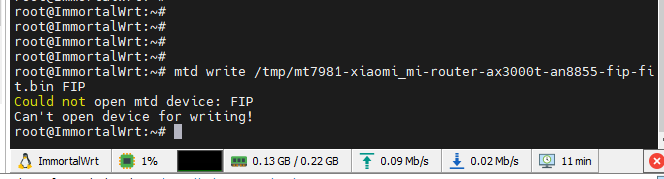

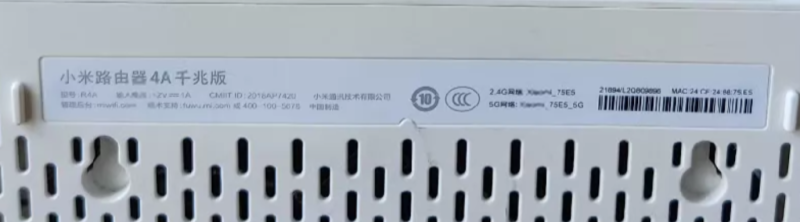
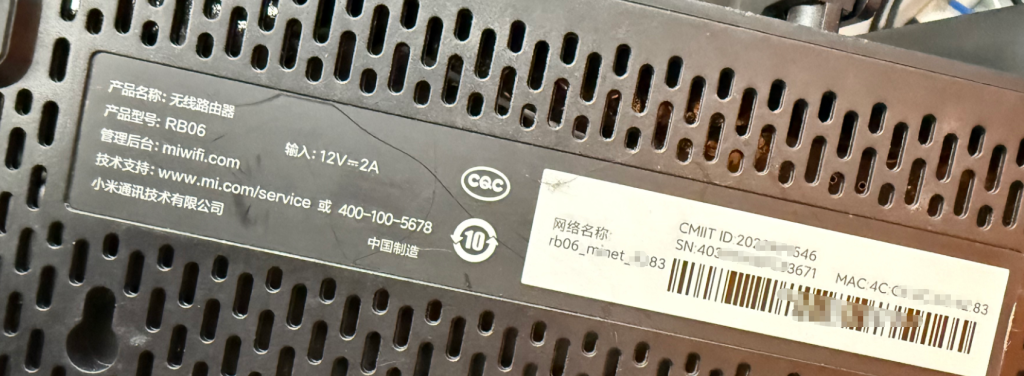



- 最新
- 最热
查看全部