



![图片[1]-istoreos安装卸载教程openwrt(适配主流 x86/ARM openwrt路由器设备)-勇爱设计Netwrok](https://www.getpicion.com/wp-content/uploads/2025/12/image-113-1024x326.png)
iStore是OpenWrt设备专属的第三方插件应用商店,也是玩机必备的核心工具。对比路由器自带的软件中心,它的插件资源更丰富、更新速度更快,涵盖网络优化、智能家居、设备运维、影音加速等各类实用工具。而且它支持一键安装卸载,适配绝大多数改版OpenWrt固件,是进阶玩机的必备工具。
一、准备工作
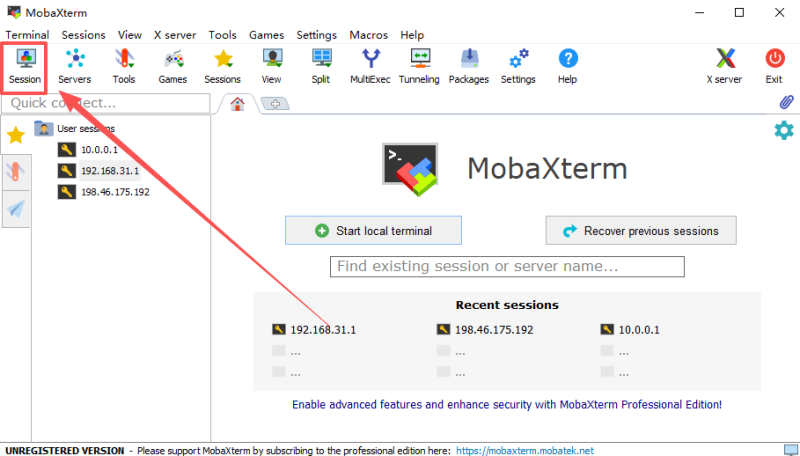
ssh登陆工具
1. 硬件要求
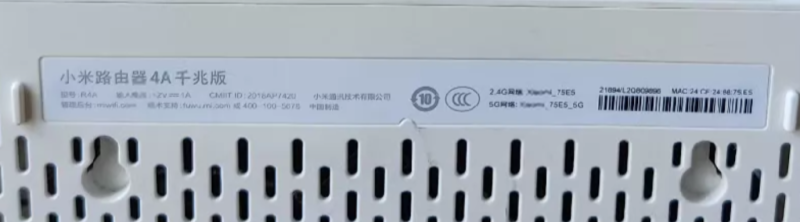
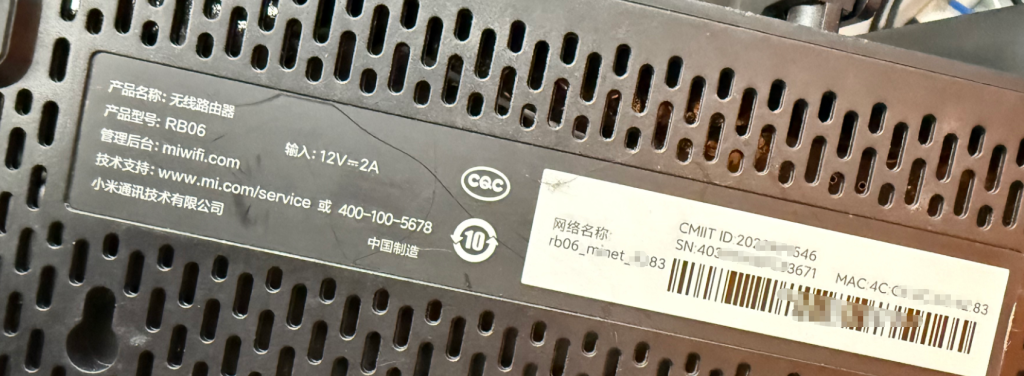
已刷好OpenWrt系统的路由器或设备,40兆以上可用存储、SSH登陆工具、安装命令。本次提供通用原版安装和加速安装两种方案,百分百适配。
iStore 安装要求
- 系统架构:只支持 x86_64 /arm64不支持 MIPS、32 位 ARM 等老设备。
- OpenWrt 版本:21.02 及以上推荐 22.03 / 24.10 / 25.12,越新越稳。
- 存储空间:至少 32MB 可用(/overlay 分区)建议 64MB+,不然装不了几个插件。
- 内存:最低 64MB,推荐 128MB+内存太小会卡顿、安装失败。
- 必须依赖:luci-compat 组件21.x+ 固件基本都自带,没有会装完不显示 iStore。
- 网络:能正常连外网能 ping 通 8.8.8.8 就行,国内网络建议用加速脚本。
2. 进入SSH界面直接复制粘贴回车即可。路由器/openwrt硬件会占用大概40M容量。
![图片[2]-istoreos安装卸载教程openwrt(适配主流 x86/ARM openwrt路由器设备)-勇爱设计Netwrok](https://www.getpicion.com/wp-content/uploads/2025/12/image-115-1024x596.png)
#一键复制安装,支持opnwrt v24以下版本
opkg update
cd /tmp
wget https://github.com/linkease/openwrt-app-actions/raw/main/applications/luci-app-systools/root/usr/share/systools/istore-reinstall.run
chmod 755 istore-reinstall.run
./istore-reinstall.run
#一键复制安装,支持最新版本opnwrt v25
apk update
cd /tmp
wget https://github.com/linkease/openwrt-app-actions/raw/main/applications/luci-app-systools/root/usr/share/systools/istore-reinstall.run
chmod 755 istore-reinstall.run
./istore-reinstall.run安装流程👇
#安装演示流程
root@OPENWRT:~# opkg update || exit 1
Downloading http://mirrors.pku.edu.cn/immortalwrt/releases/21.02.7/packages/aarch64_cortex-a53/base/Packages.gz
Updated list of available packages in /var/opkg-lists/openwrt_base
Downloading http://mirrors.pku.edu.cn/immortalwrt/releases/24.10.5/packages/aarch64_cortex-a53/luci/Packages.gz
Updated list of available packages in /var/opkg-lists/openwrt_luci
Downloading http://mirrors.pku.edu.cn/immortalwrt/releases/21.02.7/packages/aarch64_cortex-a53/packages/Packages.gz
Updated list of available packages in /var/opkg-lists/openwrt_packages
Downloading http://mirrors.pku.edu.cn/immortalwrt/releases/21.02.7/packages/aarch64_cortex-a53/routing/Packages.gz
Updated list of available packages in /var/opkg-lists/openwrt_routing
Downloading http://mirrors.pku.edu.cn/immortalwrt/releases/21.02.7/packages/aarch64_cortex-a53/telephony/Packages.gz
Updated list of available packages in /var/opkg-lists/openwrt_telephony
root@OPENWRT:~# cd /tmp
root@OPENWRT:/tmp# wget https://github.com/linkease/openwrt-app-actions/raw/main/applications/luci-app-systools/root/usr/share/systools/is
tore-reinstall.run
--2026-07-15 12:42:03--  https://github.com/linkease/openwrt-app-actions/raw/main/applications/luci-app-systools/root/usr/share/systools/istore-reinstall.run
Resolving github.com... 20.205.243.166
Connecting to github.com|20.205.243.166|:443... connected.
HTTP request sent, awaiting response... 200 OK
Length: unspecified [text/plain]
Saving to: 'istore-reinstall.run'

istore-reinstall.run                   [ <=>                                                           ]     951  --.-KB/s    in 0s

2026-07-15 12:55:25 (7.83 MB/s) - 'istore-reinstall.run' saved [951]

root@OPENWRT:/tmp# chmod 755 istore-reinstall.run
root@OPENWRT:/tmp# ./istore-reinstall.run
  % Total    % Received % Xferd  Average Speed   Time    Time     Time  Current
                                 Dload  Upload   Total   Spent    Left  Speed
100   603  100   603    0     0   1518      0 --:--:-- --:--:-- --:--:--  1522
  % Total    % Received % Xferd  Average Speed   Time    Time     Time  Current
                                 Dload  Upload   Total   Spent    Left  Speed
100  114k  100  114k    0     0   251k      0 --:--:-- --:--:-- --:--:--  250k
Fetch feed list for aarch64_cortex-a53
Update feeds index
Downloading https://istore.istoreos.com/repo/all/nas_luci/Packages.gz
Updated list of available packages in /tmp/is-root//tmp/opkg-lists/is_nas_luci
Downloading https://istore.istoreos.com/repo/all/store/Packages.gz
Updated list of available packages in /tmp/is-root//tmp/opkg-lists/is_store
Downloading https://istore.istoreos.com/repo/aarch64_cortex-a53/nas/Packages.gz
Updated list of available packages in /tmp/is-root//tmp/opkg-lists/is_nas
Downloading http://mirrors.pku.edu.cn/immortalwrt/releases/21.02.7/packages/aarch64_cortex-a53/base/Packages.gz
Updated list of available packages in /tmp/is-root//tmp/opkg-lists/openwrt_base
Downloading http://mirrors.pku.edu.cn/immortalwrt/releases/24.10.5/packages/aarch64_cortex-a53/luci/Packages.gz
Updated list of available packages in /tmp/is-root//tmp/opkg-lists/openwrt_luci
Downloading http://mirrors.pku.edu.cn/immortalwrt/releases/21.02.7/packages/aarch64_cortex-a53/packages/Packages.gz
Updated list of available packages in /tmp/is-root//tmp/opkg-lists/openwrt_packages
Downloading http://mirrors.pku.edu.cn/immortalwrt/releases/21.02.7/packages/aarch64_cortex-a53/routing/Packages.gz
Updated list of available packages in /tmp/is-root//tmp/opkg-lists/openwrt_routing
Downloading http://mirrors.pku.edu.cn/immortalwrt/releases/21.02.7/packages/aarch64_cortex-a53/telephony/Packages.gz
Updated list of available packages in /tmp/is-root//tmp/opkg-lists/openwrt_telephony
Downloading https://istore.istoreos.com/repo/all/meta/Packages.gz
Updated list of available packages in /tmp/is-root//tmp/opkg-lists/is_meta
Try mirror server https://repo.istoreos.com/repo
No packages removed.
Installing luci-lib-taskd (1.0.25) to root...
Downloading https://istore.istoreos.com/repo/all/store/luci-lib-taskd_1.0.25_all.ipk
Installing script-utils (2.36.1-2) to root...
Downloading http://mirrors.pku.edu.cn/immortalwrt/releases/21.02.7/packages/aarch64_cortex-a53/base/script-utils_2.36.1-2_aarch64_cortex-a53.ipk
Installing coreutils-stty (8.32-6) to root...
Downloading http://mirrors.pku.edu.cn/immortalwrt/releases/21.02.7/packages/aarch64_cortex-a53/packages/coreutils-stty_8.32-6_aarch64_cortex-a53.ipk
Installing taskd (1.0.3-2) to root...
Downloading https://istore.istoreos.com/repo/all/store/taskd_1.0.3-2_all.ipk
Installing luci-lib-xterm (4.18.0) to root...
Downloading https://istore.istoreos.com/repo/all/store/luci-lib-xterm_4.18.0_all.ipk
Package luci-lib-xterm (4.18.0) installed in root is up to date.
Configuring luci-lib-xterm.
Configuring script-utils.
Configuring coreutils-stty.
Configuring taskd.
Configuring luci-lib-taskd.
Try mirror server https://repo.istoreos.com/repo
No packages removed.
Installing luci-app-store (0.2.0-r3) to root...
Downloading https://istore.istoreos.com/repo/all/store/luci-app-store_0.2.0-r3_all.ipk
Configuring luci-app-store.
root@OPENWRT:/tmp#
如果下载失败,检查你的路由器网络连接。如果网络正常可能需要加速👇
![图片[3]-istoreos安装卸载教程openwrt(适配主流 x86/ARM openwrt路由器设备)-勇爱设计Netwrok](https://www.getpicion.com/wp-content/uploads/2025/12/image-116-1024x548.png)
![图片[4]-istoreos安装卸载教程openwrt(适配主流 x86/ARM openwrt路由器设备)-勇爱设计Netwrok](https://www.getpicion.com/wp-content/uploads/2025/12/image-117-1024x452.png)
如果需要漂亮的首页主题效果,安装istorex主题插件就可以了。
![图片[2]-推荐OpenWrt 上口碑好、实用性强的必备插件合集-勇爱设计Netwrok](https://www.getpicion.com/wp-content/uploads/2025/11/image-133-1024x366.png)
如果安装istorex主题英文无法显示中文,可以安装下中文包
#安装istorex主题英文无法显示中文,安装官方中文包
cd /tmp
wget https://repo.istoreos.com/repo/all/nas_luci/luci-i18n-quickstart-zh-cn_git-26.176.34044-f2b69d3_all.ipk
opkg install luci-i18n-quickstart-zh-cn_git-26.176.34044-f2b69d3_all.ipk
#openwrtv25
is-opkg update
echo "option check_signature 0" >> /etc/opkg.conf
is-opkg install luci-i18n-quickstart-zh-cn
卸载isotre命令(推荐)
#先查看安装了哪些 iStore 相关包
opkg list-installed | grep -i istore
apk list-installed | grep -i istore
opkg remove luci-app-store#如果安装了依赖,也可以一起删除:
opkg remove luci-lib-taskd luci-app-istore#最新版v25
apk remove luci-app-store#最新版v25,如果安装了依赖,也可以一起删除:
apk remove luci-lib-taskd luci-app-istore#彻底清理数据:
rm -rf /www/luci-static/istore
rm -rf /etc/istore
rm -rf /mnt/*/.istore#检查是否卸载干净
opkg list-installed | grep store浏览器打开路由后台 → 刷新页面,左侧「应用商店」就没了。
也可以图形化操作卸载
![图片[6]-istoreos安装卸载教程openwrt(适配主流 x86/ARM openwrt路由器设备)-勇爱设计Netwrok](https://www.getpicion.com/wp-content/uploads/2025/12/image-114-1024x449.png)
© 版权声明
文章版权归作者所有,未经允许请勿转载。
THE END




暂无评论内容