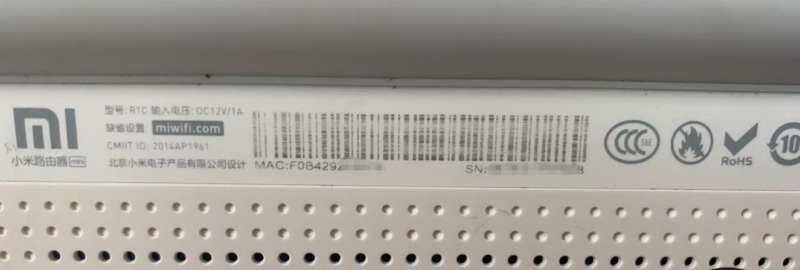



| 项目 | 规格参数 |
|---|---|
| 发布时间 | 2014 年 4 月 23 日 |
| 处理器 | MT7620A,580MHzXiaomi Singapore |
| 内存 / 闪存 | 128MB DDR2 / 16MB SPI FlashXiaomi Singapore |
| 无线标准 | 双频(2.4GHz + 5GHz),802.11ac/n/b/g |
| 最高速率 | 双频并发 1167Mbps- 2.4GHz:300Mbps (2×2)- 5GHz:867Mbps (2×2)Xiaomi Singapore |
| 天线 | 2 根外置双频全向天线Xiaomi Singapore |
| 网络接口 | – 1 个 10/100M WAN 口- 2 个 10/100M LAN 口 |
| 扩展接口 | 1 个 USB 2.0 (5V/1A)Xiaomi Singapore |
| 外观尺寸 | 128×88×27mmXiaomi Singapore |
| 重量 | 187gXiaomi Singapore |
| 外壳材质 | 塑料(白色 / 黑色可选)Xiaomi Singapore |
| 特色功能 | 智能双频、防蹭网、外接硬盘、APP 远程管理、游戏加速 |
| 适用场景 | 家庭、SOHO、小户型(1-2 房) |
![图片[1]-小米路由器mini/r1c刷机教程breed版+恢复原厂-勇爱设计Netwrok](https://www.getpicion.com/wp-content/uploads/2026/04/image-9-1024x345.png)
第一步解锁SSH
BusyBox v1.19.4 (2018-11-09 02:14:46 UTC) built-in shell (ash)
Enter 'help' for a list of built-in commands.

 -----------------------------------------------------
       Welcome to XiaoQiang!
 -----------------------------------------------------
  $$$$$$\  $$$$$$$\  $$$$$$$$\      $$\      $$\        $$$$$$\  $$\   $$\
 $$  __$$\ $$  __$$\ $$  _____|     $$ |     $$ |      $$  __$$\ $$ | $$  |
 $$ /  $$ |$$ |  $$ |$$ |           $$ |     $$ |      $$ /  $$ |$$ |$$  /
 $$$$$$$$ |$$$$$$$  |$$$$$\         $$ |     $$ |      $$ |  $$ |$$$$$  /
 $$  __$$ |$$  __$$< $$  __|        $$ |     $$ |      $$ |  $$ |$$  $$<
 $$ |  $$ |$$ |  $$ |$$ |           $$ |     $$ |      $$ |  $$ |$$ |\$$\
 $$ |  $$ |$$ |  $$ |$$$$$$$$\       $$$$$$$$$  |       $$$$$$  |$$ | \$$\
 \__|  \__|\__|  \__|\________|      \_________/        \______/ \__|  \__|


root@XiaoQiang:~# cat /proc/mtd
dev:    size   erasesize  name
mtd0: 01000000 00010000 "ALL"
mtd1: 00030000 00010000 "Bootloader"
mtd2: 00010000 00010000 "Config"
mtd3: 00010000 00010000 "Factory"
mtd4: 00c80000 00010000 "OS1"
mtd5: 00b177a3 00010000 "rootfs"
mtd6: 00200000 00010000 "OS2"
mtd7: 00100000 00010000 "overlay"
mtd8: 00010000 00010000 "crash"
mtd9: 00010000 00010000 "reserved"
mtd10: 00010000 00010000 "Bdata"
root@XiaoQiang:~#
第二步刷入breed
第三步刷入openwrt最新版
dev:    size   erasesize  name
mtd0: 00030000 00010000 "u-boot"
mtd1: 00010000 00010000 "u-boot-env"
mtd2: 00010000 00010000 "factory"
mtd3: 00f80000 00010000 "firmware"
mtd4: 002c77fa 00010000 "kernel"
mtd5: 00cb8806 00010000 "rootfs"
mtd6: 00310000 00010000 "rootfs_data"
mtd7: 00010000 00010000 "crash"
mtd8: 00010000 00010000 "reserved"
mtd9: 00010000 00010000 "Bdata"
[root@Kwrt:14:22 ~] #
恢复原厂系统
© 版权声明
文章版权归作者所有,未经允许请勿转载。
THE END




暂无评论内容