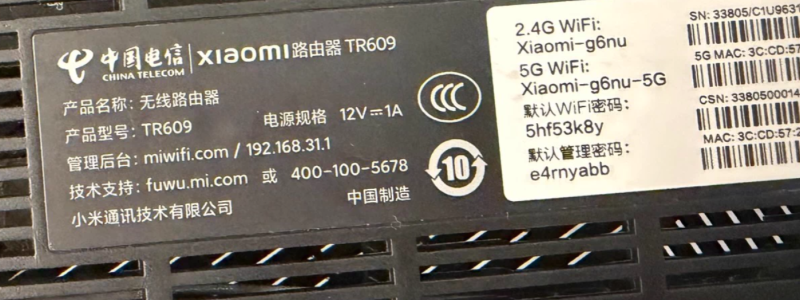


![图片[1]-小米路由器tr608/tr609/tr606刷机教程breed大分区版openwrt+恢复原厂教程AX1800-勇爱设计Netwrok](https://www.getpicion.com/wp-content/uploads/2026/01/image-58-1024x384.png)
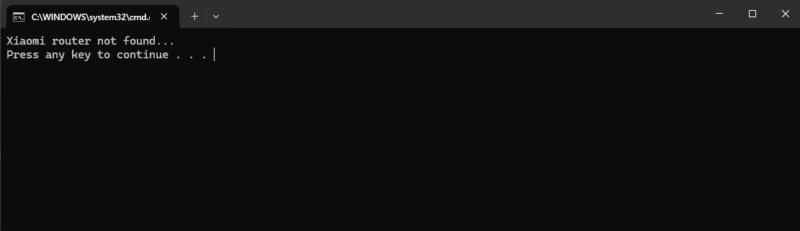
![图片[2]-小米路由器tr608/tr609/tr606刷机教程breed大分区版openwrt+恢复原厂教程AX1800-勇爱设计Netwrok](https://www.getpicion.com/wp-content/uploads/2026/01/image-59-1024x296.png)
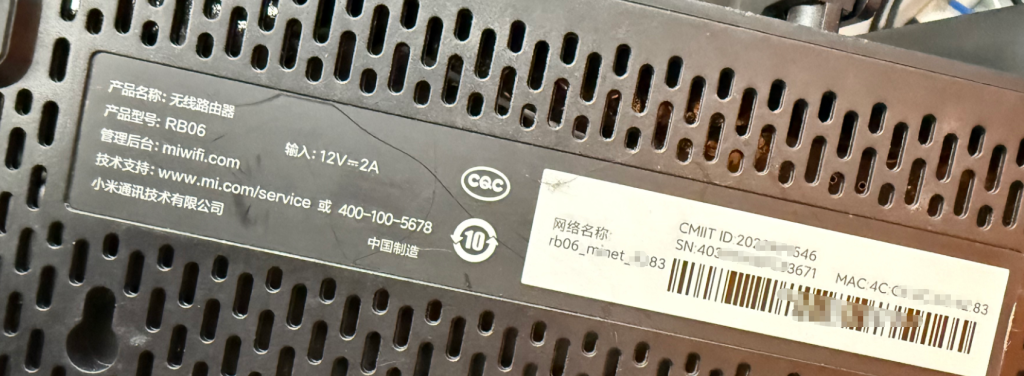
![图片[3]-小米路由器tr608/tr609/tr606刷机教程breed大分区版openwrt+恢复原厂教程AX1800-勇爱设计Netwrok](https://www.getpicion.com/wp-content/uploads/2026/01/image-60-1024x309.png)
| 对比项 | TR606(联通版) | TR608(移动版) | TR609(电信版) |
| 硬件平台 | MTK7621A 双核 880 MHz | 同左 | 同左 |
| Wi-Fi 规格 | Wi-Fi 6,AX1800:2.4 G 574 Mbps + 5 G 1201 Mbps | 同左 | 同左 |
| 内存 / 闪存 | 256 MB / 128 MB | 同左 | 同左 |
| 有线端口 | 1×千兆 WAN + 3×千兆 LAN | 同左 | 同左 |
| 天线 | 内置 4 根,Beamforming | 同左 | 同左 |
| 运营商锁 | 出厂联通固件,默认 192.168.31.1;插移动卡无法识别 | 出厂移动固件,默认 192.168.10.1 | 出厂电信固件,默认 192.168.2.1 |
| 刷机开放度 | 可刷 AX1800 官改、OpenWrt、老毛子等 | 同左 | 同左 |
root@XiaoQiang:~# nvram get flag_boot_rootfs
1
root@XiaoQiang:~# cat /proc/mtd
dev:    size   erasesize  name
mtd0: 00180000 00020000 "0:SBL1"
mtd1: 00100000 00020000 "0:MIBIB"
mtd2: 00380000 00020000 "0:QSEE"
mtd3: 00080000 00020000 "0:DEVCFG"
mtd4: 00080000 00020000 "0:RPM"
mtd5: 00080000 00020000 "0:CDT"
mtd6: 00080000 00020000 "0:APPSBLENV"
mtd7: 00180000 00020000 "0:APPSBL"
mtd8: 00080000 00020000 "0:ART"
mtd9: 00080000 00020000 "bdata"
mtd10: 00080000 00020000 "crash"
mtd11: 00080000 00020000 "crash_syslog"
mtd12: 00080000 00020000 "0:BOOTCONFIG"
mtd13: 00080000 00020000 "0:BOOTCONFIG1"
mtd14: 00380000 00020000 "0:QSEE_1"
mtd15: 00080000 00020000 "0:DEVCFG_1"
mtd16: 00080000 00020000 "0:RPM_1"
mtd17: 00080000 00020000 "0:CDT_1"
mtd18: 02400000 00020000 "rootfs"
mtd19: 02400000 00020000 "rootfs_1"
mtd20: 024a0000 00020000 "overlay"
mtd21: 00080000 00020000 "cfg_bak"
mtd22: 003a2000 0001f000 "kernel"
mtd23: 01341000 0001f000 "ubi_rootfs"
mtd24: 00915000 0001f000 "rootfs_data"
mtd25: 02093000 0001f000 "data"
root@XiaoQiang:~#
刷入临时固件后分区
![图片[4]-小米路由器tr608/tr609/tr606刷机教程breed大分区版openwrt+恢复原厂教程AX1800-勇爱设计Netwrok](https://www.getpicion.com/wp-content/uploads/2026/01/image-107-1024x660.png)
各分区备份(不通用)https://wwbtk.lanzouq.com/i6zO73kqzl8j
breed备份的编程固件(不通用)https://wwbtk.lanzouq.com/ifRzQ3kqzzid
刷机步骤
1.解锁SSH
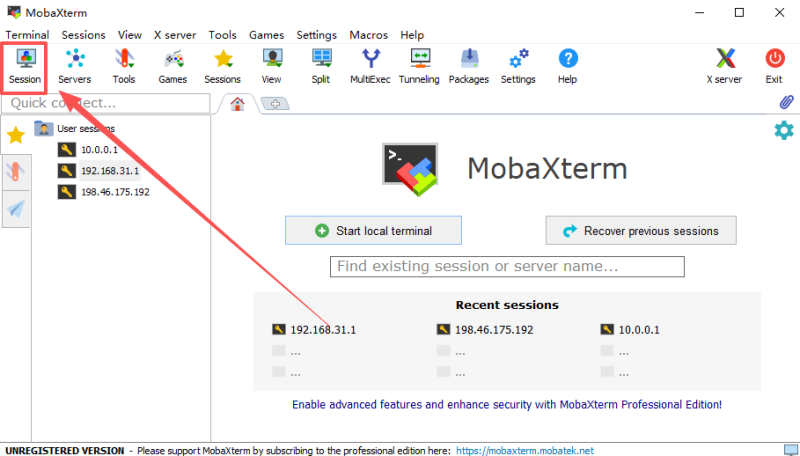
![图片[5]-小米路由器tr608/tr609/tr606刷机教程breed大分区版openwrt+恢复原厂教程AX1800-勇爱设计Netwrok](https://www.getpicion.com/wp-content/uploads/2026/01/image-108.png)
2.刷入breed大分区版
sh: /usr/bin/xauth: not found


BusyBox v1.25.1 (2021-10-15 03:52:49 UTC) built-in shell (ash)

 -----------------------------------------------------
       Welcome to XiaoQiang!
 -----------------------------------------------------
  $$$$$$\  $$$$$$$\  $$$$$$$$\      $$\      $$\        $$$$$$\  $$\   $$\
 $$  __$$\ $$  __$$\ $$  _____|     $$ |     $$ |      $$  __$$\ $$ | $$  |
 $$ /  $$ |$$ |  $$ |$$ |           $$ |     $$ |      $$ /  $$ |$$ |$$  /
 $$$$$$$$ |$$$$$$$  |$$$$$\         $$ |     $$ |      $$ |  $$ |$$$$$  /
 $$  __$$ |$$  __$$< $$  __|        $$ |     $$ |      $$ |  $$ |$$  $$<
 $$ |  $$ |$$ |  $$ |$$ |           $$ |     $$ |      $$ |  $$ |$$ |\$$\
 $$ |  $$ |$$ |  $$ |$$$$$$$$\       $$$$$$$$$  |       $$$$$$  |$$ | \$$\
 \__|  \__|\__|  \__|\________|      \_________/        \______/ \__|  \__|


root@XiaoQiang:~# mtd write /tmp/breed-660x.bin Bootloader
Unlocking Bootloader ...

Writing from /tmp/breed-660x.bin to Bootloader ...
root@XiaoQiang:~#
![图片[6]-小米路由器tr608/tr609/tr606刷机教程breed大分区版openwrt+恢复原厂教程AX1800-勇爱设计Netwrok](https://www.getpicion.com/wp-content/uploads/2026/01/image-109-1024x336.png)
3.刷入openwrt
拔掉路由器电源10秒。按住reset键不松手。重新插电源——全程别松reset键!等10秒再松手。这时候路由器灯光不亮。正常现象。打开本地连接。 设置本地ip地址为192.168.1.10等。浏览器输入192.168.1.1就可以进入breed界面了。可以先备份原厂系统。完成后点击固件更新。选择对应的刷机固件,进入刷机流程。上传后点击更新。进入更新流程。路由器会自动进入重启流程。这时候路由器灯光闪烁。等常亮后。过程大概2分钟。待蓝灯后。打开本地连接。 设置本地ip地址为自动获取。浏览器打开10.0.0.1。输入账号root,密码root。恭喜openwrt刷入完成啦。怎么样是不是很简单。如果以后想换固件。直接系统更新即可。
恢复原厂系统
拔掉路由器电源10秒。按住reset键不松手。重新插电源——全程别松reset键!等10秒再松手;这时候路由器灯光不亮。正常现象。打开本地连接。 设置本地ip地址为192.168.1.10等。浏览器输入192.168.1.1就可以进入breed界面了。选择bootloader。选择刷入第一步备份的bootloader文件。如果忘记备份也没有关系,工具包有。上传点击更新。回到首页后点击重启。
解压打开“小米路由器恢复工具”。浏览选择文件夹里面的固件。点击下一步。选择路由器连接电脑的网卡。点击下一步。等待工具修改网卡。进入这个界面。拔掉路由器电源10秒。按住reset键不松手。重新插电源——全程别松reset键!大概10秒。就可以松手了。这时候电脑会自动进入恢复流程。等待完成。看到工具等待蓝灯闪烁。则刷机完成。过程大概2分钟。重新插电。浏览器输入192.168.31.1或者miwifi.com。就可以回到原厂系统。是不是超省心?




- 最新
- 最热
只看作者